Need help?
Do you have a question about the Sennheiser HD 250BT and is the answer not in the manual?
Covers risks like hearing damage from high volumes, magnetic field interference with implants, and choking hazards.
Details on protecting the product from moisture, extreme temperatures, and using approved accessories.
Warning about potential hazards like heat, fire, or explosion from battery misuse.
Instructions on how to charge the headphones' built-in battery, including charging time and LED status.
Guide to downloading and installing the Sennheiser Smart Control app for advanced features and settings.
Steps to pair and connect the headphones to a Bluetooth-enabled device like a smartphone.
Detailed explanation of the charging process, battery life, and LED indicators during charging.
Information on Bluetooth 5.0, audio codecs, and managing paired devices.
Detailed instructions for pairing the headphones with a Bluetooth device, including PIN code.
Guide to downloading, installing, and using the app for settings and firmware updates.
Instructions on how to increase or decrease the volume using headphone buttons or the connected Bluetooth device.
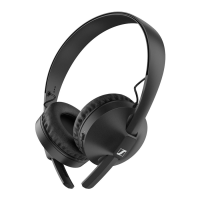
The Sennheiser HD 250BT are on-ear headphones designed for wireless audio communication, including music playback and phone calls, via Bluetooth wireless technology. These headphones are compatible with Bluetooth 5.0 and support high-resolution audio encoding methods like aptX, aptX LL, and AAC for high-quality music playback. If these codecs are not available, music will be played in normal audio quality (SBC).
The HD 250BT headphones feature a built-in rechargeable lithium-polymer battery that provides approximately 25 hours of music playback (via SBC) on a full charge. A complete charging cycle takes about 3.5 hours. The headphones are equipped with a USB-C socket for charging, and Sennheiser recommends using the supplied USB cable with a compatible standard USB power supply. An LED indicator on the headphones provides visual feedback on various statuses, such as power on/off, Bluetooth connection, pairing mode, and battery charge level. Voice prompts also guide the user through different functions, including power status, connection status, pairing, call status, and battery level warnings.
The headphones include a microphone for phone calls, which is omni-directional for speech audio. Volume control is managed via dedicated buttons on the ear cup, allowing users to increase or decrease the volume for music, voice prompts, beep sounds, and phone calls. Music playback can be controlled using a multi-function button, enabling play/pause, skipping to the next track, and returning to the previous track. For phone calls, the multi-function button allows users to accept, reject, or end calls. Additionally, the microphone can be muted during a call by pressing and holding the volume down button.
The Sennheiser Smart Control app enhances the functionality of the HD 250BT. This free app, available on the App Store and Google Play, allows users to access all settings and functions of the headphones, including adjusting sound effects and using an equalizer. Sound settings defined in the app are stored directly on the headphones, remaining active even when the headphones are used with other Bluetooth devices without the app. The app also facilitates firmware updates, ensuring the headphones always operate with the latest performance enhancements.
To get started, the headphones should be fully charged before first use. The Smart Control app can then be installed on a smartphone to unlock the full range of features. Connecting the headphones to a Bluetooth device involves a pairing process. When switched on for the first time, the headphones automatically enter pairing mode. For subsequent pairings or to pair with a new device, the on/off button needs to be pressed and held for 4 seconds until the LED flashes red and blue, indicating pairing mode. The headphones can store connection profiles for up to eight Bluetooth devices. If a ninth device is paired, the profile of the least used device will be overwritten.
Switching the headphones on involves pressing and holding the on/off button for 3 seconds. Voice prompts confirm "Power on" and "Connected" if Bluetooth is active and a paired device is found, or "Pairing" if no device is connected. To switch off, the on/off button is held for 3 seconds, and a "Power off" voice prompt is heard.
For optimal sound quality and comfort, the headband is adjustable. Users should wear the headphones with the "R" and "L" markings correctly aligned for the right and left sides of the head, respectively. The ear cups can be moved up or down the headband sliders to ensure they rest comfortably on the ears with even pressure, and the ear pads completely cover the ears.
The battery charge status can be checked via the Smart Control app or, for connected Bluetooth devices, often displayed on the smartphone screen. On the headphones themselves, pressing the volume button once will trigger a voice prompt indicating the remaining battery percentage or "Recharge headset" if the battery is critically low.
When making or receiving phone calls, the headphones automatically transfer the call if connected to a smartphone. If not, "HD 250BT" can be manually selected as the output device on the smartphone. Incoming calls are signaled by a ring tone, and if music is playing, it will pause until the call ends.
Maintaining the HD 250BT headphones involves keeping them dry and away from extreme temperatures to prevent corrosion or deformation. The normal operating temperature range is 0 to 40 °C (32 to 104 °F). Cleaning should be done with a soft, dry cloth, avoiding solvents or cleansing agents. The product should be stored in a clean, dust-free environment when not in use.
The ear pads are replaceable for hygiene reasons, and spare parts are available from Sennheiser partners. To replace them, the old ear pad is peeled away from the ear cup, and a new one is placed onto the ear cup, ensuring the seam points downwards and the ear pad is fixed in the notch of the ear cup.
The built-in rechargeable battery is designed for optimal performance upon purchase. If a defective battery or charging error is suspected within the warranty period, users should stop using the product, disconnect it from the power supply, and contact a Sennheiser partner for repair or replacement. Outside the warranty period, battery replacement services are available for a fee through Sennheiser partners.
Firmware updates are crucial for maintaining the best performance of the headphones. These updates are downloaded free of charge via the Sennheiser Smart Control app when the smartphone is connected to the internet. The app will provide notifications for available updates and guide the user through the installation process.
To delete the Bluetooth pairing list, Bluetooth should first be deactivated on the smartphone. Then, the headphones are switched off. After switching them back on (holding the on/off button for 4 seconds to enter pairing mode), the volume + button is pressed and held for 3 seconds. The LED will flash purple 3x, confirming the pairing list has been deleted, and the headphones will remain in Bluetooth pairing mode.
It is important to protect hearing by adjusting the volume to a low level before putting on the headphones and avoiding continuous exposure to high volume levels. The product also generates magnetic fields, so individuals with cardiac pacemakers or other implants should maintain a distance of at least 3.94 inches (10 cm) from the magnet-containing component. The headphones, accessories, and packaging should be kept out of reach of children and pets to prevent accidents. The product should not be used in environments requiring special attention, such as in traffic.
 General
| Headset type | Binaural |
|---|---|
| Product type | Headset |
| Product color | Black |
| Wearing style | Head-band |
| Recommended usage | Calls/Music |
| Bluetooth | Yes |
| 3.5 mm connector | No |
| Bluetooth version | 5.0 |
| Connectivity technology | Wireless |
| Impedance | - Ω |
| Driver type | Dynamic |
| Ear coupling | Supraaural |
| Headphone frequency | 20 - 22000 Hz |
| Microphone type | Built-in |
| Microphone frequency | 100 - 10000 Hz |
| Battery type | Built-in battery |
| Battery voltage | 3.7 V |
| Charging source | USB |
| Battery capacity | 190 mAh |
| Continuous audio playback time | 25 h |
| Storage temperature (T-T) | -20 - 60 °C |
| Operating temperature (T-T) | 0 - 40 °C |
| Quantity | 1 |
| Cables included | USB Type-A to USB Type-C |
| Package type | Box |
| Package depth | 235 mm |
| Package width | 200 mm |
| Package height | 85 mm |
| Package weight | 315 g |
| Harmonized System (HS) code | 85183000 |
 Weight and Dimensions
| Weight | 125 g |
|---|





 To Next Page