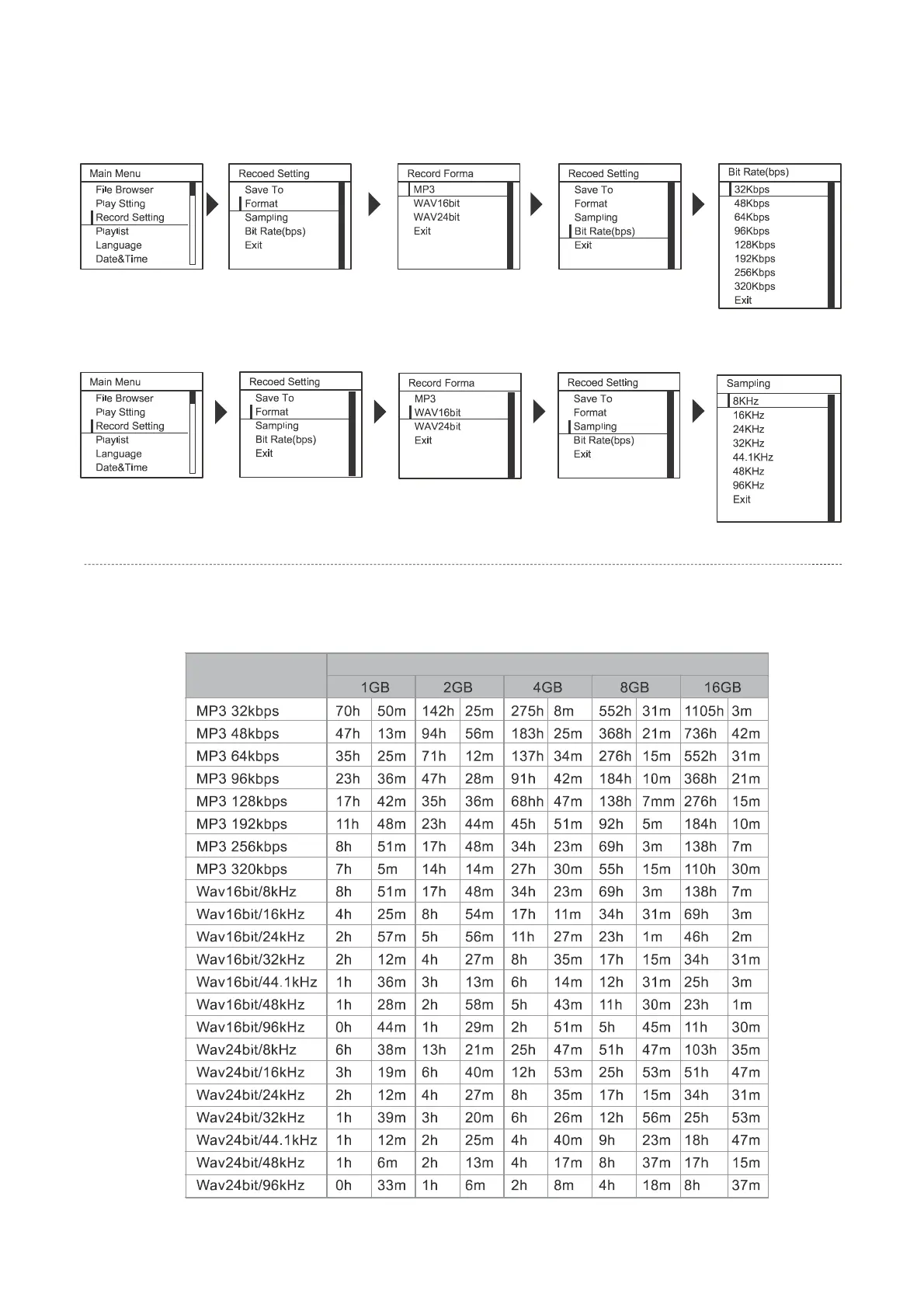
Setting the recording format
Bit Rate(bps): MP3 has 8 format and select the bit rate.
The Bit rate will display when you change the bit rate.
Sampling Select WAV 16 bit or WAV 24 Bit for recording format and then set the Sampling for 8 opinions.
The window will display the select format
Note : MP3 recording format is Kbps per unit. WAV16/WAV24 recording format is sample rate unit.
Estimated recording times
The approximate recording time for memory cards is shown below.
Note The above recording times are estimates. The times may change depending on the card specifications.
Furthermore, the actual recording time is shorter when there are multiple files.
5
Setting
Memory card size


 To Next Page