EasyManua.ls Logo

SENSECAP ONE Series - User Manual

Default Icon
49 pages
Print Icon
To Next Page IconTo Next Page
Loading...
User manual/ Technical information
Seeed Technology Co., Ltd. All rights reserved. www.seeedstudio.com
The 1 Page total 49
Page
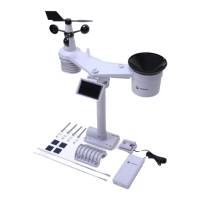
SenseCAP All-in-One Weather
Station User Guide
Version: V1.0
Dates: 2023-4-07
Question and Answer IconNeed help?

Do you have a question about the SENSECAP ONE Series and is the answer not in the manual?

Summary

1 Product Introduction

1.1 Product Overview

Overview of the SenseCAP All-in-One Weather Station and its capabilities.

2 Installation Procedures

2.1 Packing List

Lists the components included in the product package for setup.

2.2.1 Device Interface Introduction

Describes the connectors and ports on the device.

2.2.2 Connect with USB Cable

Instructions for connecting the device using a USB Type-C cable.

2.2.3 M12 Cable

Details about the M12 8-pin connector and its wiring.

2.2.4 Install the Device

Instructions for physically mounting the device on poles or platforms.

3 Device Operating Modes

3.1 Configure via USB Port

Steps to configure the device using a USB port and cable.

3.2 SenseCAP Configuration Tool

Guide to using the SenseCAP ONE Configuration Tool for setup.

3.3 Serial Debug Tool

Instructions for using a serial debug tool for device communication.

4 Communication Protocols

4.1 Modbus-RTU Protocol

Details on using the Modbus-RTU communication protocol.

4.1.2 Register Address Definition

Defines the register addresses for accessing sensor data via Modbus.

4.2 ASCII Protocol

Details on using the ASCII communication protocol.

4.2.4 ASCII Command List

Provides a detailed list of commands for the ASCII protocol.

4.3 SDI-12 Protocol

Details on using the SDI-12 communication protocol.

4.3.1 SDI-12 Commands and Responses

Explains commands and responses for the SDI-12 protocol.

4.3.2 SDI-12 Data Reading

Instructions for reading data using the SDI-12 protocol.

5 Error Codes

5.1 Modbus Error Codes

Lists error codes and their descriptions for Modbus communication.

5.2 ASCII Error Codes

Lists error codes and their descriptions for ASCII communication.

5.3 SDI-12 Error Codes

Lists error codes and their descriptions for SDI-12 communication.

Summary

1 Product Introduction

1.1 Product Overview

Overview of the SenseCAP All-in-One Weather Station and its capabilities.

2 Installation Procedures

2.1 Packing List

Lists the components included in the product package for setup.

2.2.1 Device Interface Introduction

Describes the connectors and ports on the device.

2.2.2 Connect with USB Cable

Instructions for connecting the device using a USB Type-C cable.

2.2.3 M12 Cable

Details about the M12 8-pin connector and its wiring.

2.2.4 Install the Device

Instructions for physically mounting the device on poles or platforms.

3 Device Operating Modes

3.1 Configure via USB Port

Steps to configure the device using a USB port and cable.

3.2 SenseCAP Configuration Tool

Guide to using the SenseCAP ONE Configuration Tool for setup.

3.3 Serial Debug Tool

Instructions for using a serial debug tool for device communication.

4 Communication Protocols

4.1 Modbus-RTU Protocol

Details on using the Modbus-RTU communication protocol.

4.1.2 Register Address Definition

Defines the register addresses for accessing sensor data via Modbus.

4.2 ASCII Protocol

Details on using the ASCII communication protocol.

4.2.4 ASCII Command List

Provides a detailed list of commands for the ASCII protocol.

4.3 SDI-12 Protocol

Details on using the SDI-12 communication protocol.

4.3.1 SDI-12 Commands and Responses

Explains commands and responses for the SDI-12 protocol.

4.3.2 SDI-12 Data Reading

Instructions for reading data using the SDI-12 protocol.

5 Error Codes

5.1 Modbus Error Codes

Lists error codes and their descriptions for Modbus communication.

5.2 ASCII Error Codes

Lists error codes and their descriptions for ASCII communication.

5.3 SDI-12 Error Codes

Lists error codes and their descriptions for SDI-12 communication.

SENSECAP ONE Series Specifications

General IconGeneral
Ingress ProtectionIP66
IP RatingIP66
Product TypeWeather Station
Power SupplySolar powered with rechargeable battery
Operating Temperature-40°C to +85°C
Wind Direction Range0-359°
Temperature Range-40°C to +85°C
Temperature Accuracy±0.3°C
Humidity Range0-100%RH
UV Index Range0 to 15
Communication InterfacesLoRaWAN
Measurement ParametersWind Speed, Wind Direction, Temperature, Humidity, Rainfall, UV Index, Light Intensity

Related product manuals