
 Need help?
Do you have a question about the Sensotec Rapidox 1100ZR-H-PFC-E and is the answer not in the manual?
Overview of the Rapidox 1100ZR-H-PFC-E analyser's key capabilities and performance.
Critical safety information regarding the use and limitations of the equipment.
Details on connecting the Proportional Flow Control (PFC) valve and supply.
Initial steps for setting up and powering on the Rapidox analyser.
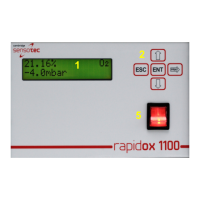
Explains how the analyser's LCD displays readings, units, and status.
Instructions for accessing menus and setting up password protection.
Procedure for cleaning the oxygen sensor to maintain performance.
Configuration options for setting up alarm thresholds and notifications.
How to configure oxygen and pressure display units (%, ppm, mbar, etc.).
Options for LCD refresh rate and second line display content.
Selecting automatic or manual pressure correction for oxygen readings.
Configuring the communication speed for data logging and PC interface.
Information on connecting and communicating via serial ports.
Details on RS232 connection parameters and communication commands.
Guide for installing the Rapidox configuration and data logging software.
Initial steps for connecting and using the Rapidox software.
How to access the built-in help resources within the software.
Overview of the software's configuration interface.
Settings available on the first configuration screen of the software.
Settings available on the second configuration screen of the software.
Software interface for configuring alarms.
Synchronizing the analyser's clock with the PC.
Procedure for logging diagnostic data for technical support.
Software option to display or hide the analyser's LCD emulator.
Software utility for capturing screenshots.
Overview of the data logging capabilities and features.
Enabling automatic start of data logging upon software launch.
Steps to configure data logging parameters and intervals.
How to start, pause, and stop data logging sessions.
Feature for automatically naming data files with date suffixes.
Customizing the colors used for displaying data on the graph.
Modifying graph titles and axis labels for clarity.
Displaying specific data point coordinates on the graph.
Shows the most recent data values acquired during logging.
Using the on-screen cursor to investigate data points on the graph.
Functionality to zoom into specific areas of the graph.
Changing the units displayed on the Y-axis between % and ppm.
Selecting between linear and logarithmic scales for the oxygen axis.
Displaying secondary data (e.g., pressure) on a second Y-axis.
Operating the data logger while using other applications.
Temporarily stopping and resuming data logging.
Adjusting logging intervals while a session is active.
Importing data into spreadsheet software like MS Excel.
Methods to recover data in case of system crashes or power failures.
Dynamic Data Exchange protocols for software communication.
Common issues and their solutions, presented in a Q&A format.
Terms and conditions governing the product warranty.
Physical connections for the Proportional Flow Control feature.
Overview of software features related to PFC.
Software configuration settings for Proportional Flow Control.
Software configuration for alarms related to PFC.
How to log data from the PFC feature.
 General
| Brand | Sensotec |
|---|---|
| Model | Rapidox 1100ZR-H-PFC-E |
| Category | Analytical Instruments |
| Language | English |

 To Next Page