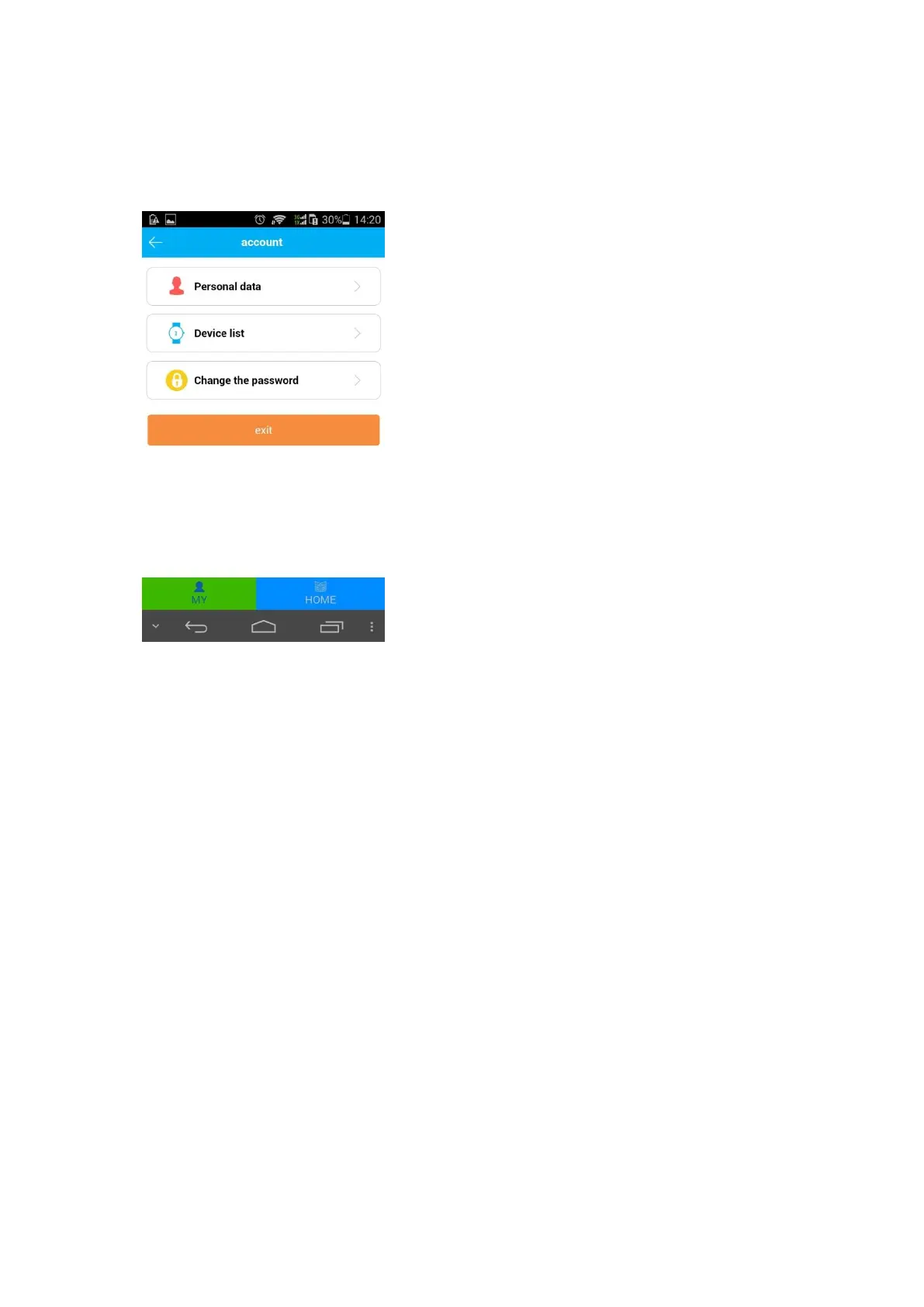
To edit personal data, add/delete device or change the password.
Note: more than 1 watch can be monitored under one account.
Check watch ID in device list, if the ID is different from the ID in QR-code, then watch are
not available to connect with APP.
5. Watch Operation Guide
5.1. Turn on/off the watch
Long press the power/sos button to turn on the watch with or without sim installed.
Long press the power/sos button to turn off the watch when sim card not uninstalled.
Click “Setting-Remote shutdown” on APP to turn off the watch with sim card installed.
The watch will automatically shut down when it is powered off.
5.2. SOS emergency call
Long press power/sos button to initiate the emergency call and to send alert message to
monitor phone number. The watch will circular dial 3 preset SOS numbers until the call is
answered. After 2 turns, if nobody answers the call, watch will send message to monitor
number (default “off”).
5.3. Answer calls or hang up
Touch phone button on the screen to answer incoming calls. Click screen “+” or “-” to
adjust the volume. Short press power/sos button to hang up calls.
5.4. Phone book
The watch can preset up to15 numbers on APP, slide screen to enter “Phone book” , slide
to check contacts, short press to dial the number. The watch number and the numbers


 To Next Page
 Loading...