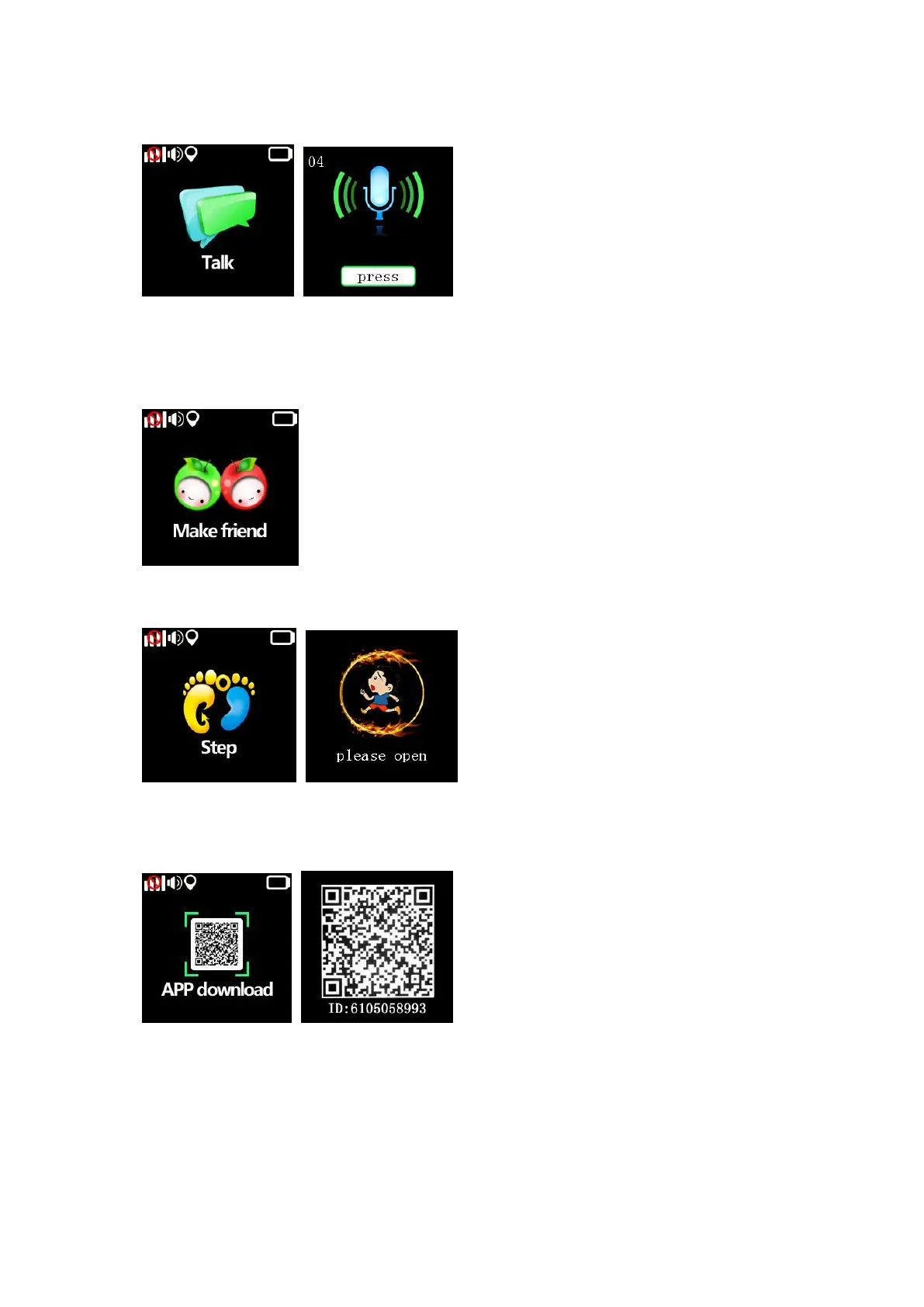
3.3. Talk: click to chat with APP, hold the “press”.to talk, release to send message to APP.
3.4. Make friend: touch watches to add each other as friends, there will be a remind when
you successfully made friend with each other, watch can only make one friend.
Change friend: delete friend on APP then make friend with others kid.
3.5. Step: enable the “HEALTH-Walk” on APP, the step number will display on watch.
APP download: click to magnify the QR-code, scan the QR code to download Android or
IOS APP, the number under the QR-code is watch ID.
4. APP(SeTracker)Operation Guide
4.1. Account Registration
After installation of APP, you need to register an account to monitor the watch.
Select Language and Area based on actual situation and click “register” to enter


 To Next Page
 Loading...