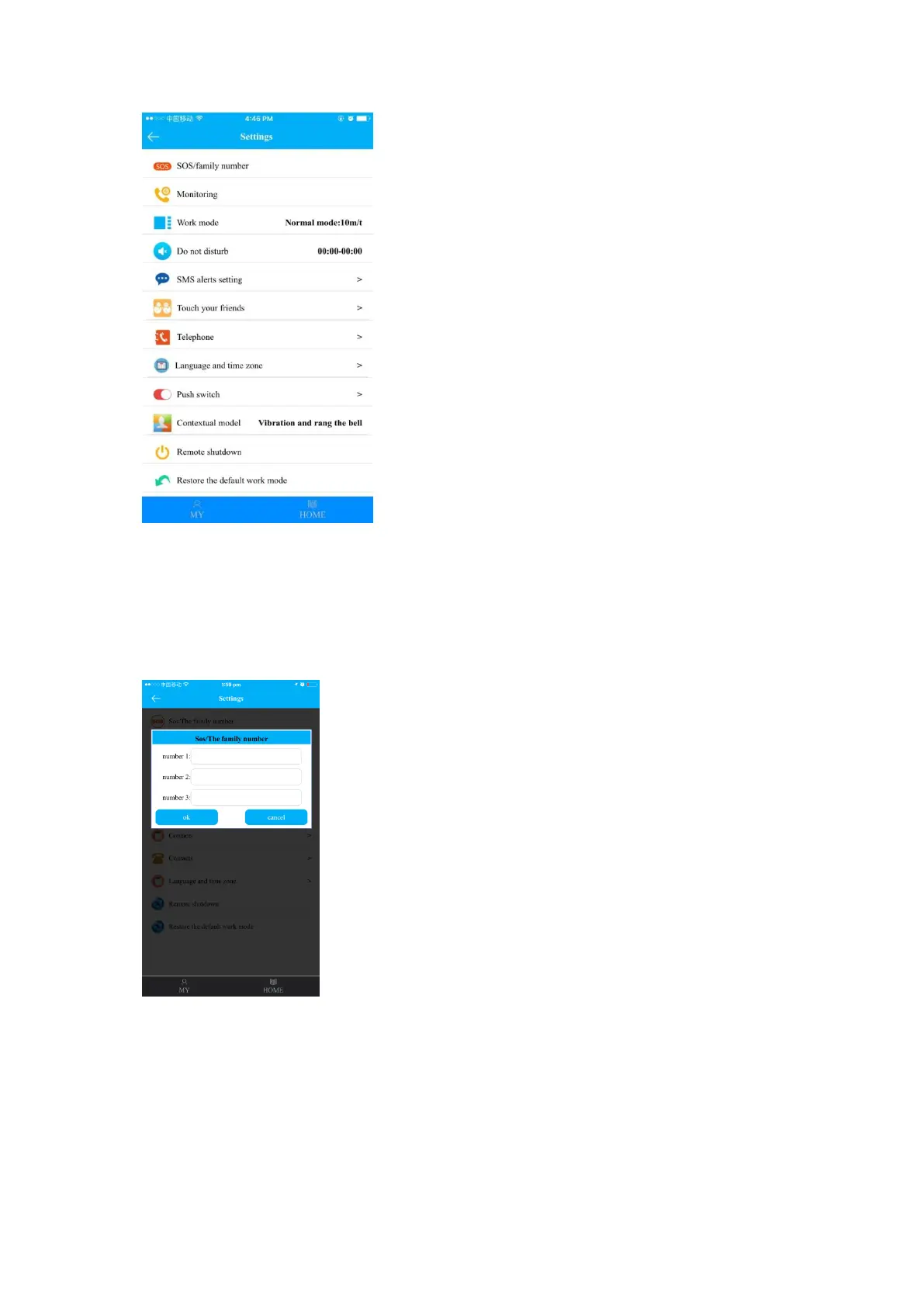
(1)SOS/The family number
Up to 3 numbers can be set as SOS family numbers. When watch user makes SOS
emergency call, monitor phone will receive alert message. Watch will make circular calls
to the 3 numbers in turns for 2 rounds until someone answers the call. If nobody answers
the call after 2 rounds dialing, SMS message will be sent to monitor number (default “off).
(2)Monitoring
Input guardian’s phone number and click “ok” to send remote monitoring command. After
getting the command, watch will dial the monitor number automatically. When the cell
phone answers the call from watch, guardian is able to hear the watch user’s
surroundings, while the watch user cannot hear sound from the mobile phone.



 To Next Page