DETECTOR DEVICE FEATURES – DEFINITIONS
Battery Housing: To install the batteries, rst remove the battery door located at the back end of the reader by removing four screws.
Insert the 1.2V rechargeable batteries into each slot making sure that each battery polarity is in the right orientation by observing that the
spring coils in the battery slots are for the negative side of the batteries (at end of battery) , then replace the battery compartment door by
inserting it back, and securing with the four screws removed initially.
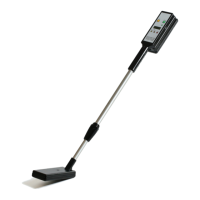
Power Button: Turn on by pressing for one (1) second located on the bottom left side of the reader. A green light will illuminate. The LCD
display will show the message: Portable Reader Model M350. Thereafter, it will change to display a number with a % value and then the
letter M: also with a % value. The rst number with a % value, is the indication of the noise level of the Detector for reading the tags. For
the % value with the letter M indicates the amount of memory space left for recording the tag numbers.
Light Indicators: Immediately after the AC Power is connected, the Charge light will illuminate. When the battery is fully charged the
Charge light will turn off. If the batteries no longer can accept charge, meaning that the batteries have little capacity, the Replace light will
illuminate, now is the time to replace with new rechargeable batteries
AUX Features: Programmable features include
Volume: The volume function will allow changing the volume of the audible from OFF state to seven steps upward volume level. To change
the volume, press momentary the AUX button and the display will indicate the volume level set in the reader. To continue changing, keep
toggling the AUX switch until the desired level, then stop.
Back Light: This function allows turning off the back light of the LCD display in order to minimize power consumption. To turn off the LCD
back light press momentary the AUX button. The LCD display will display the volume level, then press and hold the AUX button until the
back light function appears, release the button, then press and hold again the AUX button to select the function, toggle for the desired
function then press and hold again to set that function until the display will indicates “value changed”
Signal Level: Shut Down time of this function allows to change the automatic shut off time of the reader after initialization or after a tag is
momentary read. The reader has four steps: Off, 60 sec., 150 sec., and 5 min. The best setting for maximum power saving of the batteries
is 60 sec. The Reader automatic default setting shut off time is 150 sec. To change the automatic default time, press momentary the AUX
button, then the LCD display will show the volume level, then press and hold the AUX button until the back light function appears, toggle
the AUX button until the shut off function appears (or desired function), to select this function press and hold again the button until the
shut off values appears (or desired function), toggle for the desired value then press and hold again until the display indicates “Value
changed”
Send tags: This function is only used when the reader is paired with an external storage device via the Bluetooth function. When the reader
is paired with the external device this function allows that the reader may send its memory stored data via the Bluetooth connection
Erase tags: This function allows the reader to erase its memory stored data. Follow Instructions as given above in the Shut Down function.
At the end of this set up function, please wait until the reader nishes erasing the les
BT Pairing: This function allows the reader to set up the pairing with an external storage device compatible with Bluetooth 2.0 EDR. Please
work with your Dow AgroSciences sales representative to determine your hardware/vendor software needs. Additional instructions are
needed for Bluetooth set up.
Unique Mode: In this mode the Detector will remain for 150 seconds (programmable values) and if no tag was read the Detector will shut
off automatically followed by a beep. But if a tag was read or detected, the shut off time is reset and the time count will start at zero value
and shut off automatically at the preset value150 sec.
— 3 —


 To Next Page
 Loading...