EasyManua.ls Logo

Senztek solastat-1 - User Manual

Senztek solastat-1
16 pages
Print Icon
To Next Page IconTo Next Page
Loading...
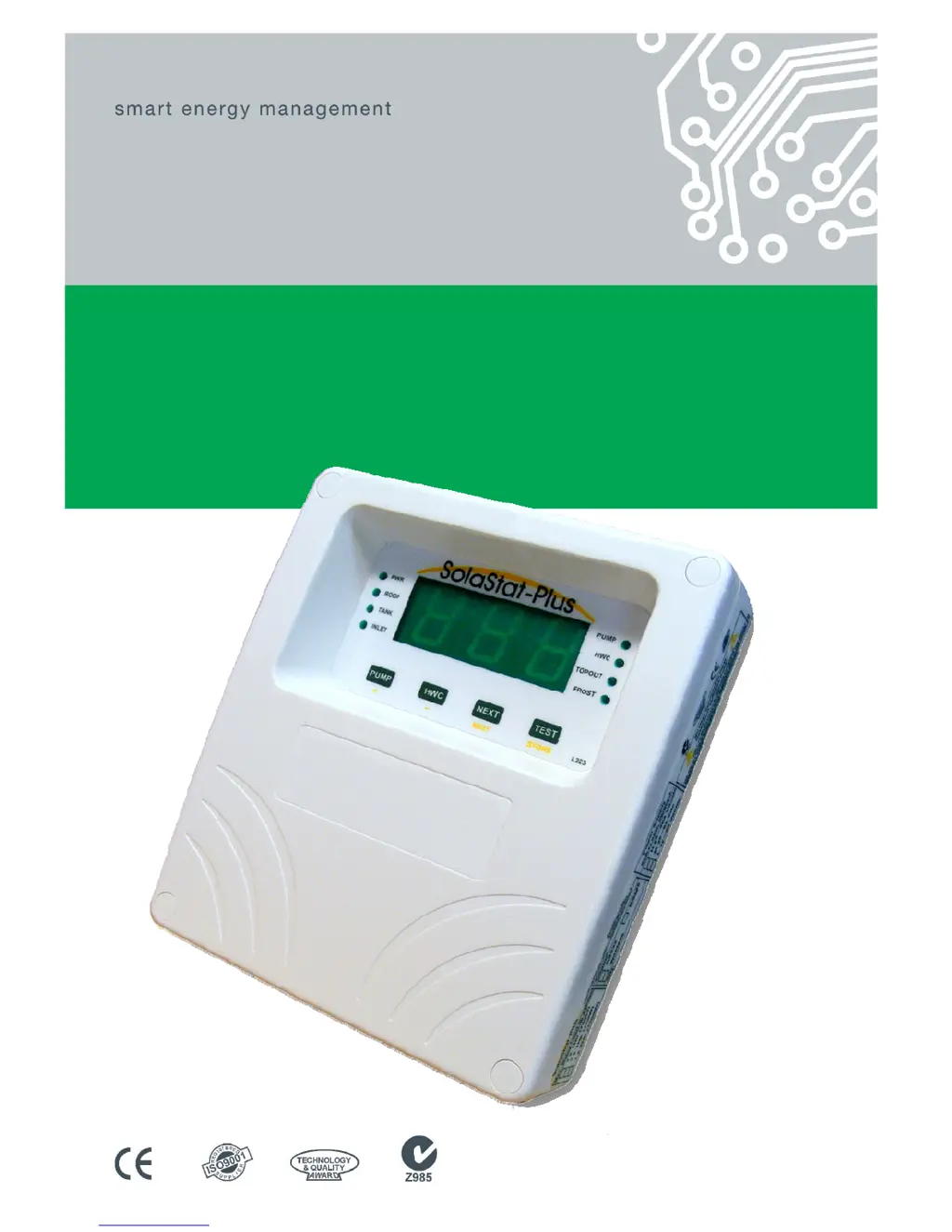
USER GUIDE
SolaStat
-1-3
An Intelligent Technology Solution for Water Heating

Questions and Answers

  • T
    Tyler ColemanJul 31, 2025
    What to do if my Senztek solastat-1 Thermostat has no operation, display, or lights?
    • A
      Allison OrtizJul 31, 2025
      If your Senztek Thermostat isn't working, showing no display, and has no lights, it could be due to a power issue. First, check the mains outlet to ensure it's working. Then, inspect the fuses to see if any have blown.
  • B
    brownelizabethAug 4, 2025
    Why is the POWER light ON but there is no display or a corrupted display on my Senztek solastat-1 Thermostat?
    • K
      Kenneth BennettAug 4, 2025
      If the POWER light on your Senztek Thermostat is on but the display is either blank or corrupted, it could be due to a power brownout (mains power not running at full voltage) or a faulty unit. Try switching off the power while the mains power is in a brownout condition. Alternatively, switch off the power for 10 minutes, then switch it back on to see if the unit operates normally. If the issue persists, the unit may need repair.
  • S
    Steven RiveraAug 8, 2025
    What to do if the Senztek solastat-1 display is on, pump is not running, but it's sunny outside and the pump light is ON?
    • P
      Peter PopeAug 8, 2025
      If your Senztek Thermostat display is on, the pump isn't running despite sunny conditions and the pump light is on, it could be due to a damaged or disconnected pump, or the pump timer has turned the pump off. Check if the pump has become unplugged. Wait one minute for the pump to restart.
  • J
    Jacqueline StewartAug 12, 2025
    Why does the hot water drop significantly at night with my Senztek solastat-1, even with little or no draw off by the user?
    • J
      James BurtonAug 12, 2025
      Significant hot water drops at night with little usage on your Senztek Thermostat system can be attributed to a few potential issues: the system might be reverse thermo-siphoning, it could be located in a high frost area, or the tank may be losing heat. The non-return valve might not be fitted correctly or is malfunctioning. Discuss non-frost sensitive options with your energy provider. Consider installing better insulation on your hot water tank.
  • M
    meghanscottAug 17, 2025
    What does ‘Lo’ on the display of my Senztek solastat-1 Thermostat mean?
    • F
      Frank ZimmermanAug 17, 2025
      If you see ‘Lo’ on your Senztek Thermostat display, it indicates that the sensor is reading a temperature below -20°C [-4°F]. Check the outside temperature.
  • L
    Lindsey JamesAug 21, 2025
    What does ‘Hi’ on the display of my Senztek solastat-1 mean?
    • J
      Jamie CampbellAug 21, 2025
      If you see ‘Hi’ on your Senztek Thermostat display, it indicates that the sensor is reading a temperature above 159°C [318°F]. Ensure the collector has water in it.
  • J
    John HeathAug 26, 2025
    What does ‘SSd’ on the display of my Senztek solastat-1 mean?
    • J
      Jo SchmidtAug 26, 2025
      If ‘SSd’ is displayed on your Senztek Thermostat, it means the system is in ‘Smart Shut Down’ mode. Contact your installer or maintenance technician if the display shows ‘SSd’ for more than 12 hours.

Summary

Introduction to the SolaStat Controller

About Your SolaStat Controller

Provides an overview of the SolaStat Controller and its purpose for managing hot water systems.

How the SolaStat Controller Works

Details how the controller measures temperatures and controls water flow for efficient heating.

SolaStat Controller Display and Controls

Display Panel Indicators

Describes the function of indicator lights like PWR, ROOF, TANK, INLET, PUMP, HWC, TOPOUT, and FROST.

Control Buttons

Details the function of the PUMP, HWC, NEXT, and TEST buttons for system operation.

Achieving Power Savings

Explains how the SolaStat optimizes hot water heating for power savings.

Using Your SolaStat Controller

Reading the Display

Guides users on interpreting temperature readings from different sensors (ROOF, TANK, INLET).

Manual Pump Activation

Explains how to manually operate the pump for circulating water between the collector and tank.

Testing the System

Details the procedure for using the TEST button to verify the display panel and system lights.

Smart Shutdown Mode

Explains the 'Smart Shutdown' mode activated by extreme temperatures or sensor faults.

Lockout and Frost Modes

Describes Lockout Mode (low collector temp) and Frost Mode (freeze protection).

Troubleshooting Guide

Troubleshooting Common Issues

Lists common symptoms, their causes, and solutions for SolaStat controller issues.

Programming Table

Adjustable Values and Settings

Presents a table of adjustable values, functions, pre-set values, and ranges for system programming.

Senztek solastat-1 Specifications

General IconGeneral
BrandSenztek
Modelsolastat-1
CategoryThermostat
LanguageEnglish