3
Attach the Camera
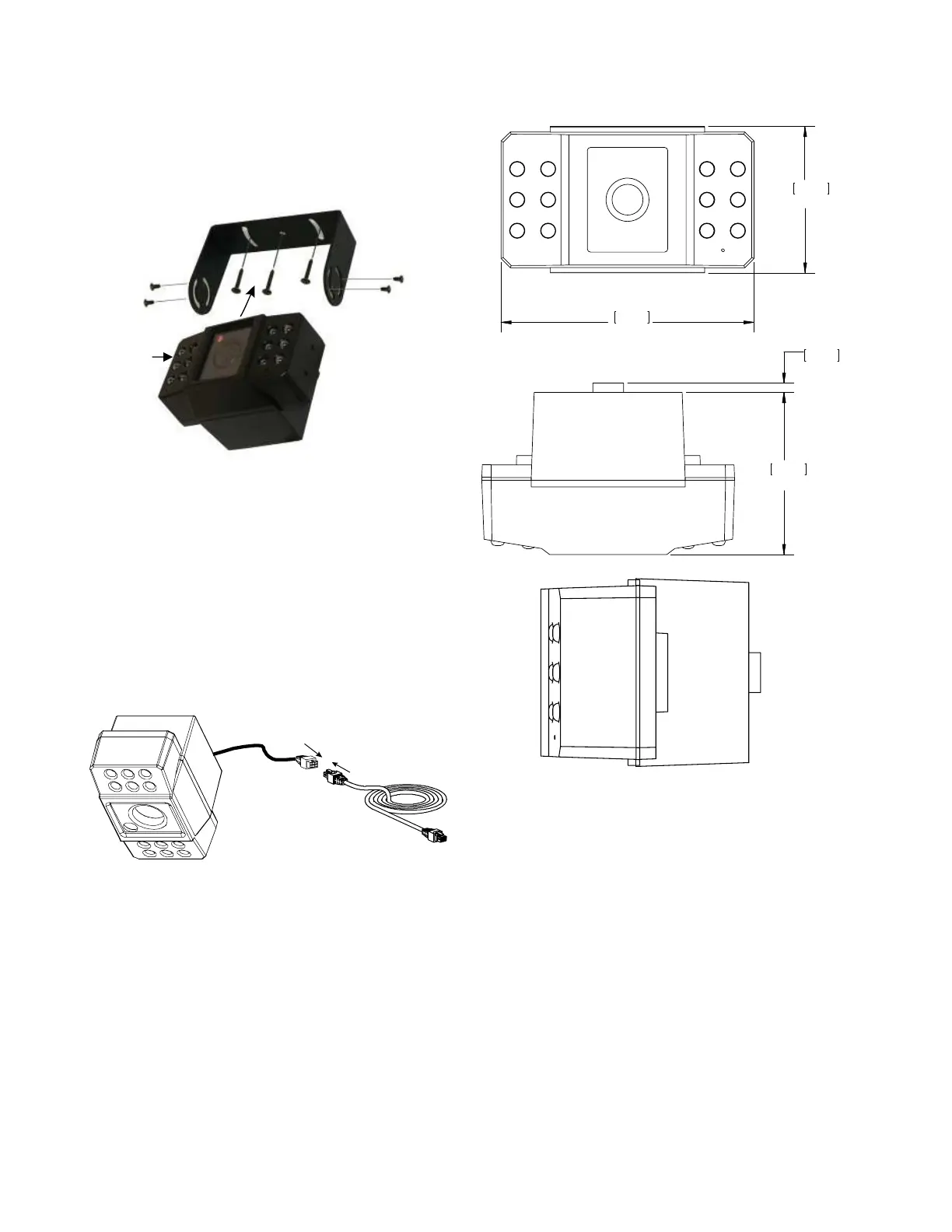
Attach the camera to the bracket with the four screws provided
(Figure 2).
4
Camera Connection
Connect the pigtail cable to the extension cable (Figure 3).
Connect the 2×3 Micro-Fit connector into a digital video
recorder (DVR).
5
Aim the Camera
Connect the video monitor to the DVR if the camera is already
connected to the DVR. Adjust the camera's angle of view.
This completes the setup of the ST camera.
Camera Dimensions
47.5 mm
1.87 in
82 mm
3.23 in
52.6 mm
2.07 in
3 mm
0.12 in
Figure 2
Camera
Figure 3
Figure 4


 To Previous Page