
 Need help?
Do you have a question about the Sequenz SonicBar and is the answer not in the manual?
Using the unit in locations with direct sunlight, extreme temperature, dust, or vibration can cause malfunction.
Connect the AC adapter to an AC outlet of the correct voltage as specified for the unit.
Operate the unit at a suitable distance from radios and televisions to avoid reception interference.
Handle the unit gently, avoid excessive force, and clean the exterior with a dry cloth.
Keep liquids and metal objects away from the equipment to prevent breakdown or electrical shock.
Information regarding FCC regulations, warnings, and supplier's declaration of conformity for USA.
Instructions for proper disposal in EU and important notices for consumers regarding product usage.
Details on standard headphone connector terminals for input and output, and stereo mini jack inputs.
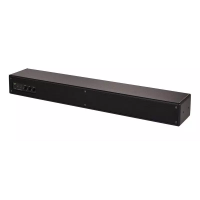
The unit features four 8 cm full-range units with an equalizer network module.
Specifies the AC adapter voltage and the unit's current consumption.
Provides the external dimensions (W x D x H) and the weight of the unit.
Lists the items included with the unit, such as AC adapter, power cord, and mounting brackets.
Details on the POWER button, VOLUME, BASS, and TREBLE knobs.
Explanation of DC IN, INPUT 1, INPUT 2, and THROUGH OUT terminals.
Connection for headphones, which mutes the main speakers when used.
External input for connecting audio equipment using a stereo mini jack cable.
Instructions on how to mount the SonicBar to a stand using brackets for adjustable positioning.
Details on the automatic power-off feature and how to disable it.

 To Next Page
 General