www.SereneLifeHome.com
5
4. To set lunch and dinner meal and 4th meal: As above,press and hold “Lunch”
and related button to se lunch meal.Press and hold “Dinner” and related button
to set dinner. Same goes with 4th meal.
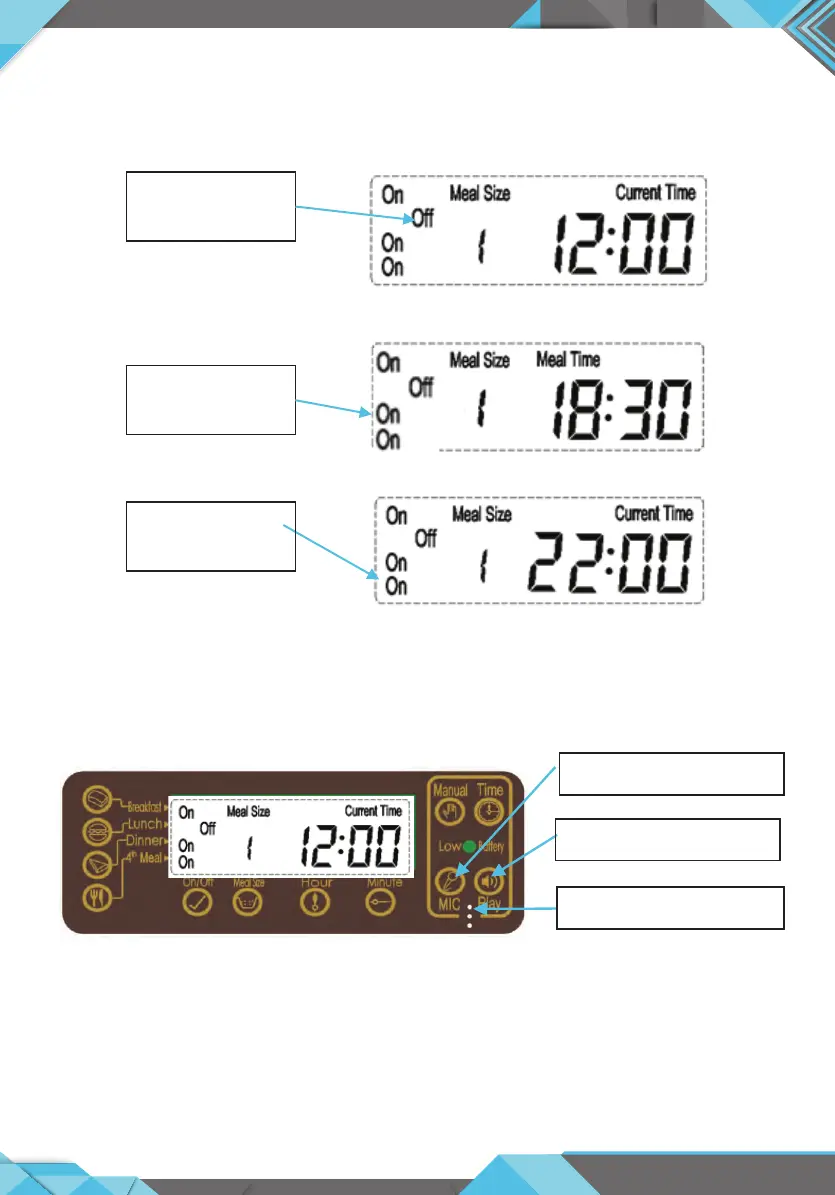
5. To set voice recording and play:Press and hold “MIC” button for 3 second till
LCD ashing to record your voice. To check your voice, press and hold “Play”
button for 3second.
Interface
Lunch:
Off = No feeding
Dinner:
On= Feeding
4
th
meal:
On= Feeding
MIC location
Voice Recording
Voice Play button


 To Next Page