DO NOT USE CHAIR UNTIL YOU HAVE FULLY READ THE INSTRUCTIONS
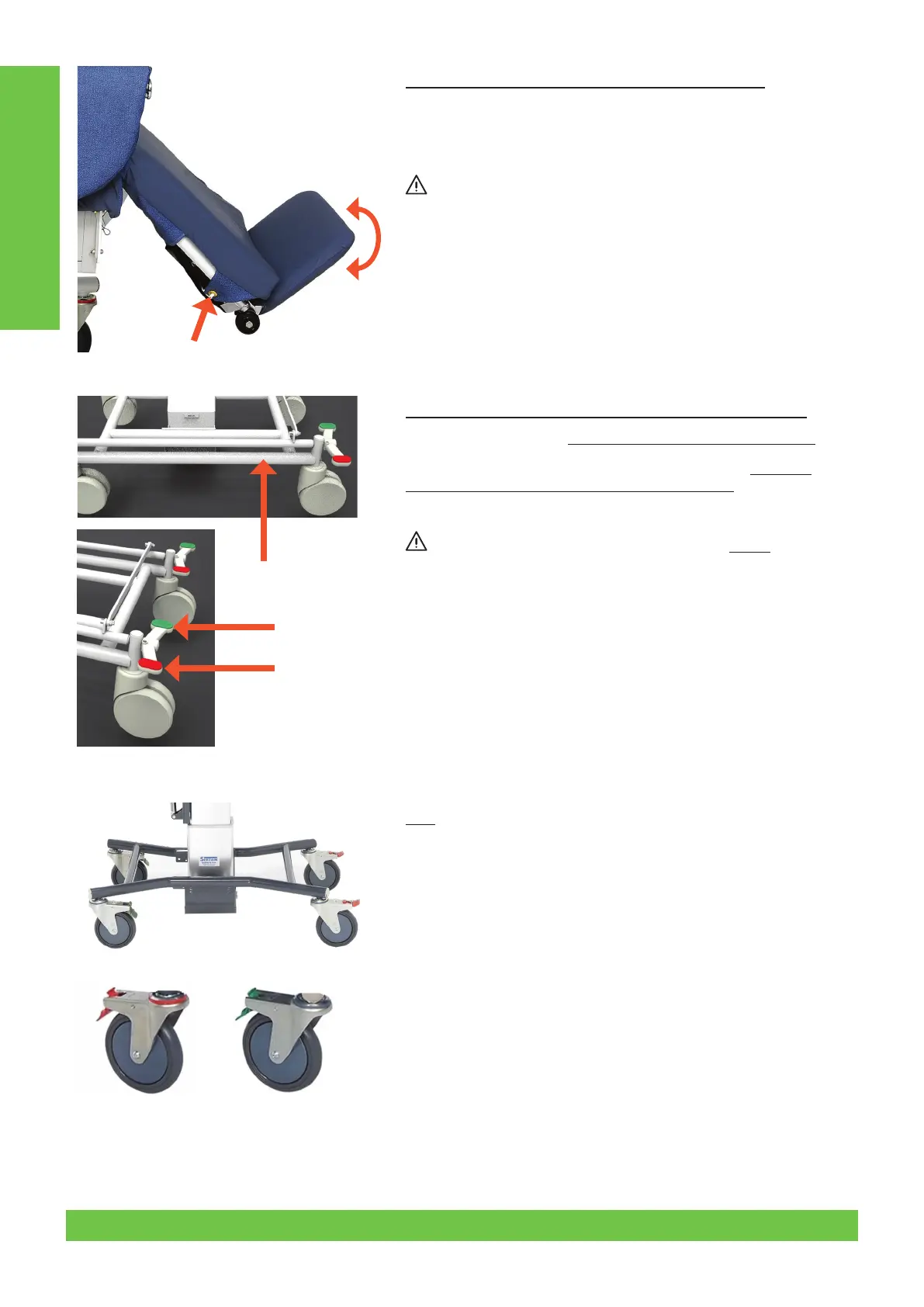
3.9 Fold-Out Footplate - (Models with this feature)
Make sure the client is correctly positioned. Unhook Cover eyelet at
Figure 9.1 on both sides of the chair. Lift padded leg rest cushion only and
then fold out footrest (see Figure 9.2). Cover tag eyelets (Figure 9.1) must
then be re-hooked.
Before lowering leg rest, to forward transfer the client, or when using
the stand-up lifter, Footrest must be folded away/down under leg rest
cushion.
3.10 Central Locking Castors - (Models with this feature)
Brake - Press down on the left side (or Red) pedal to activate brake.
Directional Lock (tracking/steering) - Press down on the right side
(or Green) pedal to activate tracking/directional lock.
Neutral - Mid-position is neutral.
Make sure you have the castors fully engaged in BRAKE position
before any procedure.
3.11
Operate tracking castors - (Models with this feature)
Refer to Figure 11.2 - Swing castor into position parallel with side frame.
Press down green/silver tab and click into position. To disengage press
top of green/silver tab. Tracking position needs to be engaged whenever
the leg rest is down.
Activate brakes - (Models with this feature)
Refer to Figure 11.1 - Individual brakes on rear castors; to engage, press
down red/silver tab. To disengage, press top of red plastic tab.
Operating Instructions
Figure 9.1
Figure 10
Figure 11.1 Figure 11.2
Figure 9.2
8 © 2019Careleda M-03 WI-204rev 6 Edited 29.10.2019


 To Next Page
 Loading...