www.servware.com
800•768•5953
Service, Installation & Care Manual
7
OPERATION
2. MAIN FUNCTIONS
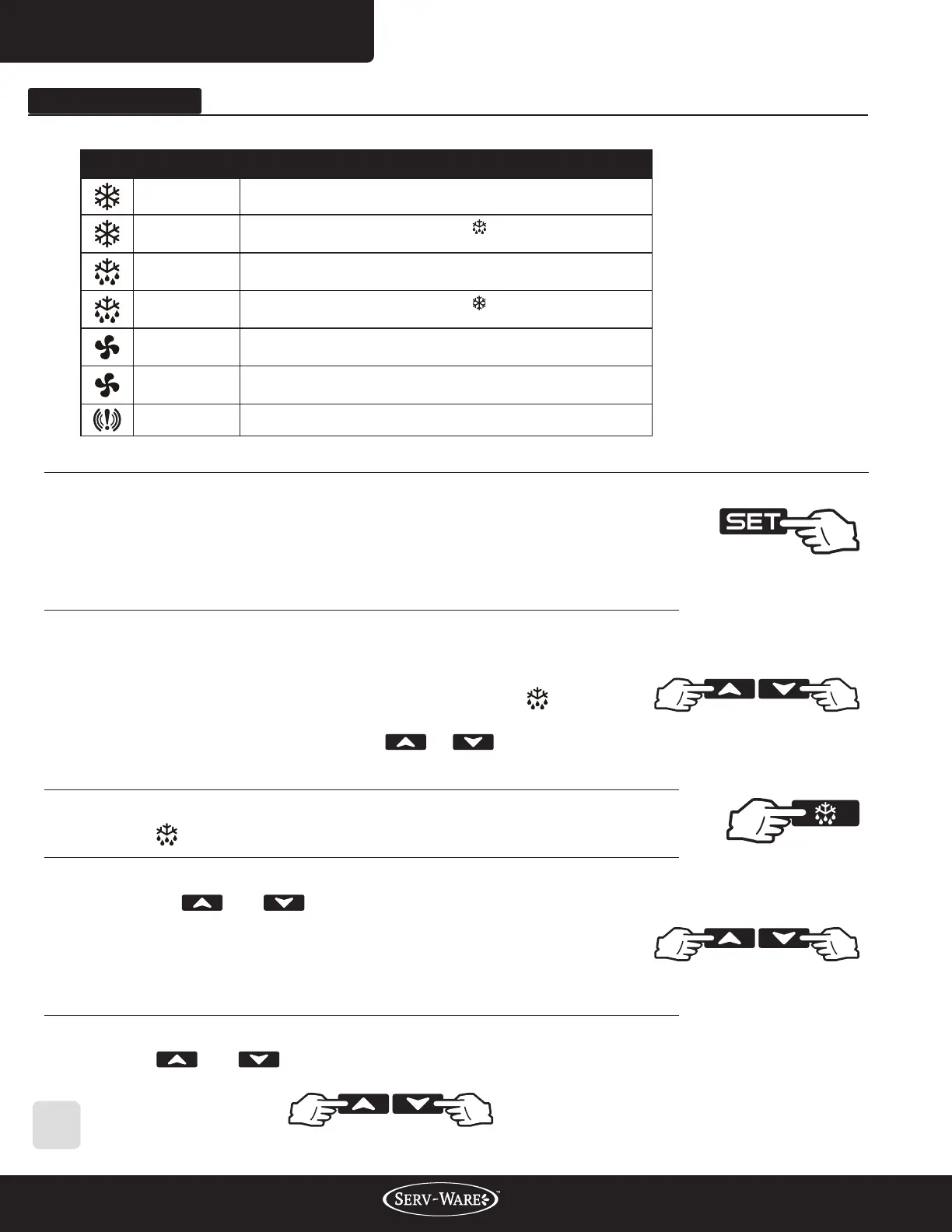
2.1 HOW TO SEE THE SETPOINT
1. Push and immediately release the SET key: the display will show
the set point value.
2. Push and immediately release the SET key or wait for 5 seconds
to display the sensor value again.
2.3 HOW TO START A MANUAL DEFFROST
Hold the key for more than 2 seconds and the manual defrost will start.
2.5 HOW TO UNLOCK THE KEYBOARD
Hold the and keys together for more than 3s, till the “POF” message
is displayed.
2.2 HOW TO CHANGE THE SETPOINT
1. Hold the SET key for more than 2 seconds to change the set
point value.
2. The value of the set point will be displayed and the LED
starts blinking.
3. To change the set value push the or k e y w i t h i n 1 0 s .
4. To set a new point value, push the SET key again or wait 10s.
2.4 HOW TO LOCK THE KEYBOARD
1. Hold the and keys for more than 3s.
2. The “POF” message will be displayed and the keyboard will be
locked. At this point, it will be possible only to see the set point
or the MAX or Min temperature stored.
3. If a key is pressed more than 3s the ”POF” message will be displayed.
LED MODE FUNCTION
ON Compressor Enabled
FLASHING
Programming Phase (Flashing with )
Anti-short Cycle Delay Enabled
ON Defrost Enabled
FLASHING
Programming Phase (Flashing with )
Drip Time in Progress
ON Fans Enabled
FLASHING Fans Delay after Defrost in Progress
ON A Temperature Alarm happened
1. 1 FUNCTION OF LEDS


 To Next Page
 Loading...