EasyManua.ls Logo

Servodan 23-082 - User Manual

Servodan 23-082
7 pages
Go to English
Print Icon
To Next Page IconTo Next Page
Loading...
23Y082_03_R3_050905KOE
Servodan A/S DK-6400 Sønderborg
Tel.: +45 7442 4726 Fax: +45 7442 4035
www.servodan.dk E-mail: info@servodan.dk
1(7)
Wireless gong
23-082
88
52
140
1
A
C
E
G
I
K
M
O
A
C
E
G
I
K
M
O
B
D
P
N
System
channel
2
56
3
9V DC
Volumen ON/OFF

Questions and Answers

  • K
    Kimberly JonesAug 1, 2025
    What to do if Servodan Accessories unit 23-082 does not play a melody?
    • M
      Michelle VargasAug 1, 2025
      If your Servodan Accessories unit 23-082 isn't playing a melody, first ensure the power supply to the AC adapter is on. Then, check that the transmitter codes are either 7, 9, or 11. Make sure the volume potentiometer is turned on and that the transmitter and receiver are within the effective range. Finally, check for interference from other wireless systems.

Summary

Wireless Gong 23-082

System Channel

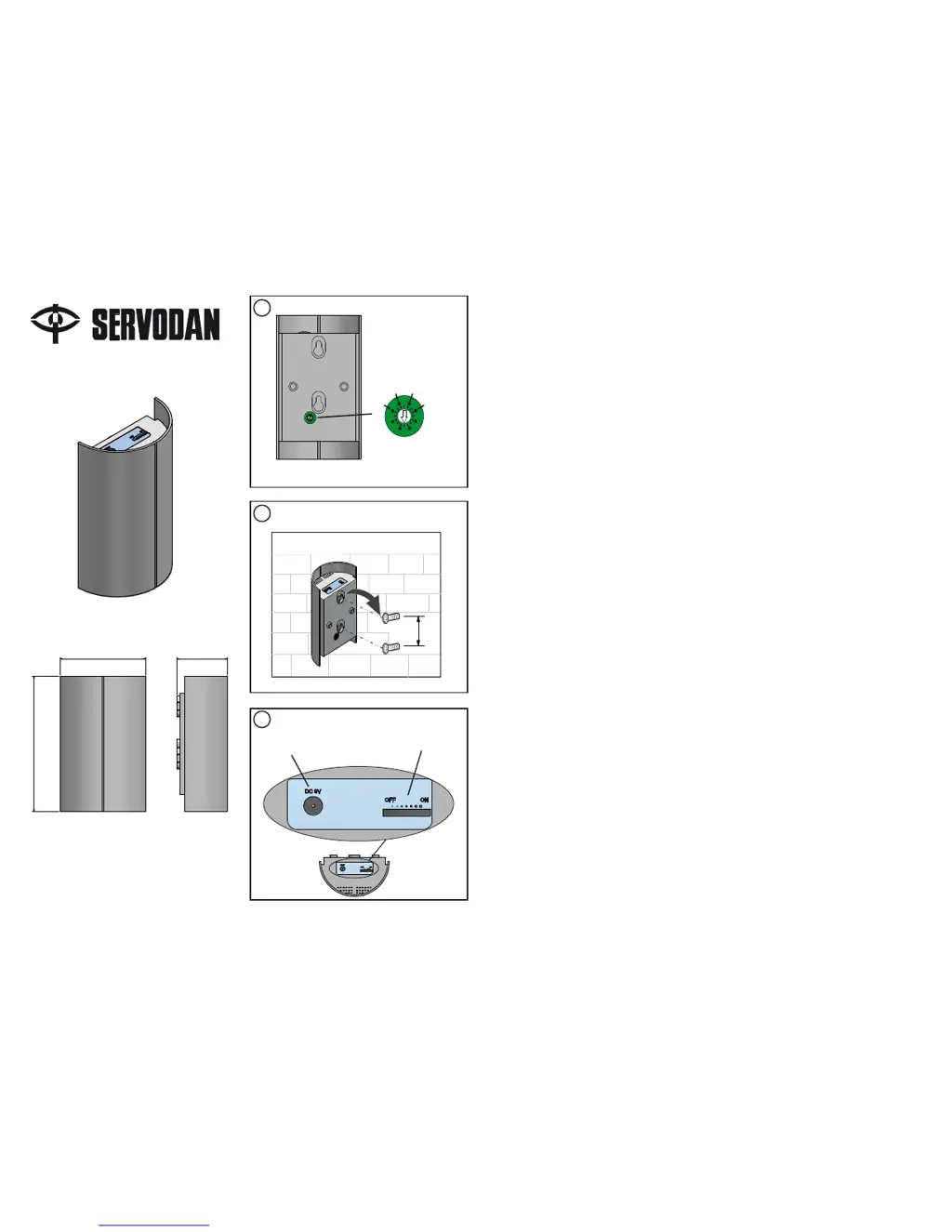
Illustration showing the system channel selection on the wireless gong unit.

Mounting Illustration

Diagram illustrating the mounting of the wireless gong unit, including a measurement.

Volume and Power Control

Illustration showing the volume control and ON/OFF switch for the wireless gong.

Servodan 23-082 Specifications

General IconGeneral
BrandServodan
Model23-082
CategoryAccessories
LanguageEnglish

Related product manuals