STARTER GUIDE
SETUP
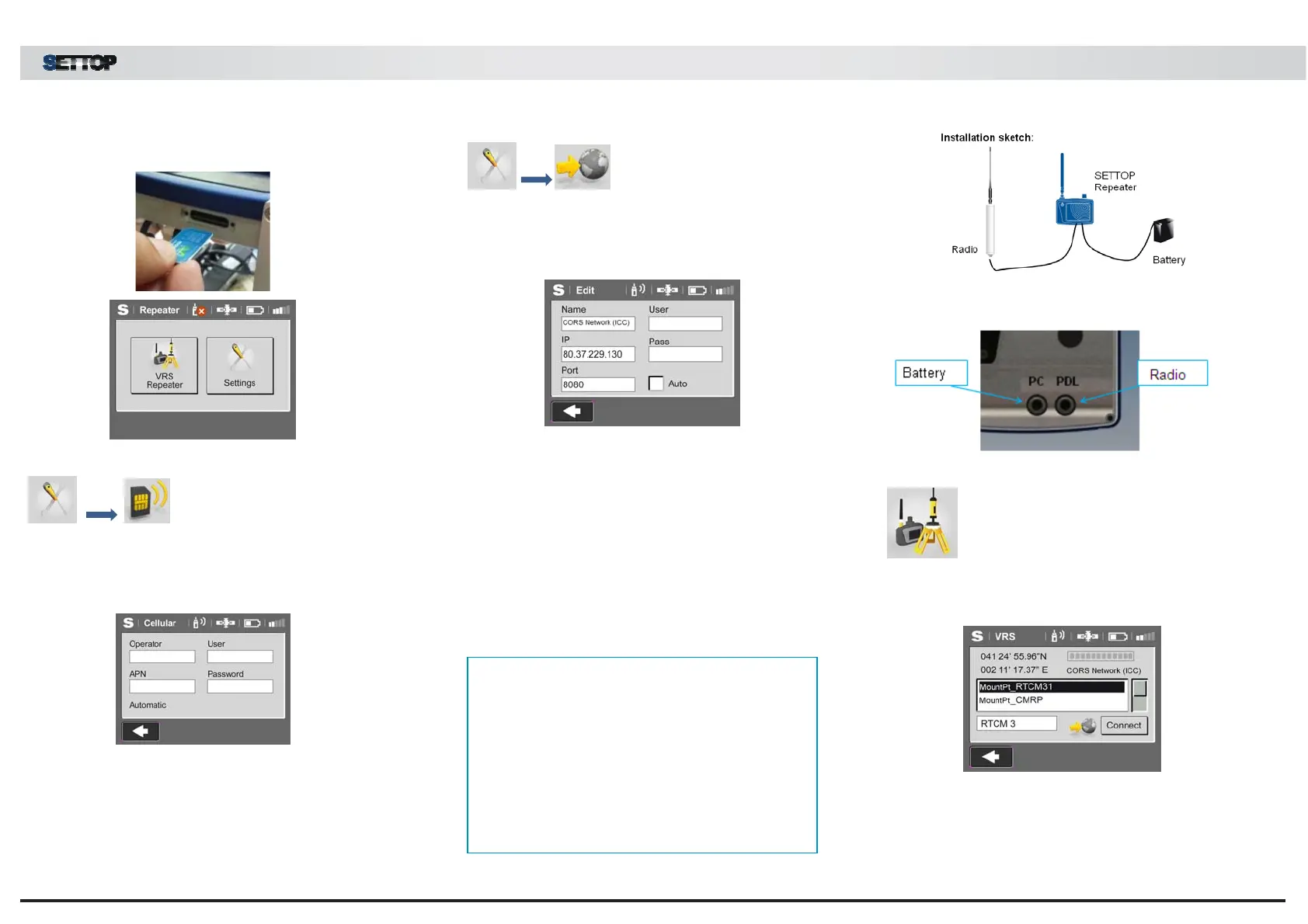
Enter SIM card in the slot and turn on the device.
Step 1- Configure the SIM
Enter the operator APN along with user and password.
Contact your operator to determine the connection
parameters.
Step 2- Edit NTRIP Network
Enter the name of the connection or the permanent
antenna network (CORS), the IP, the port and the use
and access password if required.
Step 3 - Activate Autoconnection
For more ease and comfort of use, activate the option
uto (automatic connection). Turn on and work!
Step 4 – Field assembly
Connect the radio (either an external one or the
integrated SETTOP Radiolink) to the SETTOP Repeate
(PDL port), empower the equipment with an external
battery (PC port) or with the Ion-Lithium batteries
provided with the SETTOP Radio-Link radio module and
turn on the equipment.
dvice!!
* Before entering the SIM, remove the PIN code
from the card.
* Make sure the SETTOP Repeater is in a place with
a good data coverage.
* Make sure that you have the same channel and
format in the mobile receiver radio.
Place the SETTOP Repeater on a tripod, either within
the car or with a magnetic external base.
Step 5 _ Select the assembly point
Download the list of assembly points and select that
required.
Step 6 – Work!!
Link the mobile receiver via radio. Remember that, if the
utoconnection function is activated, the next time you
will only have to turn on the SETTOP Repeater!!


 To Previous Page
 Loading...
