Firmware Update
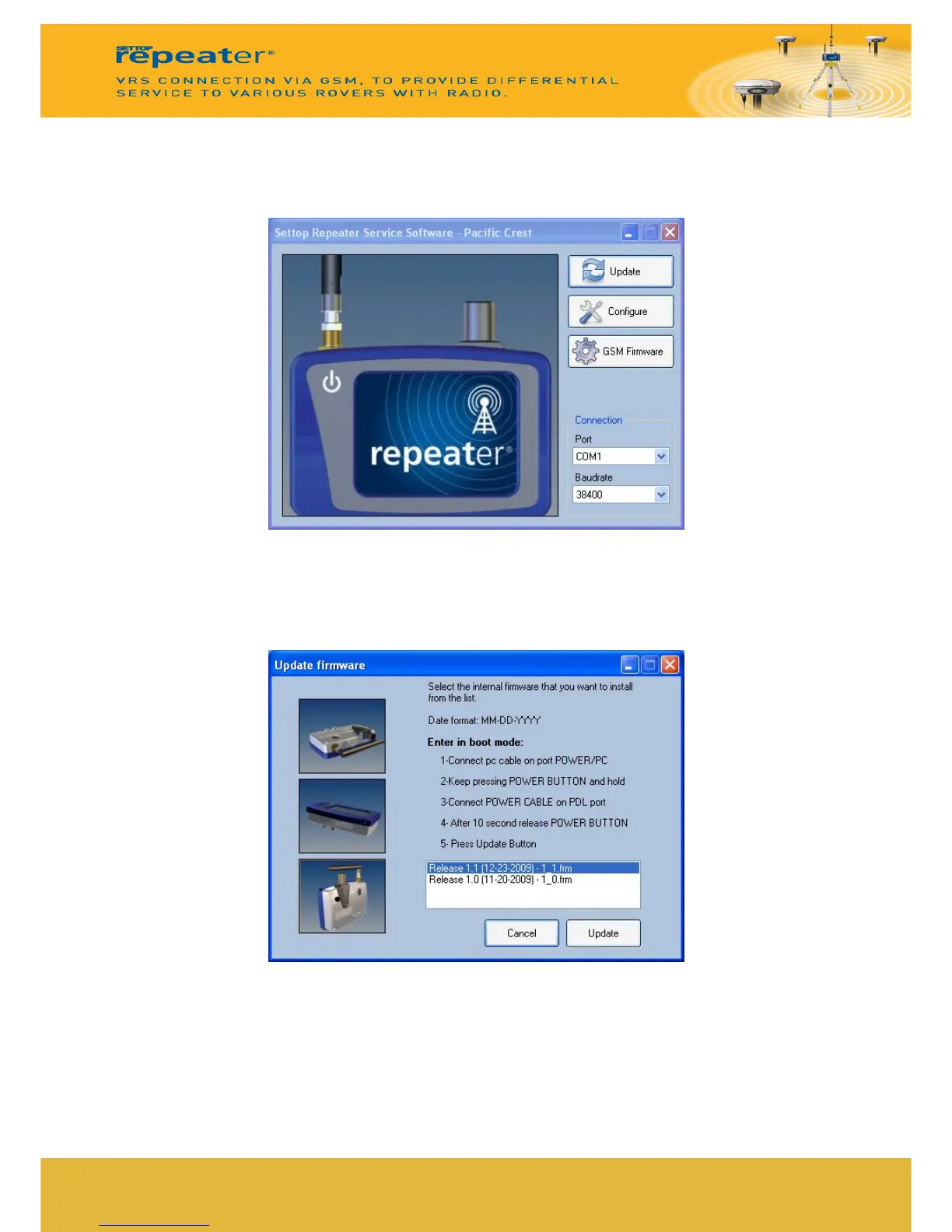
For firmware updates is necessary to connect the SETTOP Repeater to the PC and run the
software PC- Settop Repeater Service.
Select the communication port and baudrate speed. (By defect 38400bps).
Update
Press Update to access to the software update window.
Update the Firmware in 3 steps:
1- Connect the PC-Cable in the communication port POWER/PC of the SETTOP
Repeater.
2- Press and hold POWER during few seconds (5 sec.). SETTOP Repeater will start and
the screen will be white.
11



 To Next Page