VRS Repeater. User guide
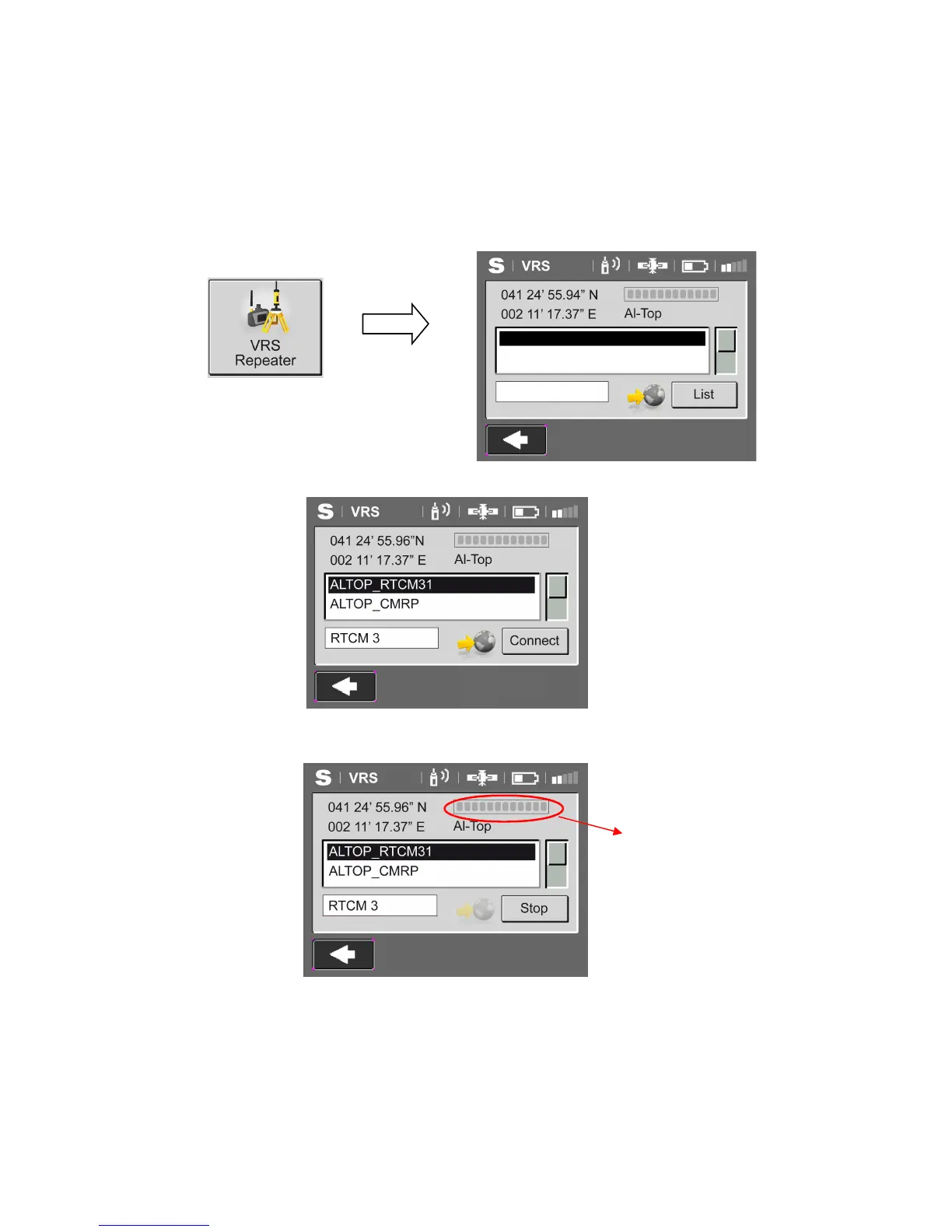
When entering to VRS Repeater, appears the selected caster on the option” Settings
Edit
Connections”. When the GPS has position, the coordinates will appear (WGS84) in the upper
left corner of the screen. While there is no position calculated, will appear the message “ NOT
POSITION”.
Pressing List, the connection to the selected
caster is established and the bases are downloaded.
The button (List) changes to Connect. The
method/ base connection ( in the lower bar appears the protocol of reception) we want is
selected and Connect is pressed.
Once is connected, the button (Connect) becomes Stop and the radio starts to transmit
automatically (radio TX blinking). While is transmitting, on the upper right bar shows the
downloading progress*.
Pressing “Stop”closes the connection with the caster.
* Bar of the Caster data downloading
process



 To Next Page