26
142 x 208 mm
Example: to programme the unit for a defrosting time of 5 minutes.
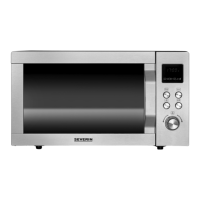
1. Turn the rotary control anti-clockwise until the display shows 9.
2. Press to conrm the programme selection.
3. Turn the rotary control until the display shows 5:00.
4. Press the rotary control to start the defrost programme.
Helpful notes:
∙ Four beep signals indicate that 2/3 of the programmed defrosting time has elapsed. Turn the food over, taking out any that
is already defrosted. Press the rotary control to continue the programme.
∙ Should the food not be completely defrosted after the pre-set defrosting time has elapsed, it is advisable to limit any
further defrosting times to 1-minute periods until the food is fully defrosted.
∙ Food stored in plastic containers that are not suitable for use in microwave ovens should be left for a while after being
taken from the freezer. Wait until the food can be easily detached from the plastic, before it is put into the oven inside a
container suitable for use with microwave ovens.
Automatic cooking programmes
These programmes are helpful when cooking or heating up food without having to select any particular settings, e.g. for
power or cooking time.
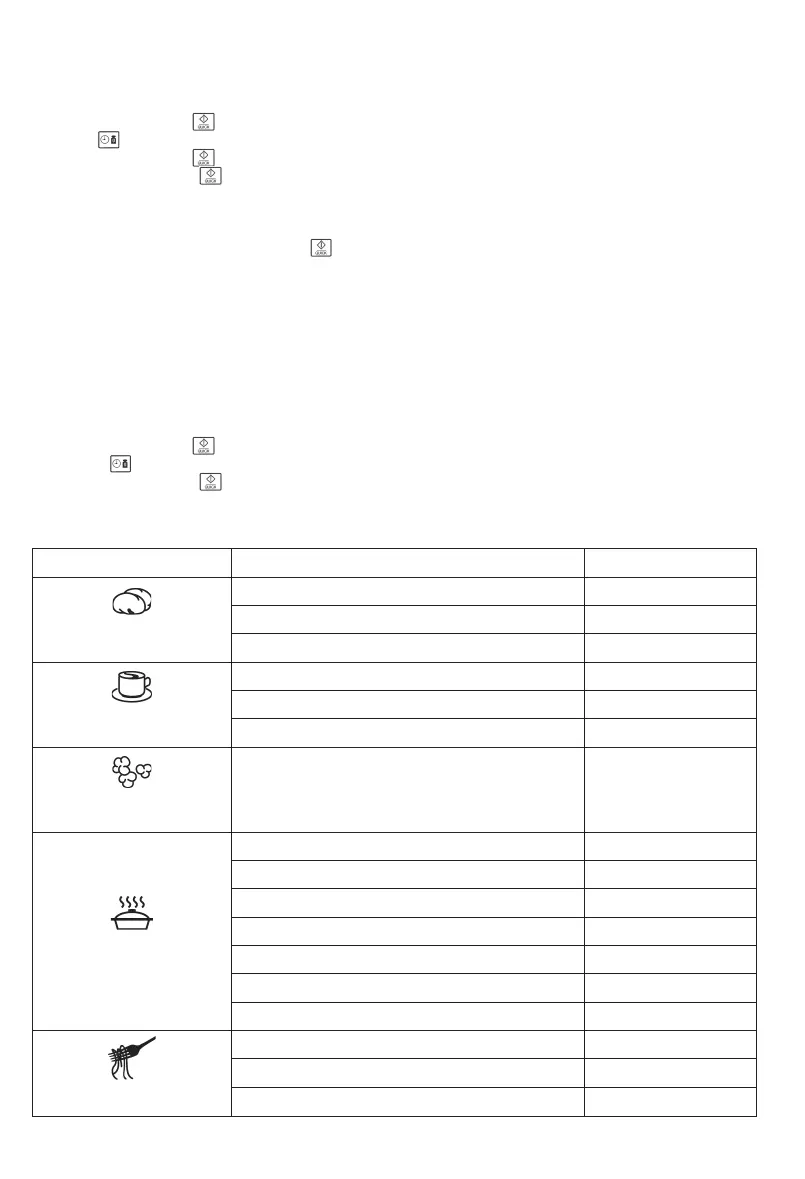
1. Select the desired programme from the table below.
2. Turn the rotary control anti-clockwise until the display shows 1 to 9.
3. Use the button to select the desired weight.
4. Press the rotary control to start the programme.
The display shows the selected programme running time.
Menu Weight Display
1
Potatoes
230 g 1
460 g 2
690 g 3
2
Beverages
200 ml 1
400 ml 2
600 ml 3
3
Popcorn
100 g 100
4
Heating up
200 g 200
300 g 300
400 g 400
500 g 500
600 g 600
700 g 700
800 g 800
5
Pasta
100 g (in cold water, 400 ml) 100
200 g (in cold water, 800 ml) 200
300 g (in cold water, 1200 ml) 300


 To Next Page