23
The grill function
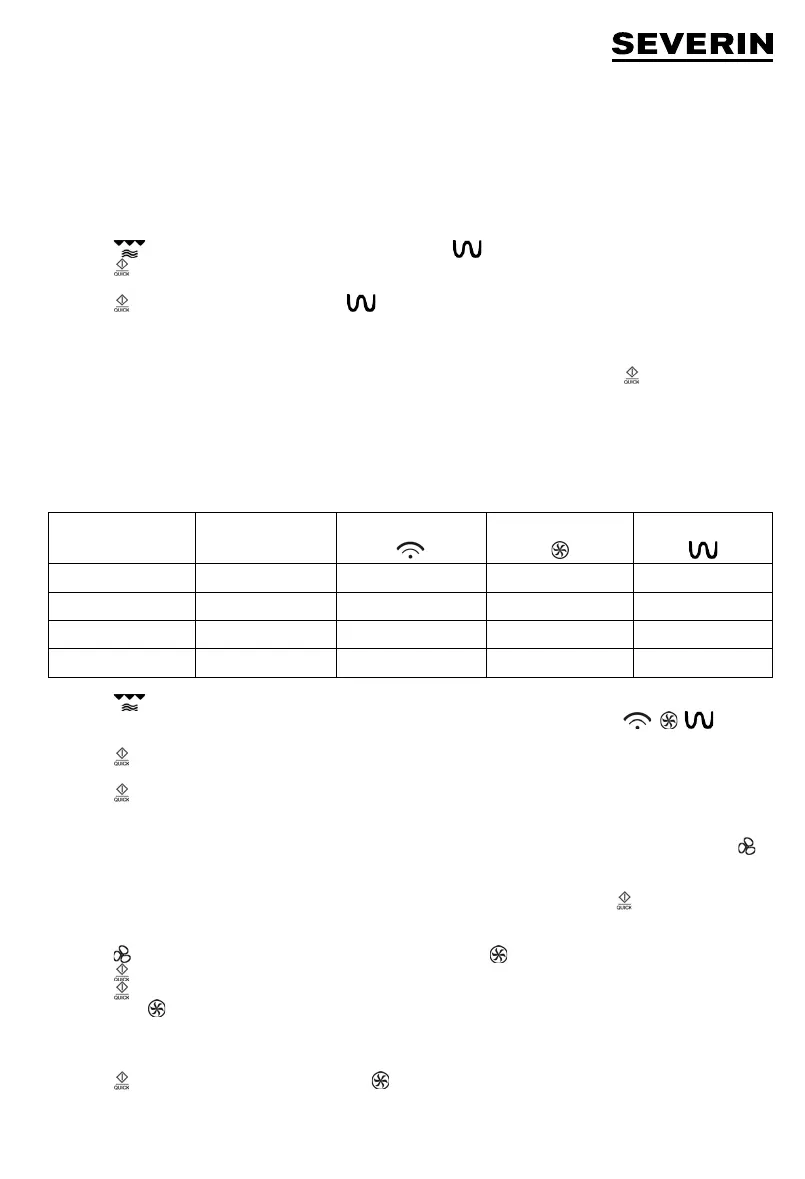
The grilling process uses radiation heat to process the food. This programme is suitable for cooking ‘au gratin’ or for grilling
thin pieces of meat.
Select the desired grilling time. The grilling time can be pre-set to a maximum of 95 minutes. The power setting of the grill
function cannot be changed. As the meat needs to be turned after one side is suffi ciently browned, and taken out once it is
done on both sides, this process should be closely monitored.
Example: programming the grill function for 30 minutes.
1. Press
once. ‘G-1’ is fl ashing in the display, and the symbol is shown.
2. Press to confi rm the grill function.
3. Turn the rotary control until the display shows 30:00.
4. Press to start the grill process. The symbol
starts fl ashing in the display.
Note:
Halfway through the programmed grilling time, a double-beep is heard and the programme automatically stops; this allows
you to turn the food to be grilled. Open the door, turn the food, then close the door again and press to continue the
programme.
Combination functions
When using the combination functions, the microwave, hot/air and grill functions are activated alternately at different time
settings. Using the various combinations helps to reduce the overall cooking time. These programmes are useful for fi sh,
potatoes, souffl és or cooking ‘au gratin’.
Function Display
Microwave Hot air Grill
Combi 1 C-1
ll
Combi 2 C-2
ll
Combi 3 C-3
ll
Combi 4 C-4
lll
1. Press
repeatedly until the desired combination function is shown.
2. „C-1“, „C-2“, „C-3“ or „C-4“ are fl ashing in the display, in addition, the corresponding symbols ( , , ) are
shown.
3. Press to confi rm the selected combination function.
4. Turn the rotary control to select the cooking time.
5. Press to start the cooking process. The corresponding symbol for the selected function fl ashes on the
display.
The hot-air function
With this function, hot air circulates inside the oven, achieving an even cooking and browning process. By pressing the
key, the cooking temperature can be set within a range of 150°C and 240°C. The cooking time can be pre-set to a maximum
of 95 minutes.
If required, the appliance may also be pre-heated. Select the desired temperature level and press twice.
Example: the appliance is to be pre-heated to 200°C, followed by a cooking time of 30 minutes.
1. Press 6 times. 200°C starts fl ashing on the display, and the symbol appears.
2. Press to confi rm the temperature setting.
3. Press to start the pre-heating process.
4. The symbol and the illuminated indicator bar start fl ashing while pre-heating is in progress.
5. As soon as the pre-set temperature has been reached, two beeps are heard and the indicator ‘200°C’ starts fl ashing.
6. Open the door, place the food inside the oven compartment and close the door again.
7. Turn the rotary control until 30:00 appears in the display.
8. Press to start the cooking process. The symbol fl ashes on the display.


 To Next Page