EasyManua.ls Logo

SEW-Eurodrive UFF41B - User Manual

SEW-Eurodrive UFF41B
160 pages
Print Icon
To Next Page IconTo Next Page
Loading...
Drive Technology \ Drive Automation \ System Integration \ Services
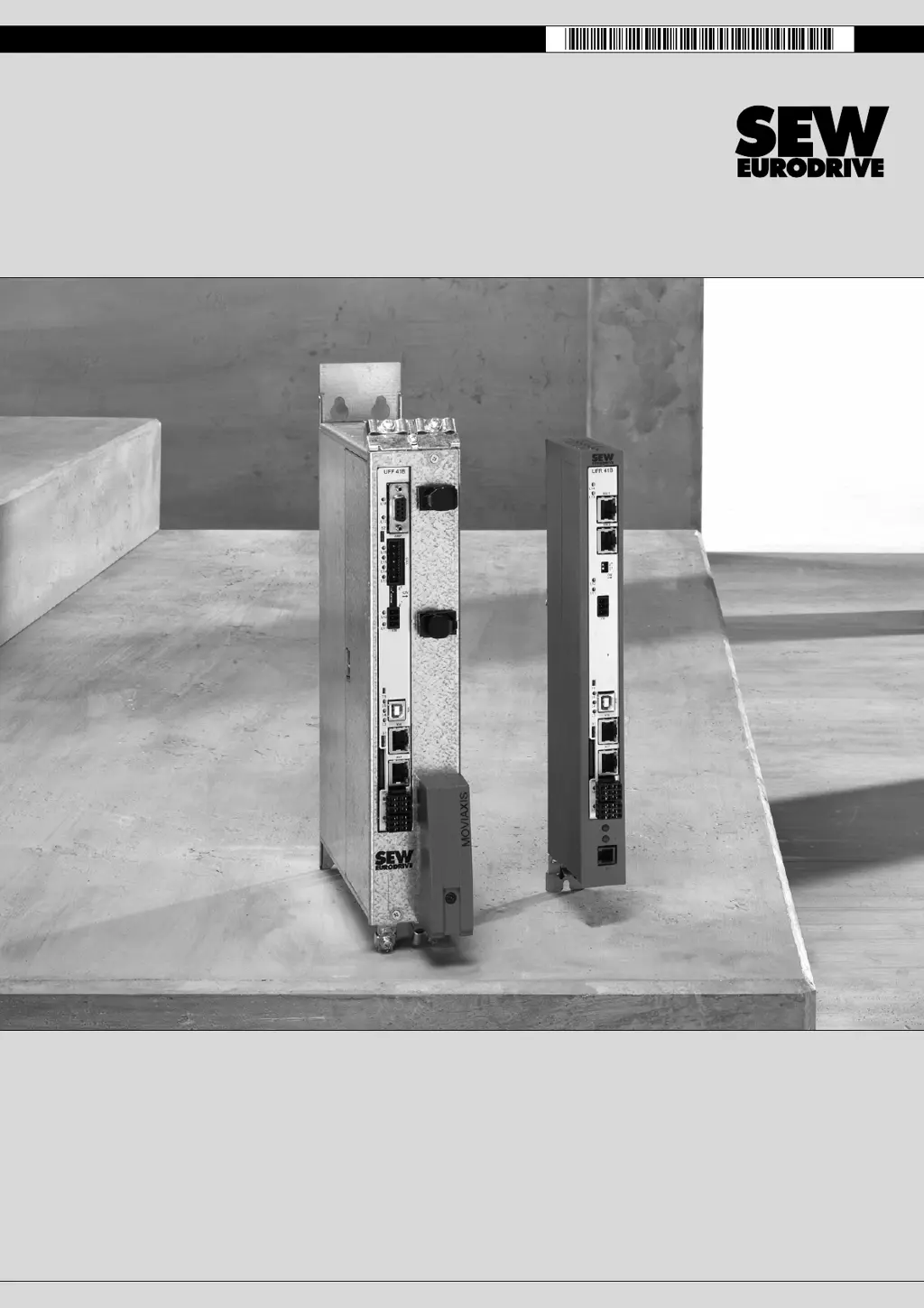
Fieldbus Gateway UFF41B
DeviceNet and PROFIBUS DP
Manual
Edition 02/2009
16756428 / EN

Table of Contents

Questions and Answers

Summary

Assembly and Installation Instructions

Installation options of the UFF41 B fieldbus gateway

Details on how to install the UFF41B gateway.

Voltage supply

Information on power supply for the gateway.

Voltage supply in the MOVIAXIS master module

Details on voltage supply from the MOVIAXIS master module.

Voltage supply in the UOH21 B gateway housing

Details on voltage supply in the UOH21B housing.

Connecting inverters and engineering PC

How to connect drives and PCs.

Connecting CAN 1 system bus (terminal X33); CAN 2 (terminal X32)

Connecting CAN bus interfaces for communication.

DIP switch S1 default IP address

Setting the default IP address using DIP switches.

Connecting the UFF41 B fieldbus gateway to a DeviceNet network

Steps for connecting to a DeviceNet network.

Pin assignment X30 D (DeviceNet)

Pinout for the DeviceNet connection.

Setting the DIP switches

Configuring DIP switches for MAC ID and baud rate.

Connecting the UFF41 B fieldbus gateway to a PROFIBUS network

Steps for connecting to a PROFIBUS network.

Pin assignment X30 P (PROFIBUS)

Pinout for the PROFIBUS connection.

Configuring the UFx41 B Fieldbus Gateway and the Inverter

Autosetup

Automatic configuration of gateway and connected devices.

Startup procedure

Steps for starting up the gateway and connected units.

Checking hardware installation and communication settings

Verifying installation and communication settings.

Establishing an engineering connection

Setting up a connection for configuration.

Configuring the fieldbus gateways

Configuring gateways using autosetup or customized methods.

Last settings in the slave units

Final configuration steps for slave units.

Error processing and status messages

How to interpret and handle gateway errors and status.

Configuration and Startup on DeviceNet Fieldbus

Configuring PLC and master (DeviceNet scanner)

Steps to configure the PLC and DeviceNet scanner.

Configuration examples in RSLogix5000

Practical examples for RSLogix5000 configuration.

UFF41 B fieldbus gateway with 16 process data

Example for setting up 16 process data.

Access to UFF41 B fieldbus gateway parameters

How to access gateway parameters via explicit messages.

Access to unit parameters of lower-level units

Accessing parameters of connected units.

DeviceNet Operating Characteristics

Process data exchange

Details on process data exchange for DeviceNet.

Configuration and Startup on the PROFIBUS DP-V1 Fieldbus

Configuring a PROFIBUS DP master

Steps to configure a PROFIBUS DP master.

PROFIBUS DP-V1 Operating Characteristics

Process data exchange with the UFF41 B fieldbus gateway

How process data is exchanged in PROFIBUS DP-V1.

Functions of PROFIBUS DP-V1

Structure of the DP-V1 parameter channel

How the DP-V1 parameter channel is structured.

Parameterization procedure via data set 47

Procedure for parameterization using data set 47.

DP-V1 master processing sequence

Sequence of operations for DP-V1 master.

Operating MOVITOOLS MotionStudio

Parameterize C2 master with SIMATIC NET

Parameterizing the C2 master with SIMATIC NET.

Troubleshooting

Error messages of the fieldbus gateway

Displays and explains error messages for the gateway.

General errors of the fieldbus gateway

Lists and explains general gateway errors.

Error during process data processing

Errors related to process data handling.

Diagnostic procedure for operation on DeviceNet

Steps for diagnosing DeviceNet operation issues.

Diagnostic procedure for operation on PROFIBUS DP-V1

Steps for diagnosing PROFIBUS DP-V1 operation issues.

Appendix

Summary

Assembly and Installation Instructions

Installation options of the UFF41 B fieldbus gateway

Details on how to install the UFF41B gateway.

Voltage supply

Information on power supply for the gateway.

Voltage supply in the MOVIAXIS master module

Details on voltage supply from the MOVIAXIS master module.

Voltage supply in the UOH21 B gateway housing

Details on voltage supply in the UOH21B housing.

Connecting inverters and engineering PC

How to connect drives and PCs.

Connecting CAN 1 system bus (terminal X33); CAN 2 (terminal X32)

Connecting CAN bus interfaces for communication.

DIP switch S1 default IP address

Setting the default IP address using DIP switches.

Connecting the UFF41 B fieldbus gateway to a DeviceNet network

Steps for connecting to a DeviceNet network.

Pin assignment X30 D (DeviceNet)

Pinout for the DeviceNet connection.

Setting the DIP switches

Configuring DIP switches for MAC ID and baud rate.

Connecting the UFF41 B fieldbus gateway to a PROFIBUS network

Steps for connecting to a PROFIBUS network.

Pin assignment X30 P (PROFIBUS)

Pinout for the PROFIBUS connection.

Configuring the UFx41 B Fieldbus Gateway and the Inverter

Autosetup

Automatic configuration of gateway and connected devices.

Startup procedure

Steps for starting up the gateway and connected units.

Checking hardware installation and communication settings

Verifying installation and communication settings.

Establishing an engineering connection

Setting up a connection for configuration.

Configuring the fieldbus gateways

Configuring gateways using autosetup or customized methods.

Last settings in the slave units

Final configuration steps for slave units.

Error processing and status messages

How to interpret and handle gateway errors and status.

Configuration and Startup on DeviceNet Fieldbus

Configuring PLC and master (DeviceNet scanner)

Steps to configure the PLC and DeviceNet scanner.

Configuration examples in RSLogix5000

Practical examples for RSLogix5000 configuration.

UFF41 B fieldbus gateway with 16 process data

Example for setting up 16 process data.

Access to UFF41 B fieldbus gateway parameters

How to access gateway parameters via explicit messages.

Access to unit parameters of lower-level units

Accessing parameters of connected units.

DeviceNet Operating Characteristics

Process data exchange

Details on process data exchange for DeviceNet.

Configuration and Startup on the PROFIBUS DP-V1 Fieldbus

Configuring a PROFIBUS DP master

Steps to configure a PROFIBUS DP master.

PROFIBUS DP-V1 Operating Characteristics

Process data exchange with the UFF41 B fieldbus gateway

How process data is exchanged in PROFIBUS DP-V1.

Functions of PROFIBUS DP-V1

Structure of the DP-V1 parameter channel

How the DP-V1 parameter channel is structured.

Parameterization procedure via data set 47

Procedure for parameterization using data set 47.

DP-V1 master processing sequence

Sequence of operations for DP-V1 master.

Operating MOVITOOLS MotionStudio

Parameterize C2 master with SIMATIC NET

Parameterizing the C2 master with SIMATIC NET.

Troubleshooting

Error messages of the fieldbus gateway

Displays and explains error messages for the gateway.

General errors of the fieldbus gateway

Lists and explains general gateway errors.

Error during process data processing

Errors related to process data handling.

Diagnostic procedure for operation on DeviceNet

Steps for diagnosing DeviceNet operation issues.

Diagnostic procedure for operation on PROFIBUS DP-V1

Steps for diagnosing PROFIBUS DP-V1 operation issues.

Appendix

SEW-Eurodrive UFF41B Specifications

General IconGeneral
BrandSEW-Eurodrive
ModelUFF41B
CategoryGateway
LanguageEnglish