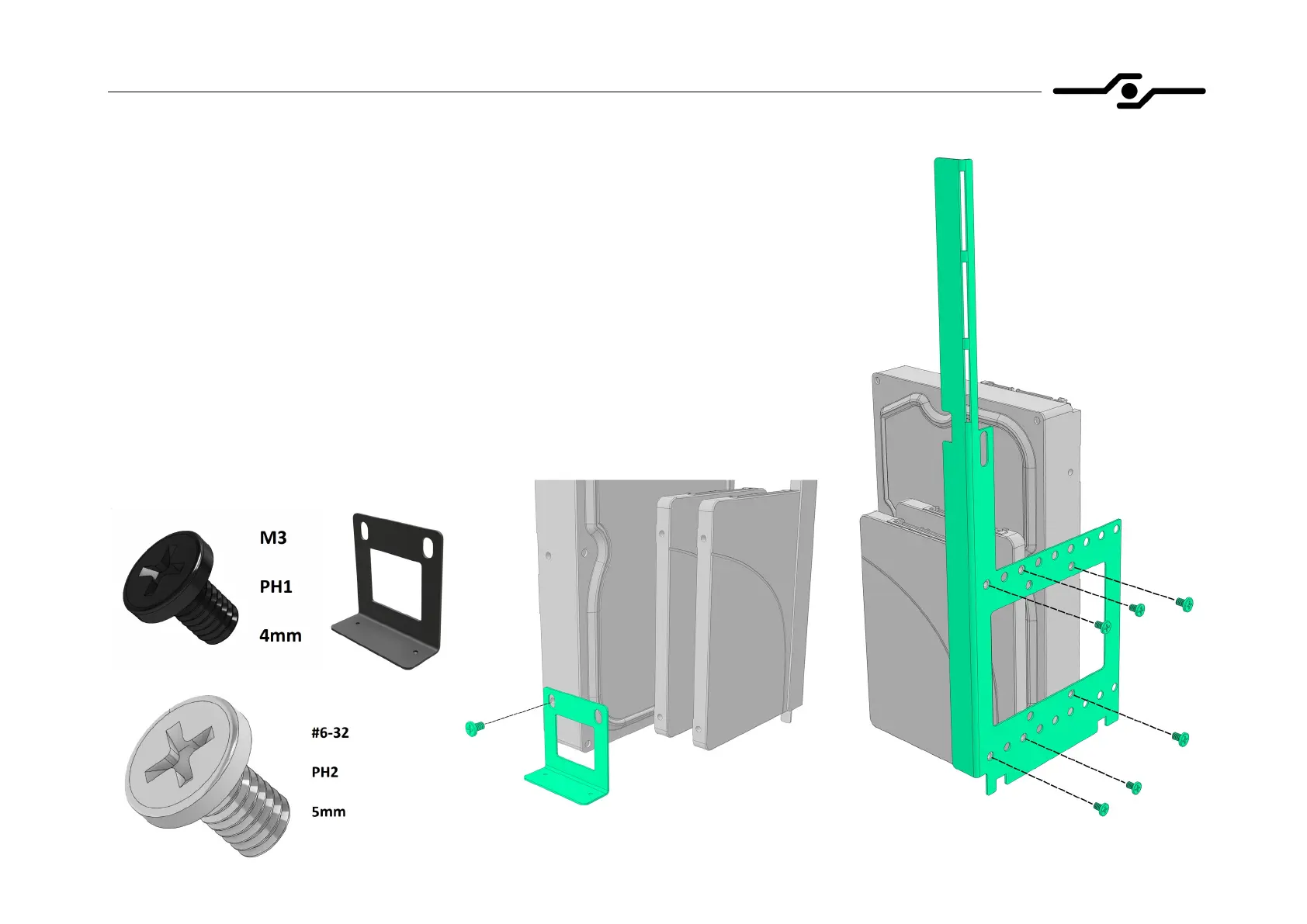
19. Installing hard drives – HDD bracket
- screw down your 3.5” or 2.5” drives to the HDD bracket using provided screws like
shown in the picture
- you only need to screw down 2.5” drives on one side
- install additional HDD side bracket if using 3.5” drives
- for 3.5” drives use larger, silver-colored screws
- for 2.5” drives use smaller, black screws
- install the HDD bracket even if you are not using any hard drives or SSD’s,
as it provides support for the left side panel


 To Next Page