EasyManua.ls Logo

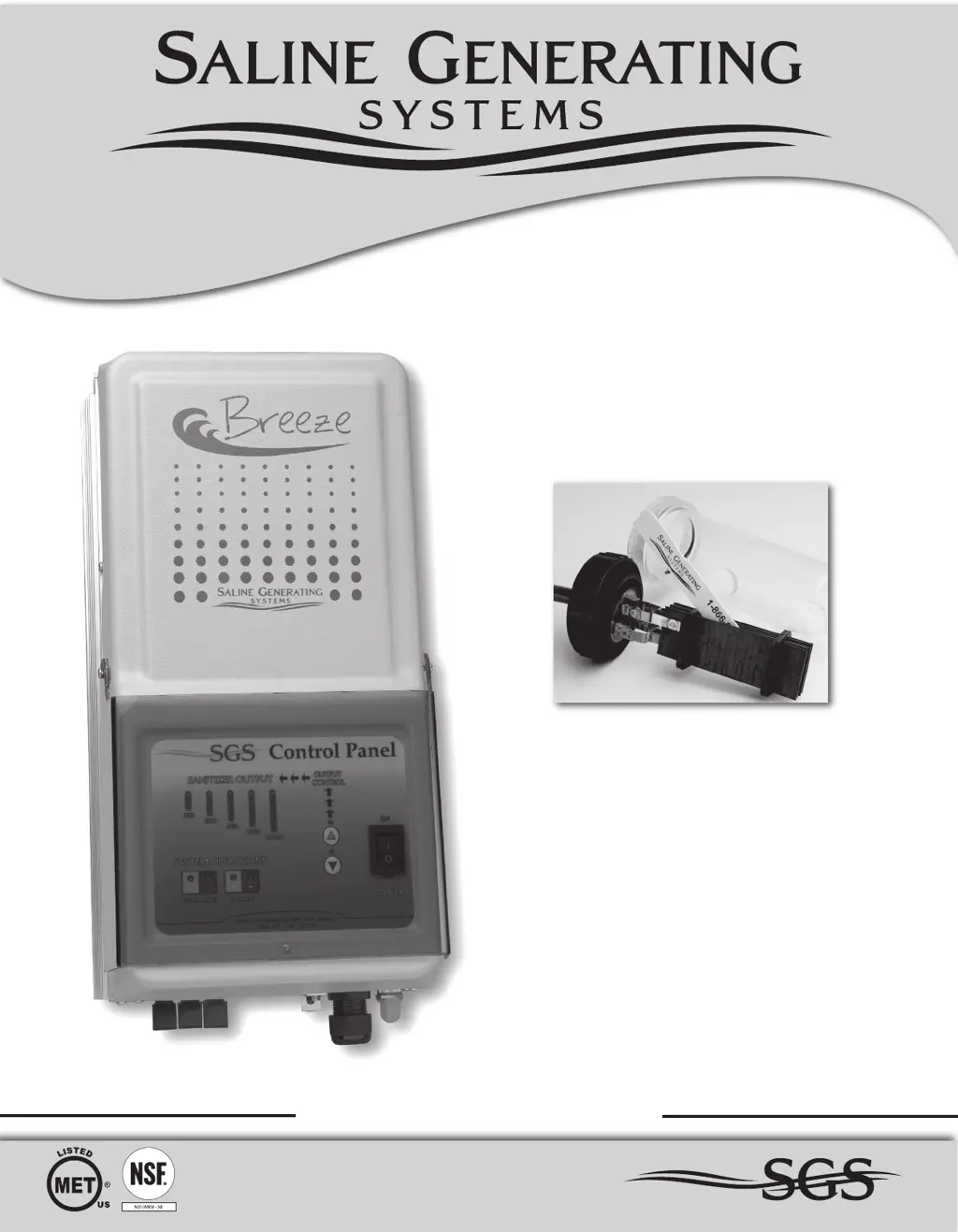
SGS Breeze 540 - User Manual

Default Icon
24 pages
Print Icon
To Next Page IconTo Next Page
Loading...
SG
Owners Manual
MODELS: Breeze 320 - Breeze 540 - Breeze 760
Residential Systems

Questions and Answers

  • C
    Collin OrrAug 10, 2025
    Why is there low chlorine in my SGS Water Filtration System pool?
    • C
      Christine FuentesAug 10, 2025
      Low chlorine residual in your pool, when using an SGS Water Filtration System, can occur due to several reasons: * Low stabilizer (Cyanuric acid level): Add stabilizer to maintain a level between 30 and 65 PPM, following the recommendations of a pool professional. * Insufficient run time: Increase the daily run time. A general recommendation is 1 hour of run time for every 10 degrees of ambient temperature. * Low Sanitizer Output Level: Increase the Sanitizer Output Level. * Recent temperature increases: Increase the Sanitizer Output Level of the system to compensate. * Temporary chlorine loss: Set Sanitizer Output to BOOST (Super Chlorinate) for 72 hours. If the level is still too low, super-chlorinate with an outside source.
  • K
    Kevin CarrAug 17, 2025
    What to do if my SGS Water Filtration System has low chlorine?
    • C
      charles33Aug 17, 2025
      If your SGS Water Filtration System shows low or no chlorine, it could be due to: * Low salt level: Increase the salt level by adding salt. * New pool water, or not shocked properly upon startup: Super-chlorinate the pool with an outside source. * Clogged or dirty cell: Remove the cell from its housing and clean it.
  • L
    Laura ChavezAug 25, 2025
    Why is the status light solid and service light on for my SGS Water Filtration Systems?
    • A
      Alexis SimonAug 26, 2025
      A solid status light and a service light on your SGS Water Filtration System indicates a few potential issues: * Low salt level: Test the salt level of the water and add salt if necessary. * Clogged or dirty cell: Check and clean the cell. * Low water temperature: If the water temperature is below 60 degrees, turn the system off. * Insufficient water flow: Ensure the pump is running, and check and correct all valve alignments. * Sensor tab issues: Clean off any calcium on the sensor tab. Ensure there is no air bubble at the point of the sensor tab in the cell housing.
  • C
    Charles OlsenSep 2, 2025
    Why doesn't my SGS Water Filtration System have a green status light?
    • A
      Angela MartinSep 2, 2025
      If your SGS Water Filtration System does not have a green status light, it could be due to: * Power issues: Ensure the On/OFF switch is on, the pump is running, and check the Circuit Breaker on the bottom of the Control Center; if tripped, press the rubber cover to reset it.

Summary

Safety Instructions and Precautions

Electrical and Chemical Hazards

Addresses risks associated with electrical components and chemical handling.

Child Safety and Drowning Prevention

Provides guidelines to prevent children from accessing or operating pool equipment.

Equipment Water Pressure and Compliance Warnings

Covers hazards from water pressure and compliance-related safety notices.

How the Breeze Chlorinator Works

Salt: When and How to Add It

Chlorinator Installation

Installation Preparation

Pre-installation steps, including cell placement and control center wiring.

Electrolytic Cell Installation Procedure

Detailed steps for installing the electrolytic cell housing and components.

Control Center Mounting

Guidelines for securely mounting the control center on walls or posts.

Start Up Procedures

System Operation

System Maintenance

Troubleshooting

Low or No Chlorine Issues

Diagnosing and correcting issues related to insufficient chlorine levels in the pool.

System Status Light Errors

Interpreting status lights and resolving system warnings or errors.

Unable to Increase Chlorine Production

Troubleshooting steps when the system cannot produce adequate chlorine.

SGS Breeze 540 Specifications

General IconGeneral
Product NameSGS Breeze 540
Stages of Filtration5
Storage Tank Capacity3.2 gallons
Waste Water Ratio1:3
Operating Pressure40-80 PSI
Operating Temperature40-100°F
Filtration TechnologyReverse Osmosis
Filter Life6-12 months (pre-filters), 2-3 years (RO membrane)
Installation TypeUnder Sink
Included FaucetYes
CertificationsNSF/ANSI 58 certified

Related product manuals