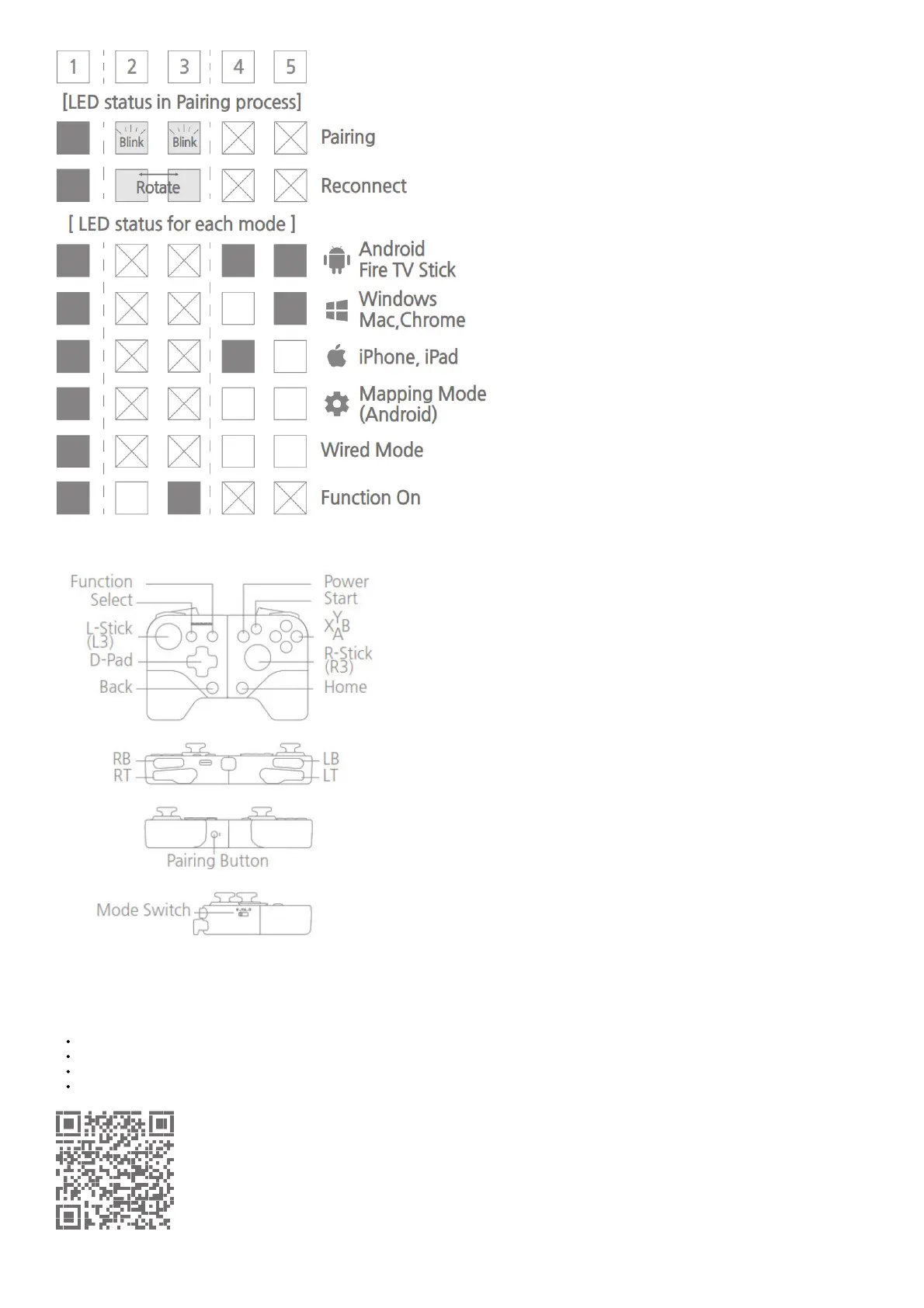
LED#1 show power & charging status, LED #2,3 show connection and LED #4,5 show gamepad mode.
SHAKS GameHub App (Only for Android)
※Please search “SHAKS GameHub” in Google Play Store or use right QR code.
※ SHAKS GameHub is optional in case of using SHAKS gamepad only.
We recommend you use this app for the following features.
Gamepad Test, Firmware Update, Check Gamepad Info
Mapping Mode (mapping touch keys into gamepad keys)
Function features setup – Turbo, Sniper, Virtual Mouse and so on.
Quick Guide, Video Tutorial, Help Request, Sleeping Time



 To Next Page