Need help?
Do you have a question about the Sharkoon SKILLER SGH30 and is the answer not in the manual?
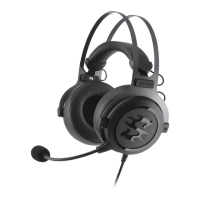
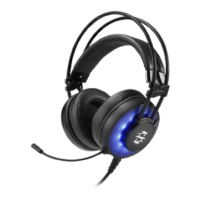
The Sharkoon SKILLER SGH30 is a USB gaming headset designed for an immersive audio experience, particularly for PC and PlayStation 4 users. It features virtual 7.1 surround sound, RGB illumination, and a flexible microphone, making it suitable for a wide range of gaming and communication needs. The headset is managed through the Sharkoon Audio Center software, which provides extensive customization options for sound, microphone, and other settings.
The SKILLER SGH30 functions as a stereo headset with virtual 7.1 surround sound capabilities, enhancing positional audio in games. It connects via a USB Type-A connector, ensuring broad compatibility with modern gaming platforms. The integrated RGB illumination adds a customizable aesthetic element, allowing users to personalize their setup. A key feature is the omnidirectional microphone, which is flexible and includes a mute function, facilitating clear communication during online gaming or voice calls. The headset also incorporates on-ear volume control for quick adjustments.
The SKILLER SGH30 offers a highly customizable user experience through its dedicated Sharkoon Audio Center software. This software, available for Windows, unlocks the full potential of the headset, including the virtual 7.1 surround sound.
The Sharkoon Audio Center features a Status Panel that displays currently active functions and settings for speakers and microphone. Users can switch to a Profile Panel to create, change, edit, or delete audio profiles, allowing for quick switching between different sound configurations optimized for various games or media. An Application Setting/Information section provides access to software driver information, language selection, and other general settings.
Volume Control: The software includes a comprehensive volume control, allowing users to adjust the overall volume and independently control the left and right speaker volumes. The headset also features physical volume control for convenience.
The gear symbol in the software provides access to display settings (e.g., "Show System Tray Icon," "UI Transparent") and language selection.
Users can create multiple profiles to save different configurations of speaker and microphone settings. This allows for quick switching between optimized setups for different games, communication scenarios, or media consumption.
The manual emphasizes the importance of proper disposal of the product at the end of its lifecycle, adhering to the European Directive 2012/19/EU for electrical and electronic products. This ensures environmentally responsible handling and recycling.
A crucial warning advises against listening at high volume levels for extended periods to prevent potential hearing damage.
The SKILLER SGH30 package includes the headset itself and a manual.
The Sharkoon SKILLER SGH30 is a comprehensive gaming headset solution, offering advanced audio customization, clear communication, and a comfortable design, all managed through intuitive software.

 To Next Page
 General