19
Dimension: 176 x 250mm
14AG2DC (17-24)EN
ENGLISH
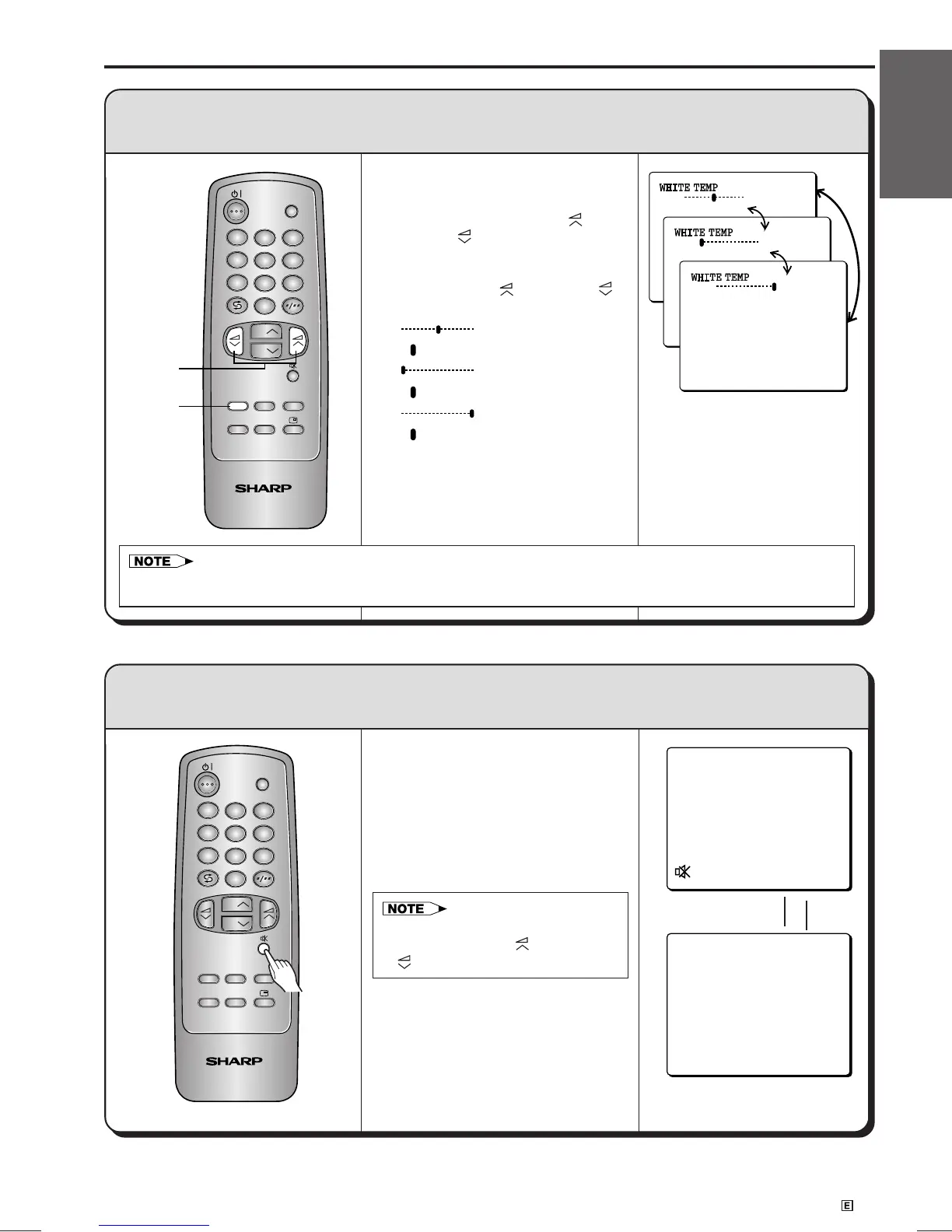
! Press the FUNCTION button 3
times.
@ Press the VOLUME UP ( ) or
DOWN (
) button. The function
changes as shown on the right
each time you press the
VOLUME UP (
) or DOWN ( )
button.
: Normal white colour
(“ ” appears in white)
: Reddish white
(“ ” appears in red)
: Bluish white
(“ ” appears in blue)
# Press the FUNCTION button 3
times. The on-screen display
disappears.
White Temp:
This function changes the white colour background to reddish white or bluish white.
Function Adjustment (continued)
TV/VIDEO
NORMALSYSTEM
TIMERFUNCTION PICTURE
TV
1
23
4
56
7
8
0
9
CH
CH
! Press the SOUND MUTE (e)
button. This SOUND MUTE (e)
symbol appears on the screen
and the sound is silenced.
@ Press the SOUND MUTE (e)
button again and the volume
returns to its previous level.
e Sound Mute:
Silences the sound.
TV/VIDEO
NORMALSYSTEM
TIMERFUNCTION PICTURE
TV
1
23
4
56
7
8
0
9
CH
CH
Press the SOUND
MUTE (e) button
• If approximately 6 seconds pass without a button being pressed, the mode setting is automatically terminated and
the TV set returns to normal mode.
@
!,#
• Sound Mute will be cancelled if
the VOLUME UP (
) or DOWN
(
) button is pressed at anytime.
➤
➤



 To Next Page