E12
NICAM/A2 STEREO SYSTEM BROADCASTS (Continued)
If the sound quality is poor due to a weak signal or other problems
during NICAM/A2 stereo broadcast reception, set “NICAM” / “A2” to
“OFF” to change the TV sound to monaural
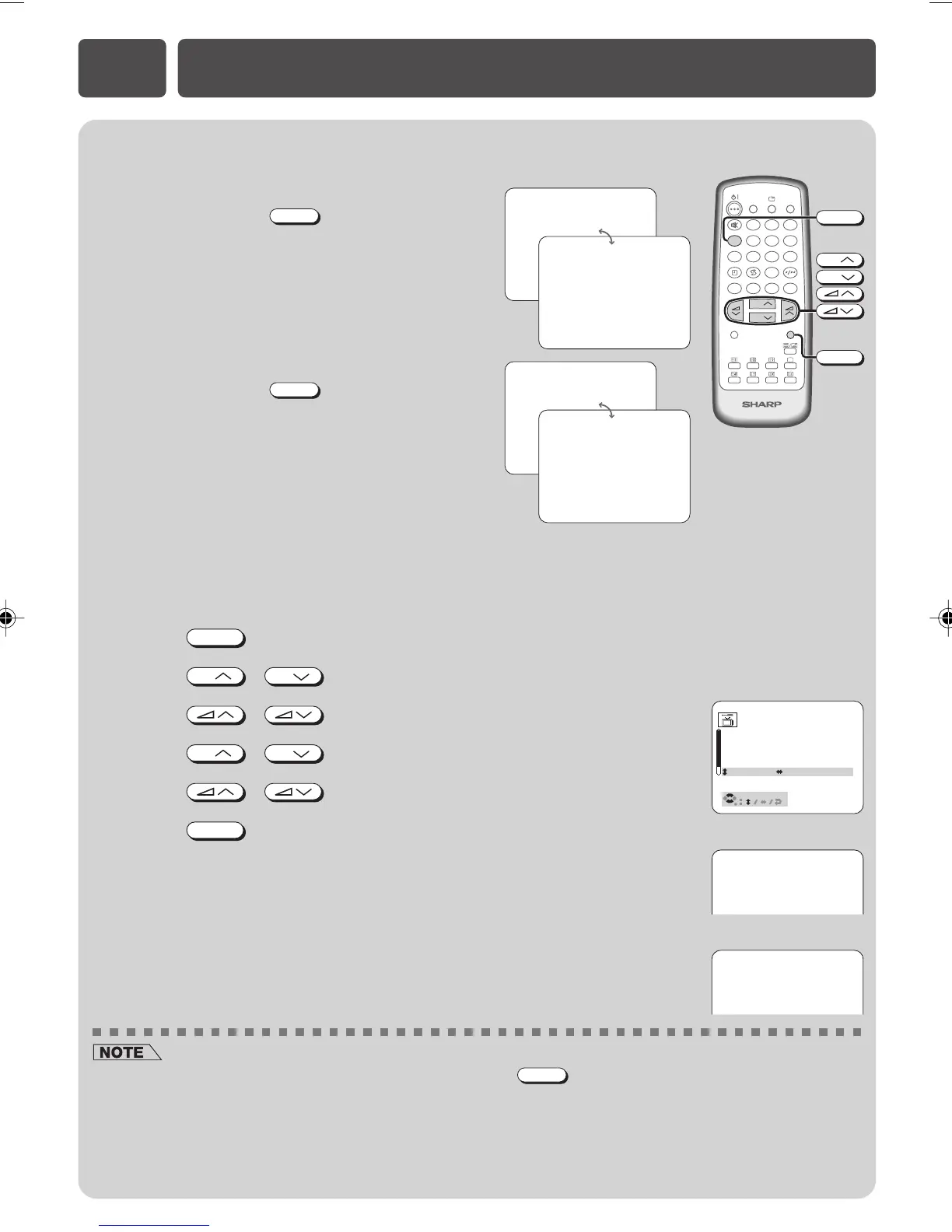
! Press
MENU
to call MENU screen.
@ Press
CH
/
CH
to select “CH-SETTING”.
# Press / to display CH-SETTING menu.
$ Press
CH
/
CH
to select “NICAM/A2”.
% Press / to select “OFF”.
^ Press
MENU
twice to display normal screen.
• When set to “OFF”, the TV sound is output in monaural (ƒ).
LANGUAGE
TV/VIDEO
SURROUND
CH
CH
NORMAL
TV/TEXT
123
456
78
0
9
MENU
BACD
MPX
MENU
CH
CH
MPX
POSITION CH27
COLOUR AUTO
SOUND D/K
SKIP OFF
FINE 168.25MHz
NICAM/A2 ON
15
NICAM
ƒ
• When NICAM/A2 in set to “OFF” on the CH-SETTING menu,
MPX
cannot be used to change the audio mode
(stereo and bilingual settings).
• The setting can be selected individually for each channel position.
• NICAM-I: National and regional broadcast system used in the UK and Hong Kong.
• NICAM-B/G: National and regional broadcast system used in Singapore, Malaysia and New Zealand.
• NICAM-D/K: National and regional broadcast system used in Russia and China.
• A2 stereo-B/G: National and regional broadcast system used in Malaysia, Thailand and Australia.
Enables selection of reception mode when receiving an A2 stereo
signal (B/G)
• Stereo
Each time you press
MPX
, the mode switches
between STEREO and MONO.
• Bilingual
Each time you press
MPX
, the mode switches
between MAIN and SUB.
49
STEREO
49
MONO
49
MAIN
49
SUB
15
ƒ
[ NICAM screen ]
[ A2 screen ]
21K-FD5RU(13-16)EN 7/12/05, 6:20 PM16



 To Next Page