ENGLISH
EN-10
The air conditioner will operate with
lower power consumption than usual in
this mode.
1
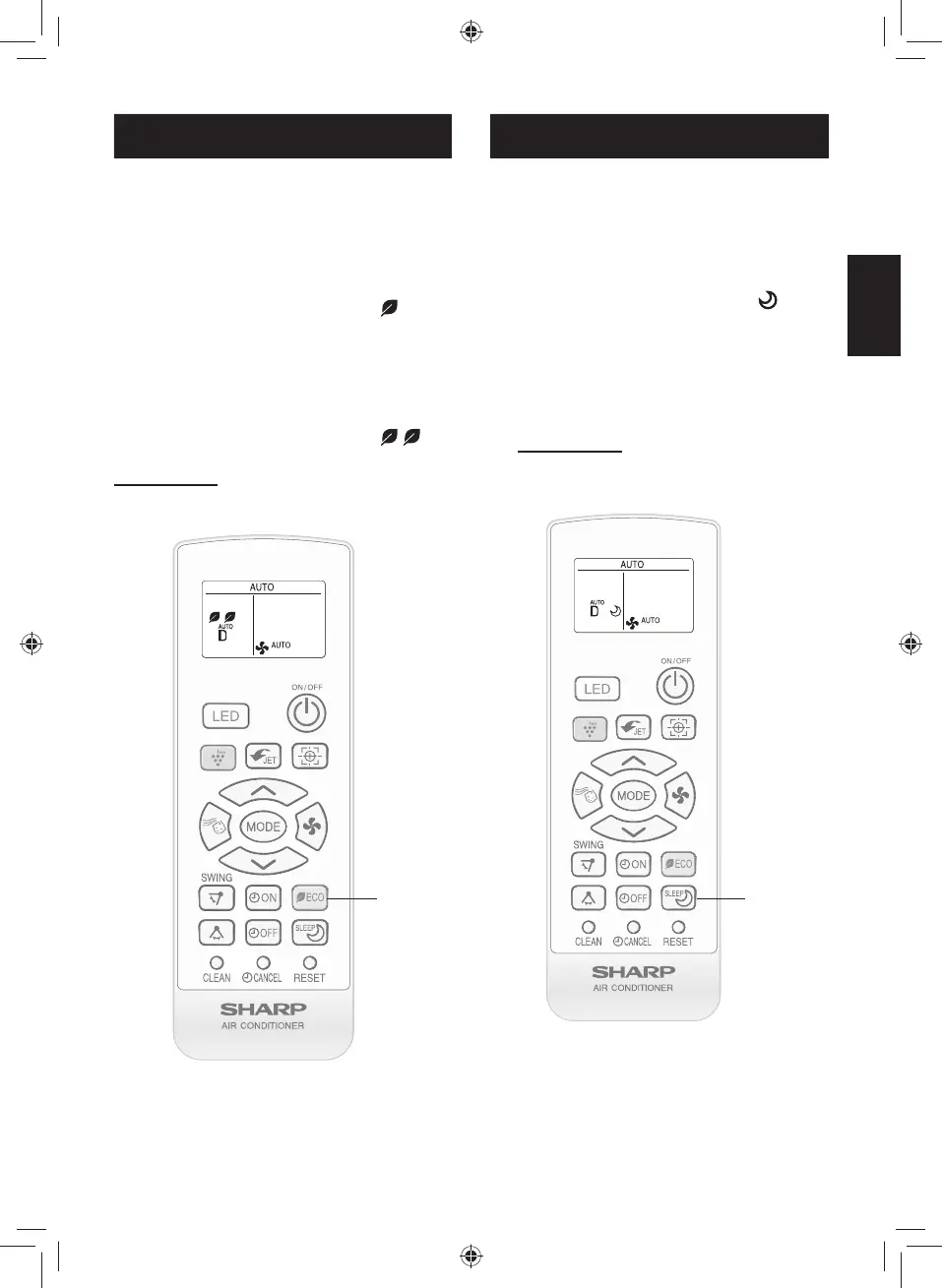
During operation, press the ECO
MODE button to enter 1st step pow-
er consumption mode.
• The remote control will display “ ”.
• The lighting bar will turn to green.
(For XP10/13UXD, XP10/15UF models only)
2
Press the ECO MODE button again
to enter 2nd step power consump-
tion mode.
• The remote control will display “
”.
TO CANCEL
Press the ECO MODE button again during
2nd step power consumption mode.
ECO MODE OPERATION
1
SEN SO R
2
For more comfortable sleep, temperature
and fan speed will be controlled automati-
cally by the best program.
1
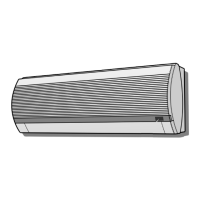
During operation, press the BEST
SLEEP button.
• The remote control will display “ ”.
• Temperature and fan speed will be con-
trolled automatically for the best sleep.
• The lighting bar will turn to orange. After
1h, the light will turn off. For more informa-
tion, refer to EN13.
(For XP10/13UXD, XP10/15UF models only)
TO CANCEL
Press the BEST SLEEP button again.
BEST SLEEP OPERATION
SEN SO R
1
NOTE:
• BEST SLEEP operation is not available in
DRY and FAN mode.
TINSEB026JBRZ.indb EN-10TINSEB026JBRZ.indb EN-10 4/28/2560 BE 2:49 PM4/28/2560 BE 2:49 PM



 To Next Page