EasyManua.ls Logo

Sharp AQUOS BOARD 4W-B65FT5U - Page 18

Sharp AQUOS BOARD 4W-B65FT5U
81 pages
Print Icon
To Next Page IconTo Next Page
To Previous Page IconTo Previous Page
Loading...
[ENGLISH]
Contents
>>
<<
1.
Part Names
2.
Introduction
3.
Direct Button Operation
1.
Changing Input Source
2.
Changing Channels
3.
Changing Volume / MUTE
4.
Displaying Manual
5.
Displaying Current Input
Mode

6.
Sleep Timer
7.
APPS
8.
CEC Menu
4.
On
-Screen Display Menu
5.
Application
6.
Using a PC
7.
Using the touch function
8.
Appendix
9.
Specifications
10.
Trademarks
11.
Dimensional Drawings
Ver. 1.1
1.
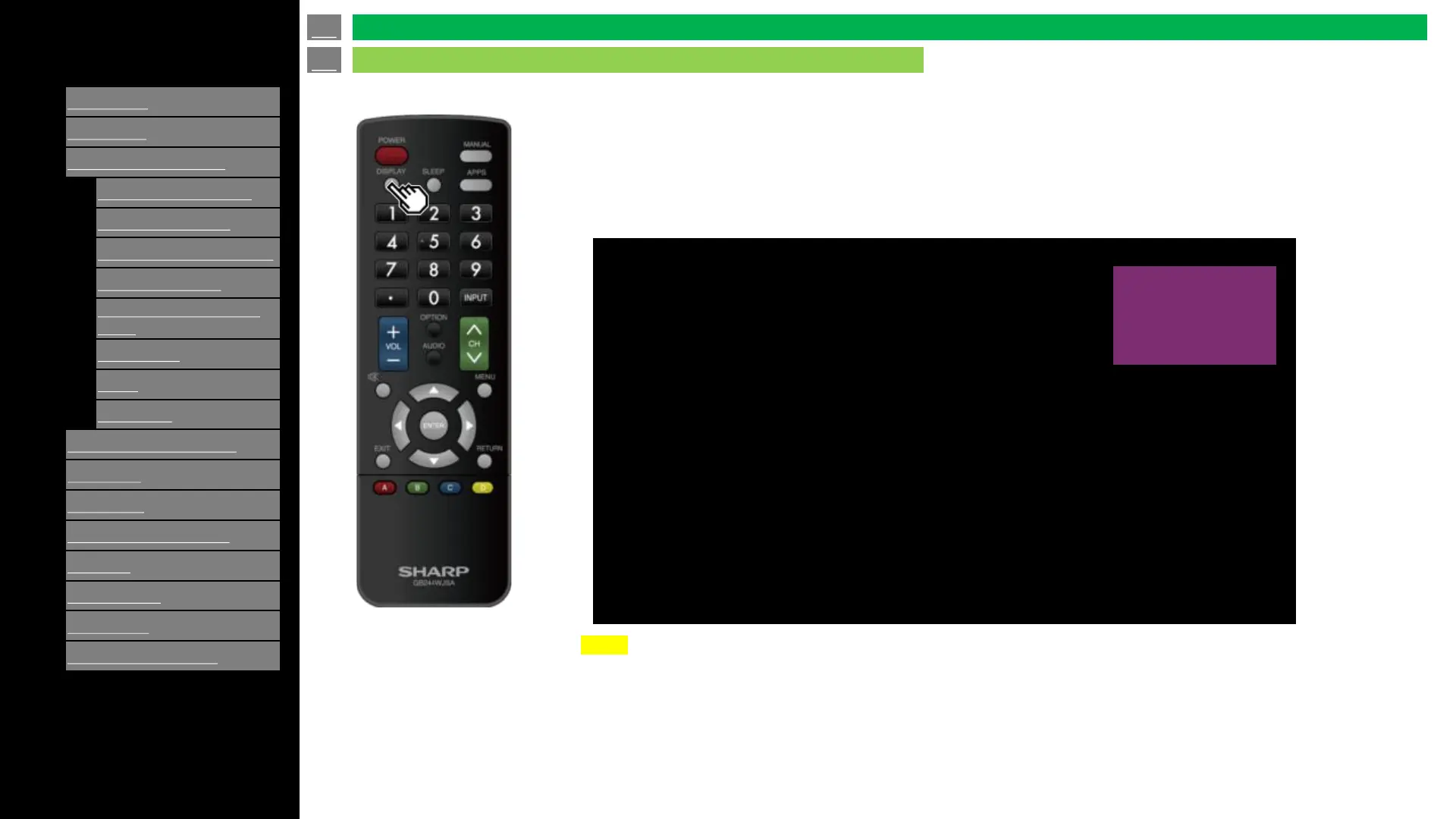
Display current source when you select some of AV input source TV,
Composite or HDMI 1 to 3
NOTE
OSD message is not displayed if other functions are enabled (e.g. APPS, MENU, etc).
If its necessary to return to AV input mode (TV, Composite, HDMI 1-3) use [EXIT] key.
HDMI 2
en-US 17
Direct Button Operation
Displaying Current Input Mode