EasyManua.ls Logo

Sharp AQUOS LC-52LE640U - User Manual

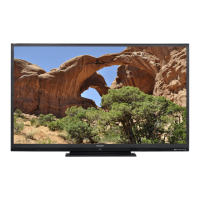
Sharp AQUOS LC-52LE640U
85 pages
Print Icon
To Next Page IconTo Next Page
Loading...
LC-80LE633U LC-70/60/52LE640U LC-70/60/52C6400U OPERATION MANUAL MODE D'EMPLOI MANUAL DE OPERACIÓN
SHARP ELECTRONICS CORPORATION
Sharp Plaza, Mahwah, New Jersey 07495-1163
SHARP CORPORATION
Printed in Mexico
Imprimé au Mexique
Impreso en México
TINS-F419WJN1
12P03-MX-NM
ENGLISHFRANÇAISESPAÑOL
IMPORTANT : Please read this operation manual before starting operating the equipment.
IMPORTANT : Veuillez lire ce mode d'emploi avant de commencer à utiliser l'appareil.
IMPORTANTE : Lea este manual de operación antes de comenzar a operar el equipo.
LC-80LE633U
LC-70LE640U
LC-60LE640U
LC-52LE640U
LIQUID CRYSTAL TELEVISION
TÉLÉVISEUR ACL
TELEVISOR CON PANTALLA
DE CRISTAL LÍQUIDO
OPERATION MANUAL
MODE D'EMPLOI
MANUAL DE OPERACIÓN
LC-70C6400U
LC-60C6400U
LC-52C6400U
ENGLISHFRANÇAISESPAÑOL ENGLISHFRANÇAISESPAÑOL
LC-80LE633U706052LE640UC6400UECover.indd1LC-80LE633U706052LE640UC6400UECover.indd1 2012/01/0614:13:292012/01/0614:13:29

Table of Contents

Questions and Answers

  • K
    Kathy BakerJul 30, 2025
    Why does my Sharp AQUOS LC-52LE640U power suddenly turn off?
    • A
      Ann SotoJul 30, 2025
      If your Sharp LCD TV suddenly turns off, it may be due to several reasons. First, check if the sleep timer is set. Next, review the power control settings. Finally, if the unit's internal temperature has increased, remove any objects blocking the vents or clean them to ensure proper ventilation.
  • P
    Paul ReyesAug 5, 2025
    Why is my Sharp AQUOS LC-52LE640U remote control not working?
    • N
      Nathaniel RussellAug 5, 2025
      If the remote control unit is not working with your Sharp LCD TV, ensure that the remote is set to operate the TV by pressing the TV button. If that doesn't work, the batteries may be worn out, replace them with new batteries. Note that strong or fluorescent lighting, or a fluorescent light illuminated near the remote control sensor could affect the operation.
  • S
    stacy22Aug 11, 2025
    How to troubleshoot no power on my Sharp LCD TV?
    • V
      vbrownAug 12, 2025
      If your Sharp LCD TV is not receiving power, ensure that you have pressed the POWER button on the remote control. Also, check if the AC cord is properly connected and that the power is turned on.
  • N
    Nicholas MayAug 18, 2025
    What to do if my Sharp AQUOS LC-52LE640U has strange colors?
    • M
      Mrs. Meghan ChapmanAug 18, 2025
      If you are experiencing strange colors, light color, or color misalignment on your Sharp LCD TV, try adjusting the picture tone. Also, the picture may look dark in a room that is too bright.
  • S
    Sheena RichardsonAug 23, 2025
    What to do if my Sharp AQUOS LC-52LE640U cannot be operated?
    • J
      Jennifer AyalaAug 23, 2025
      If your Sharp LCD TV cannot be operated, it might be due to external influences such as lightning or static electricity. To resolve this, turn off the power of the TV or unplug the AC cord, wait for 1 or 2 minutes, and then replug it in and turn it back on.

Summary

Important Safety Instructions

General Safety Precautions

Lists essential safety precautions for operation, installation, and maintenance to prevent hazards.

Installation and Environmental Safety

Details precautions for antenna grounding, water exposure, ventilation, heat sources, and proper placement.

Handling and Child Safety

Provides guidance on cleaning the front panel, child safety during use, and safe wall mounting procedures.

Supplied Accessories

Quick Reference Guide

Offers a brief guide to initial setup steps like attaching the stand and connecting basic components.

Connecting External Equipment

Connecting Various AV Devices

Explains connections for Blu-ray/DVD players, game consoles, camcorders, and set-top boxes using various cables.

Watching TV

Initial TV Setup Procedure

Covers initial TV setup steps including language, location, time, and channel tuning.

Direct Button Operations

Details how to use remote control buttons for common functions like volume, channels, and playback.

On-Screen Display Menu

Picture Settings Adjustment

Explains how to adjust picture settings like brightness, contrast, color, and advanced options for optimal viewing.

Audio Settings Adjustment

Guides users on adjusting audio settings such as auto volume, surround sound, bass enhancer, and clear voice.

System Options and Configuration

Details system options like View Option, AQUOS LINK setup, Input Terminal settings, and Menu Design.

Using the Internet

Internet Setup and Connection

Provides instructions for setting up wired or wireless internet connections, including WPS configuration.

Browser and Application Usage

Explains how to use the browser, manage bookmarks, and access internet applications like Netflix and YouTube.

Troubleshooting Common Issues

Problem Resolution Guide

Offers solutions for common issues like no power, unit not operating, no sound, and picture problems.

Product Specifications

TV Technical Details

Lists detailed specifications including screen size, resolution, input/output terminals, power, and dimensions.

Dimensional Drawings

TV Physical Dimensions

Provides diagrams and measurements for the TV's dimensions and compatibility with wall mount brackets.

Sharp AQUOS LC-52LE640U Specifications

General IconGeneral
Screen Size52 inches
Display TypeLCD
Backlight TypeLED
Refresh Rate120Hz
HDMI Ports4
Component Video Input1
Composite Video Input1
Resolution1920 x 1080 (1080p)
Audio Output20W (10W x 2)

Related product manuals