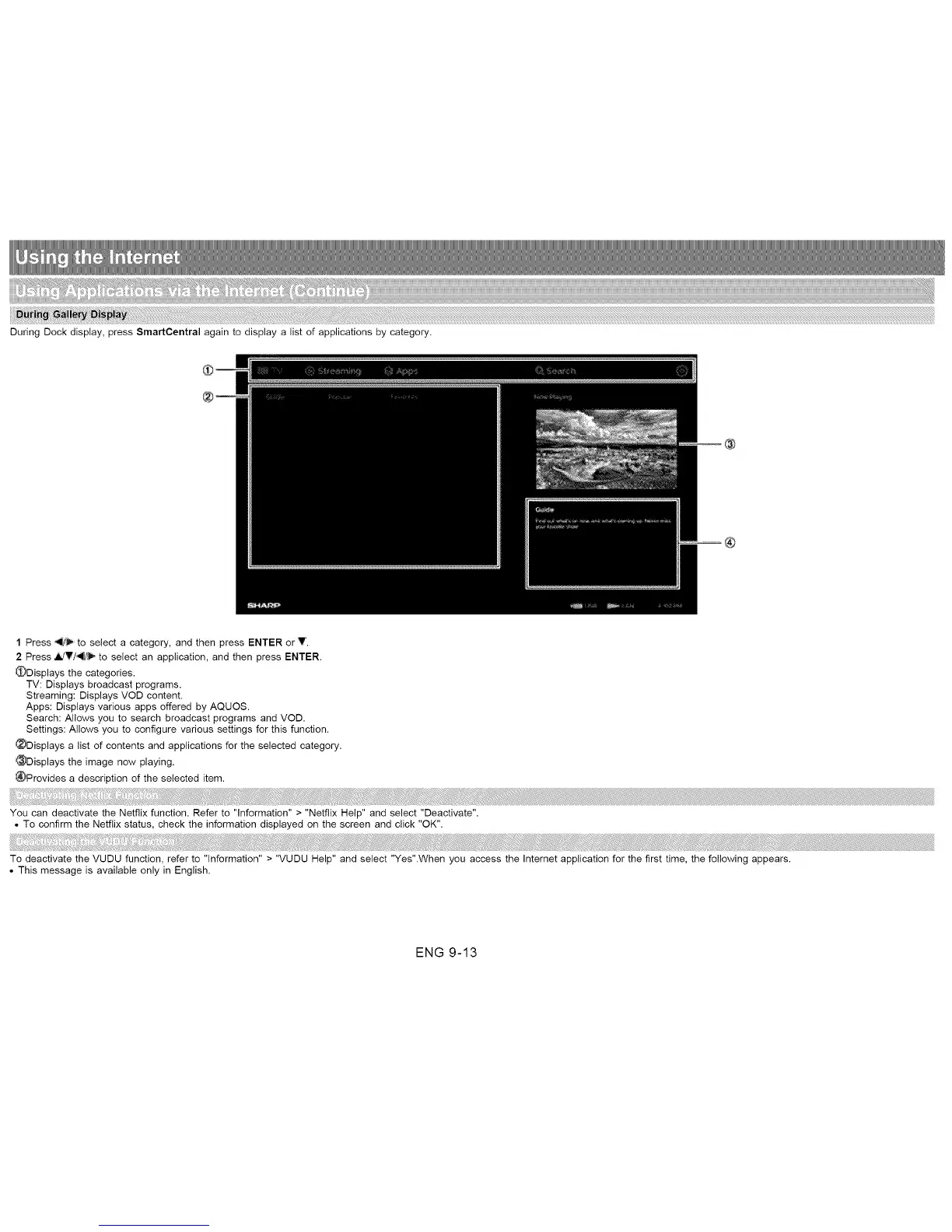
During Dock display, press SmartCentral again to display a list of applications by category.
1 Press _ to select a category, and then press ENTER or V.
2 Press _V/-4_/_ to select an application, and then press ENTER.
_)Displays the categories.
TV: Displays broadcast programs.
Streaming: Displays VOD content.
Apps: Displays various apps offered by AQUOS.
Search: Allows you to search broadcast programs and VOD.
Settings: Atlows you to configure various settings for this function.
_Displays a list of contents and applications for the selected category.
_Displays the image now playing.
_Provides a description of the selected item.
You can deactivate the Netfiix function. Refer to "Information" > "Netfiix Help" and select "Deactivate".
• To confirm the Netflix status, check the information displayed on the screen and click "OK".
To deactivate the VUDU function, refer to "Information" > "VUDU Help" and select "Yes".When you access the Internet application for the first time, the following appears.
• This message is available only in English.
ENG 9-13












 To Next Page