EasyManua.ls Logo

Sharp Aquos LC-32D33X - User Manual

Sharp Aquos LC-32D33X
84 pages
Print Icon
To Next Page IconTo Next Page
Loading...
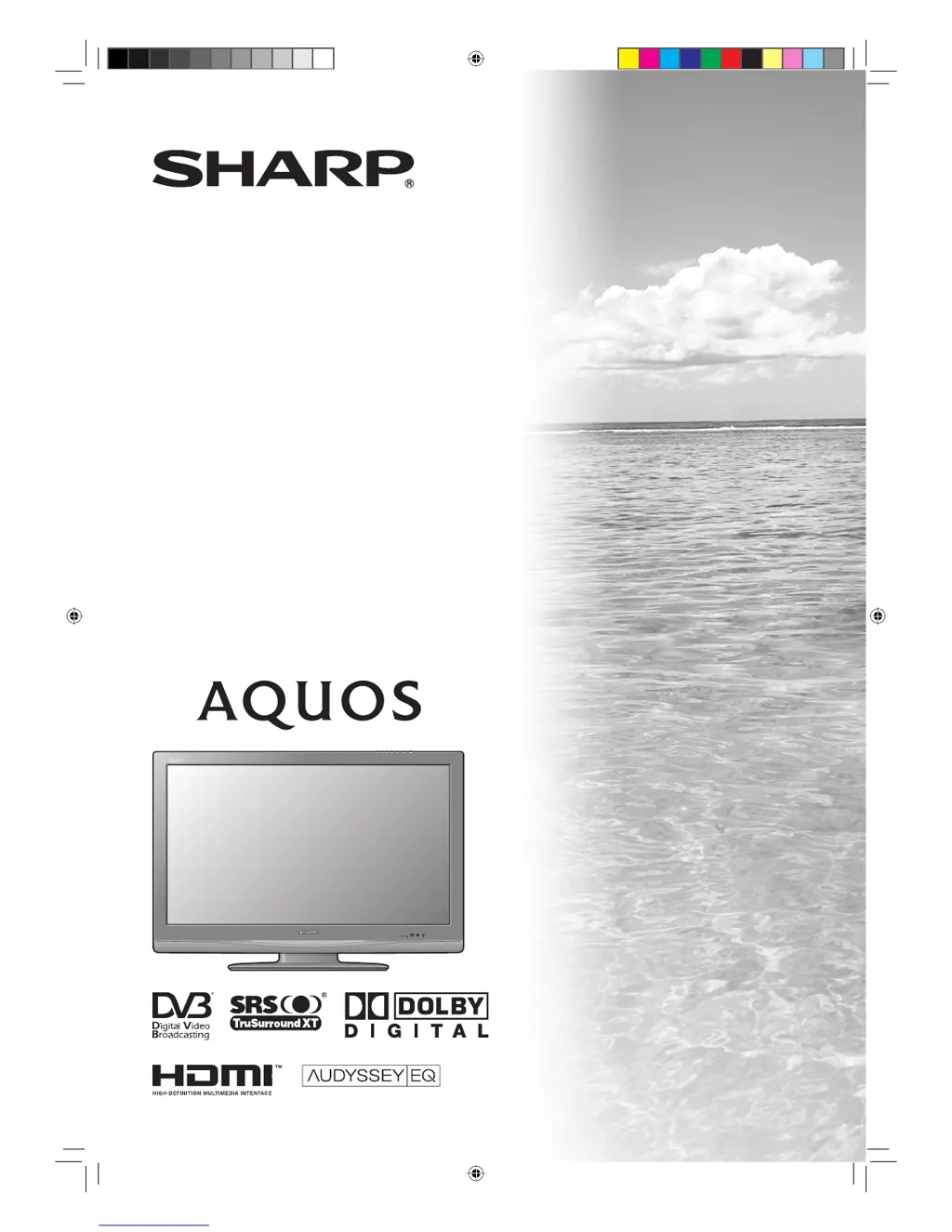
MODEL
LC-32D33X
LC-37D33X
LCD COLOUR TELEVISION
OPERATION MANUAL
32D33X_Cover.indd 132D33X_Cover.indd 1 2008-2-25 15:58:232008-2-25 15:58:23

Table of Contents

Questions and Answers

  • T
    Tyler MartinezAug 14, 2025
    Why is there no sound on my Sharp Aquos LC-32D33X TV?
    • R
      Renee TaylorAug 15, 2025
      First, check if the volume is set too low. If so, increase it using the volume controls. Also, ensure that headphones are not connected to the TV, as this will mute the sound from the speakers.
  • I
    ithompsonAug 18, 2025
    What to do if my Sharp TV power is suddenly turned off?
    • W
      wangkarinaAug 18, 2025
      If your Sharp TV suddenly turns off, it may be due to a few reasons. The unit's internal temperature might have increased, so ensure that nothing is blocking the vents. Clean the vents if necessary. You may also want to check the power control settings or if the sleep timer is activated.
  • D
    Donald ColemanAug 21, 2025
    Why is there no picture on my Sharp Aquos LC-32D33X?
    • A
      Amanda BurnsAug 22, 2025
      If your Sharp TV displays no picture, verify that all connections to external equipment are correctly set up. Ensure the input signal is correctly configured. Check if you have selected the correct input source on your TV. Also, review your picture adjustments and make sure the antenna is properly connected. Finally, confirm that 'Audio Only' is not selected.
  • C
    cynthia44Aug 25, 2025
    Why is my Sharp Aquos LC-32D33X remote control not working?
    • D
      Dr. April Gilbert PhDAug 25, 2025
      If your Sharp TV remote control isn't working, make sure the batteries are inserted correctly, aligning the polarity. If they are old, replace them with new ones. Strong or fluorescent lighting or a fluorescent light shining directly on the remote control sensor may also interfere with its operation.
  • C
    Cynthia RossAug 28, 2025
    How to fix no power on Sharp Aquos LC-32D33X TV?
    • R
      Rachel BrightAug 28, 2025
      If your Sharp TV isn't turning on, start by checking if you've pressed the power button on the remote or the TV itself. Look for the indicator light on the TV; if it's red, press the power button. Ensure the AC cord is properly connected and that the power is turned on.
  • K
    Kristi KellerAug 31, 2025
    What to do if Sharp TV has strange colour?
    • A
      Angie WoodsSep 1, 2025
      If the colors on your Sharp TV appear strange, light, dark, or misaligned, try adjusting the picture tone settings. If the room is too bright, the picture may appear darker than it is. Verify the color system and input signal settings. Also, check the HDMI setup.
  • E
    Ethan ClarkeSep 3, 2025
    How to adjust picture if the picture is cut off on Sharp Aquos LC-32D33X TV?
    • M
      Miss Ashley Stewart MDSep 3, 2025
      If the image on your Sharp TV is cut off, ensure that the image position is correctly set and that screen mode adjustments, like picture size, are properly configured.
  • R
    Richard BakerSep 7, 2025
    What to do if my Sharp Aquos LC-32D33X TV unit cannot be operated?
    • T
      Traci PhillipsSep 7, 2025
      If your Sharp TV cannot be operated, it might be due to external influences such as lightning or static electricity. Turn off the TV or unplug the AC cord, wait for 1 or 2 minutes, and then plug it back in to resolve the issue.
  • K
    Katherine PalmerSep 12, 2025
    Why does my Sharp TV sometimes make a cracking noise?
    • R
      renee31Sep 12, 2025
      This cracking noise from your Sharp TV is not a malfunction. It occurs when the cabinet expands and contracts slightly due to temperature changes. This does not affect the TV’s performance.

Summary

Introduction

Important Safety Precautions

Essential guidelines for safe usage and preventing damage to the television.

Preparation

Initial Auto Installation

Guides first-time TV setup, including channel scanning and basic settings.

Connecting External Devices

Instructions for connecting external equipment like VCRs, DVD players, and PCs to the TV.

Using the Remote Control Unit

Explains the functions and operation of the TV's remote control for navigating menus and settings.

Watching TV

Setting Channels Automatically

Automatically scans and stores available TV channels for easy viewing.

Selecting Programmes

Details various methods for changing channels using remote buttons or direct input.

Adjusting the Volume

Instructions on how to change the TV's audio volume using the remote control or TV buttons.

Settings when using external devices

Connecting an HDMI Output Device

How to connect devices like Blu-ray players or game consoles via HDMI for audio and video.

HDMI Audio Select

Allows selection between digital and analogue audio signals for HDMI inputs.

AQUOS LINK

What is AQUOS LINK?

Explains the HDMI CEC protocol for interactive control of compatible devices with a single remote.

AQUOS LINK Connection

Details how to physically connect compatible devices like AQUOS BD Players or audio systems.

Operating an AQUOS LINK Device

Outlines functions like One Touch Recording, One Touch Play, and single remote control operation.

Connecting a PC

HDMI Connection

Describes how to connect a PC to the TV using HDMI cables for high-definition display.

Analogue Connection

Guides on connecting a PC via analogue RGB cables for display on the TV.

PC Control of the TV

Explains how to control the TV from a PC using the RS-232C terminal for various settings.

Teletext Function

About Teletext

Provides an overview of Teletext services and how the TV displays them.

Turning On and Off Teletext

Instructions on how to activate and deactivate the Teletext mode using the remote control.

Displaying Subtitles

Details how to display subtitles for programmes, including switching languages and for hearing impaired.

Appendix

Troubleshooting

Lists common problems and their solutions, helping users diagnose and fix issues.

Specifications

Provides detailed technical specifications of the TV model, including dimensions and electrical data.

Mounting the TV on the Wall

Instructions and precautions for safely mounting the TV on a wall using an optional bracket.

Sharp Aquos LC-32D33X Specifications

General IconGeneral
Screen Size32 inches
Resolution1366 x 768
Display TypeLCD
HDMI Ports2
USB Ports1
Aspect Ratio16:9
Refresh Rate60 Hz
Built-in TunerYes

Related product manuals