EasyManua.ls Logo

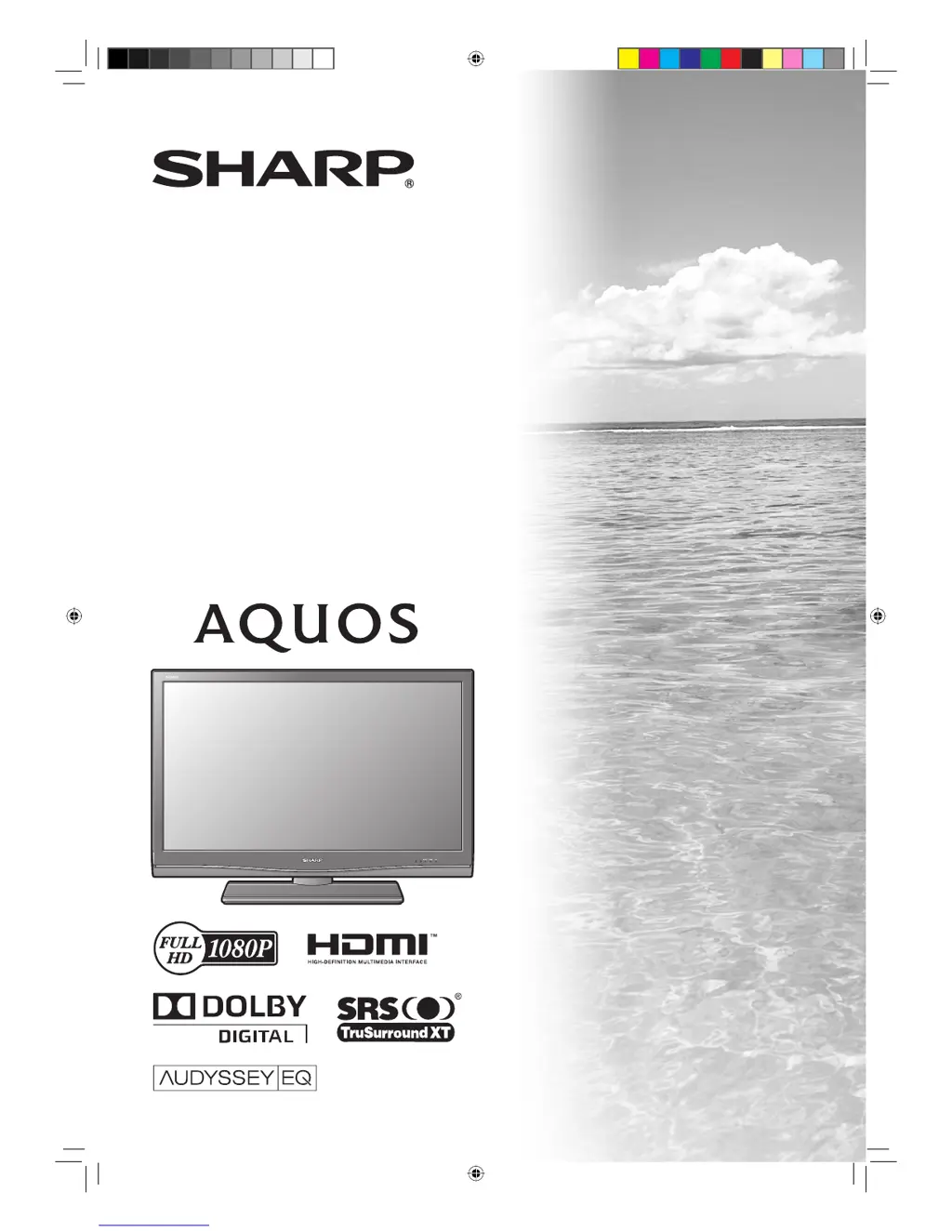
Sharp Aquos LC-46D84X - User Manual

Sharp Aquos LC-46D84X
76 pages
Print Icon
To Next Page IconTo Next Page
Loading...
MODEL
LC-46D84X
LC-52D84X
LCD COLOUR TELEVISION
OPERATION MANUAL
cover_52D84X.indd 1cover_52D84X.indd 1 6/16/2008 9:28:16 AM6/16/2008 9:28:16 AM

Table of Contents

Questions and Answers

  • F
    Frank MillerAug 15, 2025
    Why does my Sharp Aquos LC-46D84X TV power suddenly turn off?
    • S
      Stephanie SheltonAug 15, 2025
      If your Sharp TV suddenly turns off, it might be due to a rise in the unit's internal temperature. Ensure that no objects are blocking the vent, and clean the vent if necessary. Also, verify the power control settings and check if the sleep timer is active.
  • R
    Rebecca Russell DDSAug 18, 2025
    How to fix a Sharp TV that won't turn on?
    • T
      Tommy SantanaAug 18, 2025
      If your Sharp TV has no power, make sure you've pressed the POWER button on the remote control unit. If the indicator on the TV lights up red, press POWER. Check if the AC cord is disconnected and ensure the power is turned on.
  • S
    simsmarkAug 22, 2025
    What to do if my Sharp Aquos LC-46D84X has no picture?
    • D
      David BradleyAug 22, 2025
      If your Sharp TV is showing no picture, verify that the connection to external equipment is correct. Ensure the input signal setup has been performed correctly after connection. Check if the correct input is selected. Make sure the picture adjustment is correct. Verify the antenna is connected properly. Finally, check if “On” is selected in “Audio Only”.
  • M
    Megan WintersAug 25, 2025
    Why is my Sharp Aquos LC-46D84X remote not working?
    • A
      alexander20Aug 26, 2025
      If the remote control unit for your Sharp TV isn't working, ensure that the batteries are inserted with the correct polarity. If the batteries are old, replace them with new ones. Also, check if you're using the remote under strong or fluorescent lighting, or if a fluorescent light is shining on the remote control sensor.
  • M
    Michael ValenciaAug 28, 2025
    How to adjust picture if it is cut off on Sharp TV?
    • C
      Carol MackAug 28, 2025
      If the picture on your Sharp TV is cut off, check if the image position is correct. Ensure that screen mode adjustments such as picture size are made correctly.
  • Y
    ywilliamsAug 31, 2025
    How to troubleshoot no sound on Sharp Aquos LC-46D84X?
    • R
      Ryan BookerSep 1, 2025
      If your Sharp TV isn't producing any sound, first ensure that the volume isn't set too low. Also, check to make sure headphones are not connected to the TV.
  • B
    brookerhodesSep 4, 2025
    How to fix strange colors on Sharp TV?
    • W
      Wendy McconnellSep 4, 2025
      If your Sharp TV displays strange, light, or dark colors, or if the colors are misaligned, try adjusting the picture tone. If the room is too bright, the picture may appear dark, so adjust the room's lighting. Also, check the color system and input signal settings, as well as the HDMI Setup setting.
  • S
    Steven ColonSep 7, 2025
    What to do if Sharp TV cannot be operated?
    • P
      Pamela HoweSep 7, 2025
      If your Sharp TV cannot be operated, it might be due to external influences such as lightning or static electricity. To resolve this, turn off the power to the TV or unplug the AC cord. After waiting 1 or 2 minutes, plug the AC cord back in and try operating the unit again.
  • U
    ujordanSep 12, 2025
    Why does my Sharp TV sometimes make a cracking sound?
    • M
      Mr. Shane Mcgee DDSSep 12, 2025
      This cracking sound from your Sharp TV is not a malfunction. It occurs when the cabinet slightly expands and contracts due to temperature changes. This does not affect the TV's performance.

Sharp Aquos LC-46D84X Specifications

General IconGeneral
Screen Size46 inches
Resolution1920 x 1080
Display TypeLCD
Backlight TypeCCFL
Response Time6 ms
HDMI Ports3
Component Video Inputs2
Composite Video Inputs1
Audio Output10 W x 2
Refresh Rate60 Hz
Brightness450 cd/m²
Viewing Angle176°
InputsHDMI, Component, Composite, PC
Speakers2 Built-in Speakers

Related product manuals