EasyManua.ls Logo

Sharp AQUOS LC-43UI7352E - User Manual

Sharp AQUOS LC-43UI7352E
72 pages
Print Icon
To Next Page IconTo Next Page
Loading...
EN FRDE IT ES PLPT NL
User manual
LC-40UI7252E
LC-43UI7252E
LC-49UI7252E
LC-50UI7252E
LC-55UI7252E
LC-65UI7252E
LC-40UI7352E
LC-43UI7352E
LC-49UI7352E
LC-50UI7352E
LC-55UI7352E
LC-65UI7352E
LC-40UI7452E
LC-50UI7452E
LC-40UI7552E
LC-43UI7552E
LC-49UI7552E
LC-50UI7552E
LC-55UI7552E
LC-65UI7552E
Question and Answer IconNeed help?

Do you have a question about the Sharp AQUOS LC-43UI7352E and is the answer not in the manual?

Summary

Important Safety Instructions

Attaching the Stand

Wall Mounting the TV

Instructions for attaching the wall mount bracket to the television.

Getting Started - Initial Setup

Remote Control Overview

Connections

TV Menu Navigation

Picture Settings

Picture Mode

Choose from presets like Standard, Movie, Personal, Eco, or Dynamic.

Expert Settings

Fine-tune picture quality with Noise Reduction, Active Contrast, Backlight, Gamma, and colour adjustments.

Sound Settings

Settings Menu

Channel

Configure DVB Antenna, Auto Tuning, Analogue/Digital Manual Tuning, and Channel Edit.

Network Configuration

Set up wired or wireless network connections, including IP config and Wi-Fi settings.

Setup Options

Adjust menu language, audio/subtitle languages, and hearing impaired settings.

Summary

Important Safety Instructions

Attaching the Stand

Wall Mounting the TV

Instructions for attaching the wall mount bracket to the television.

Getting Started - Initial Setup

Remote Control Overview

Connections

TV Menu Navigation

Picture Settings

Picture Mode

Choose from presets like Standard, Movie, Personal, Eco, or Dynamic.

Expert Settings

Fine-tune picture quality with Noise Reduction, Active Contrast, Backlight, Gamma, and colour adjustments.

Sound Settings

Settings Menu

Channel

Configure DVB Antenna, Auto Tuning, Analogue/Digital Manual Tuning, and Channel Edit.

Network Configuration

Set up wired or wireless network connections, including IP config and Wi-Fi settings.

Setup Options

Adjust menu language, audio/subtitle languages, and hearing impaired settings.
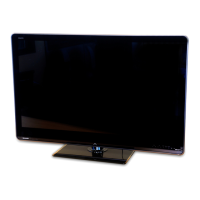
Sharp AQUOS LC-43UI7352E Specifications

General IconGeneral
BrandSharp
ModelAQUOS LC-43UI7352E
CategoryTV
LanguageEnglish

Related product manuals