EasyManua.ls Logo

Sharp Aquos LC-55UB30U - User Manual

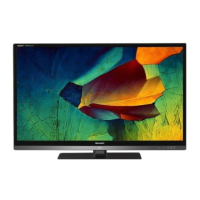
Sharp Aquos LC-55UB30U
114 pages
Print Icon
To Next Page IconTo Next Page
Loading...
>>

Other manuals for Sharp Aquos LC-55UB30U

Questions and Answers

  • M
    Mark DavisAug 14, 2025
    Why is there no sound on my Sharp Aquos LC-55UB30U TV?
    • A
      Ashley JohnsonSep 12, 2025
      If your Sharp TV has no sound, verify that all connections to other components are correct and the volume isn't too low. Ensure that 'Variable' is selected in 'Output Select'. Check if you've accidentally muted the TV using the remote. Also, examine the audio output settings of any connected external equipment to ensure it's not muted or set too low. When using HDMI, you might need to configure the audio output through the HDMI cable. For PC connections via HDMI, ensure the PC's audio output is correctly configured to a compatible format like PCM or Dolby Digital.
  • G
    Gary WoodAug 17, 2025
    Why is my Sharp Aquos LC-55UB30U remote control not working?
    • C
      Colton VaughnAug 17, 2025
      If your Sharp TV remote isn't working, first, ensure the equipment you're trying to control is correctly set up. Press the TV button to set the remote for TV operation. Check that the batteries are inserted correctly with the positive (+) side facing up and that the batteries aren't worn out. Also, strong or fluorescent lighting near the remote sensor can interfere with its operation.
  • M
    Mr. John Arroyo DDSAug 21, 2025
    Why does my Sharp TV power off suddenly?
    • K
      Kimberly SanchezAug 21, 2025
      If your Sharp TV suddenly turns off, check if the sleep timer is activated. Review the power control settings. Also, make sure the unit isn't overheating by ensuring that vents are not blocked and are clean.
  • M
    Monique BrownAug 25, 2025
    How to fix a Sharp Aquos LC-55UB30U with no picture?
    • M
      Misty FergusonAug 25, 2025
      If your Sharp TV displays no picture, check that all connections to external components are correctly set and the correct input is selected. Ensure that "On" is selected in "Audio Only". If you're connecting a laptop, verify that the display output mode of the PC is set to external monitor.
  • E
    Eric PrinceAug 27, 2025
    What to do if my Sharp Aquos LC-55UB30U has no power?
    • S
      Sharon FieldsAug 27, 2025
      If your Sharp TV isn't powering on, first, make sure you've pressed the POWER button on the remote. Then, check if the AC cord is properly connected and that the power outlet is switched on.
  • R
    Randy HubbardAug 30, 2025
    What to do if my Sharp TV unit cannot be operated?
    • G
      gutierrezcandiceAug 31, 2025
      If your Sharp TV is not operating, it might be due to external factors like lightning or static electricity. To resolve this, turn off the TV or unplug the AC cord, wait for a couple of minutes, and then plug it back in to restore operation.
  • J
    James GomezSep 3, 2025
    How to improve picture quality of HD programs on Sharp Aquos LC-55UB30U TV?
    • S
      Steven DeckerSep 3, 2025
      To improve poor picture quality of HD programs on your Sharp TV, ensure you're using either an HDMI or component connection. Remember that if the original program isn't in HD, it won't display in HD. Also, your cable/satellite box might need to be configured to output HD, and the broadcast itself must support 1080p resolution.
  • J
    Jennifer BrooksSep 7, 2025
    What to do if picture is cut off/with sidebar screen on Sharp Aquos LC-55UB30U TV?
    • W
      Wendy JohnsonSep 7, 2025
      If the picture on your Sharp TV is cut off or has sidebars, you may need to adjust the screen mode settings to ensure the picture size is configured correctly.
  • H
    Heather CortezSep 10, 2025
    Why does my Sharp Aquos LC-55UB30U TV have strange colors?
    • N
      nperrySep 10, 2025
      If your Sharp TV displays strange or light colors, or if the colors are misaligned, try adjusting the picture tone. Also, the picture may appear dark if the room is too bright.

Summary

Important Safety Information

General Safety Warnings and Precautions

Details critical warnings to reduce fire or electric shock risks and precautions.

Wireless Radio and Compliance Statements

Provides FCC compliance information and statements for wireless radio usage.

Child Safety and Wall Mounting Guidelines

Offers guidance on child safety, TV placement, and safe wall mounting procedures.

Product Part Identification

TV Exterior Components Overview

Identifies and illustrates the front, side, and rear components of the TV.

Remote Control Unit Details

Explains the functions and layout of the remote control unit buttons.

Watching TV and Initial Setup

Displaying External Equipment Images

Instructions for selecting input sources to view external equipment images.

Initial TV Installation: Language, Location, and Time

Guides through initial setup steps for language, country, area, and time zone.

Initial Installation: Connection Types and Channel Search

Covers setup for Antenna/Cable/STB and initial channel search procedures.

Initial Installation: Network Setup and Completion

Details network connection setup (Wired/Wireless) and final completion steps.

Set-top Box Configuration for Viewing

Provides instructions for configuring TV viewing with a set-top box.

Direct Button Operations

Changing TV Channels

Explains multiple methods for changing TV channels using the remote.

Adjusting Volume and Muting Audio

Instructions for increasing, decreasing, and muting the TV volume.

Freezing Video and Using Flashback

Details how to freeze a video image and use the flashback function.

Accessing Smart Central and Netflix

Guides on activating Smart Central applications and the Netflix service.

Selecting Viewing Modes (AV MODE)

Explains how to select and customize various AV modes for viewing.

Using Closed Caption Services

Instructions for displaying and selecting closed caption services.

Adjusting Screen Size (VIEW MODE)

Details how to select different screen sizes and aspect ratios.

On-Screen Display Menu Operations

Menu Navigation and Screen Elements

Explains menu navigation, guide display, and color-coded item indicators.

Initial Setup Wizard: Language, Location, and Connections

Guides through initial setup for language, location, and antenna/cable connections.

Initial Setup: Parental Control and V-Chip Settings

Covers parental control setup, V-Chip ratings, and Canadian rating systems.

Initial Setup: Input Settings and Advanced Options

Explains input skipping, digital audio output, AQUOS LINK, and secret number settings.

Information Menu: Identification and Software Updates

Details TV identification, software update methods (USB/Network), and manual.

Picture and Audio Settings Customization

Guides on adjusting picture settings (contrast, color) and audio settings (bass, treble).

Smart TV Features and Settings

Covers Smart TV dashboard, internet setup, SmartCentral, and wallpaper options.

System Options and Power Management

Explains system options like power control, sleep timer, and menu design.

Media Playback via USB and Network

Connecting Storage Devices and File Support

Details connecting USB devices/home network servers and supported file formats.

Selecting and Playing Media Files

Instructions for viewing thumbnails and operating media playback controls.

Playback Controls and Modes (Slide Show, Music, Video)

Explains controls for slide shows, music playback, and video playback modes.

HDMI LINK Operation

Controlling HDMI Equipment with LINK

Guides on using HDMI CEC protocol for interactive operation of compatible equipment.

Smartphone Connectivity via MHL

Instructions for connecting smartphones via MHL for viewing and playback.

Internet Connectivity and Usage

Connecting to the Internet (Ethernet;Wireless)

Covers connecting the TV to the internet via Ethernet cable or wireless LAN.

Internet Setup and Connection Testing

Details internet setup procedures, connection types, and testing the connection.

Entering Text and Using Internet Applications

Explains using the software keyboard and accessing internet applications.

Application Management and Notes

Covers deactivating applications, management notes, and general disclaimers.

Miracast Device Connectivity

Connecting and Operating Miracast Devices

Guides on connecting and using Miracast-compatible smartphones and tablets.

Appendix and Troubleshooting

Stand Removal and Wall Mounting

Provides instructions for removing the TV stand and wall mounting specifications.

Troubleshooting Common TV Issues

Addresses common problems like no power, remote issues, and picture anomalies.

Troubleshooting Audio and Error Messages

Covers audio problems, Miracast issues, and interpretation of error messages.

Product Specifications

TV Model Specifications (LC-65 UB30 U to LC-43 UB30 U)

Lists detailed specifications for various TV models (65", 55", 50", 43").

Wireless LAN Specifications

Details the specifications for the built-in wireless LAN function.

Trademarks and Logos

Registered Trademarks and Logos

Lists major trademarks and logos associated with the product and its technologies.

Dimensional Drawings

Dimensions: LC-65 UB30 U

Provides dimensional drawings and measurements for the LC-65UB30U model.

Dimensions: LC-55 UB30 U

Provides dimensional drawings and measurements for the LC-55UB30U model.

Dimensions: LC-50 UB30 U

Provides dimensional drawings and measurements for the LC-50UB30U model.

Dimensions: LC-43 UB30 U

Provides dimensional drawings and measurements for the LC-43UB30U model.

Software License Information

Software Composition and Source Code

Details software components, copyrights, and obtaining source code.

OpenSSL, Apache, and GNU Licenses

Covers OpenSSL, Apache, and various other open-source software licenses.

GNU GPL and LGPL Terms

Explains the terms and conditions of the GNU General Public License (GPL) and LGPL.

GNU GPL v3: Permissions and Limitations

Details GPL v3 permissions, redistribution, warranty, and liability limitations.

Sharp Aquos LC-55UB30U Specifications

General IconGeneral
Screen Size55 inches
Display TechnologyLED
Display TypeLCD
Smart TVYes
HDRYes
Refresh Rate60 Hz
HDMI Ports4
USB Ports2
Built-in Wi-FiYes
Resolution3840 x 2160 (4K UHD)
Audio Output20W

Related product manuals