124
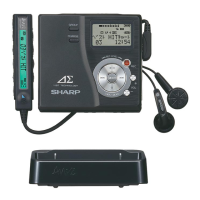
1-BIT PORTABLE MINIDISC RECORDER MD-DR77
ENGLISH OPERATION MANUAL
MD-DR77(J)
TINSJA019AWZZ
Creating a group before recording
(GROUP RESERVE) (page 85)
1. Insert a MiniDisc.
2.
In the stop mode, press the MENU button.
3. Select "GROUP" by pressing the
or button and
press the MENU button.
4. Select "RESERVE" by pressing the
or button and
press the MENU button.
5. Enter a group name.
6. Hold down the MENU button for 2 seconds or more.
The group name is displayed.
Moving a group to the top (GROUP TOP MOVE) (page 86)
1. Insert a group-recorded MiniDisc.
2.
In the stop mode, press the GROUP button.
"GR" will flash.
3. Within 5 seconds, select the group to be moved by pressing
the
or button.
4.
Press the MENU button.
5. Select "GROUP" by pressing the
or button and
press the MENU button.
6. Select "TOP MOVE" by pressing the
or button and
press the MENU button.
7.
Press the MENU button. The group is moved to the top.
Positioning non-group tracks after group-recorded
tracks
(GROUP ARRANGE)
(page 87)
1. Insert a group-recorded MiniDisc.
2.
In the stop mode, press the MENU button.
3. Select "GROUP" by pressing the
or button and
press the MENU button.
4. Select "ARRANGE" by pressing the or button and
press the MENU button.
5.
Press the MENU button. Non-group tracks are moved behind
the grouped ones.
Erasing a group (GROUP ERASE) (page 88)
1. Insert a group-recorded MiniDisc.
2.
In the stop mode, press the GROUP button.
"GR" will flash.
3. Within 5 seconds, select the group to erase by pressing the
or button.
4.
Press the MENU button.
5. Select "GROUP" by pressing the
or button and
press the MENU button.
6. Select "Gr&TrERASE" by pressing the
or button
and press the MENU button.
7.
Press the MENU button. The group is erased.
Erasing group information (GROUP CANCEL)
(page 89)
1. Insert a group-recorded MiniDisc.
2.
In the stop mode, press the MENU button.
3. Select "GROUP" by pressing the
or button and
press the MENU button.
4. Select "CANCEL" by pressing the
or button and
press the MENU button.
5.
Press the MENU button. The group information is erased.
1
2
3
4
5
6
7
8
9
TINSJA019AWZZ


 To Next Page