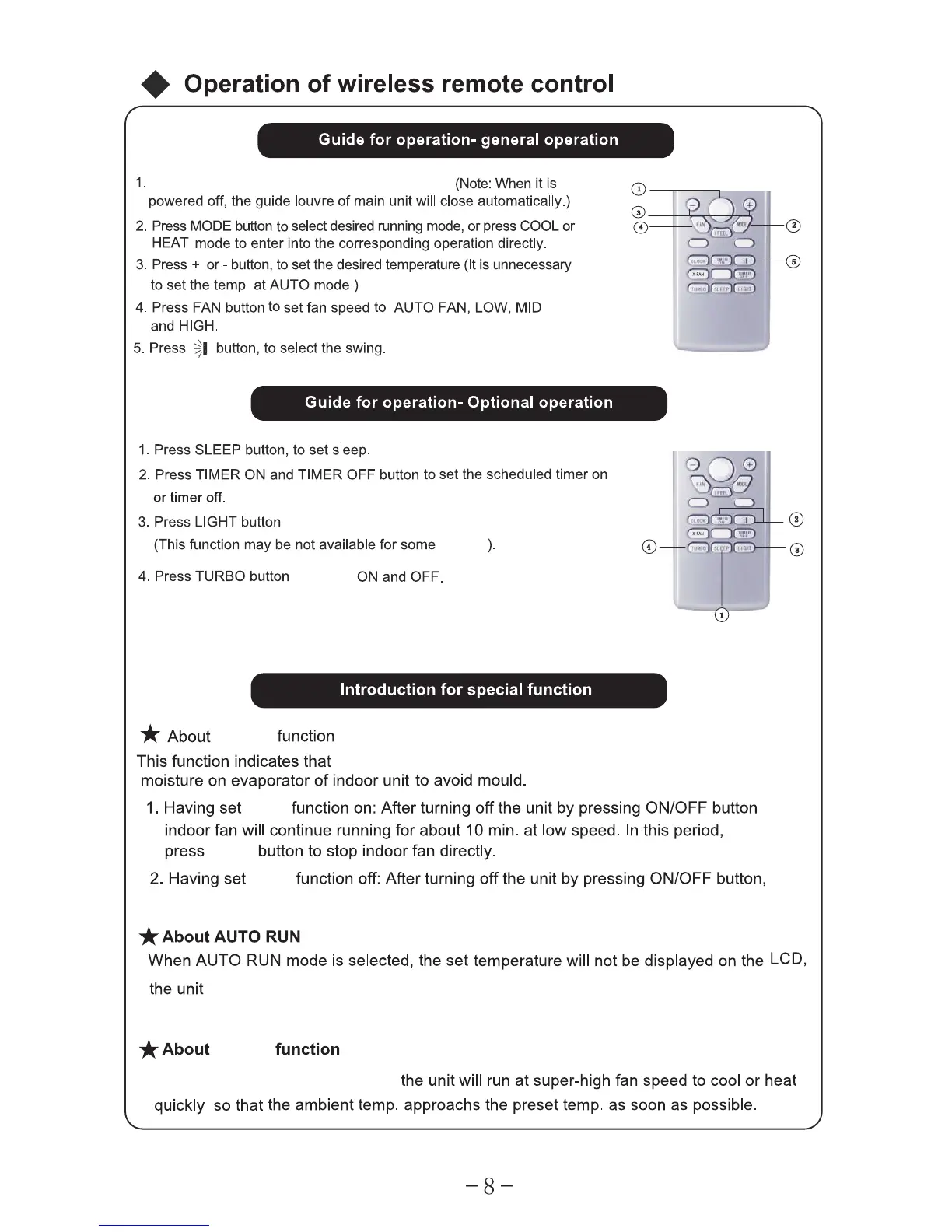
Press On /Off button to start or stop operation.
to switch On or Off the display on the main unit.
odelsm
to switch
the fan will con tinu e to after the un it is st oppe d to rem ove
the function is not operated.
senses the room temperature automatically to select a suitable running method
for room comfort.
TURBO
hen TURBO mode is selected W
X-FAN
X-FAN
X-FAN
X-FAN
X-FAN
x-fan
ON/
OFF
ON/
OFF



 To Next Page