EasyManua.ls Logo

Sharp CP-SW1000H - User Manual

Sharp CP-SW1000H
2 pages
Print Icon
To Next Page IconTo Next Page
Loading...
Locking tab
Back of remote control
TINSEA210AWZZ
07H R AS 1
This Quick Start Guide will help you to correctly install and operate your system.
MODEL
CP-SW1000H
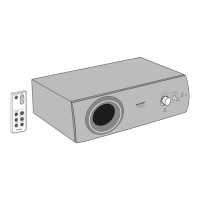
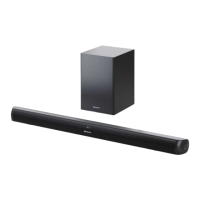
SUBWOOFER SYSTEM
Accessories
RCA cable
(2 pins - 2 pins) x 1
AC power lead x 1
Spike x 4
Before using remote control
Before using remote control, please remove plastic shield
at battery holder.
Remote control battery installation
1 Whilst pushing the locking tab towards the centre of
the remote control, slide out the battery holder.
2 Remove the old battery from the battery holder, insert
the new battery and then slide the battery holder back
into the remote control.
Use the “CR 2025”, coin lithium battery.
Turn on your system
1 Press the ON/STAND-BY button to turn the power on.
The volume indicator lights up blue.
2 To set the unit to stand-by mode:
Press the ON/STAND-BY button again.
The STAND-BY indicator lights up red.
Battery holder
Locking tab
Positive (+)
side up
Polarity (+)
symbol
Battery type
Battery holder
Plastic shield
Remote control
Remote control x 1
Cleaning cloth x 1
Subwoofer
stand x 2
Foot cushion x 4
(Lights
up blue)
(Turns red)
RCA cable
(1 pin - 2 pins) x 1
CP-SW1000H QG 9/7/07, 3:15 PM1


Other manuals for Sharp CP-SW1000H

Questions and Answers

  • J
    Jerry JacobsAug 7, 2025
    How to fix no sound on Sharp CP-SW1000H?
    • M
      Monica OlsonAug 7, 2025
      If you're not hearing any sound from your Sharp Subwoofer, first verify that the input signal setting is correct. If the input is correctly set, check if the volume level is set to “0”. If so, increase the volume.
  • W
    wwalterAug 11, 2025
    Why is my Sharp Subwoofer remote control not working?
    • J
      John GrahamAug 11, 2025
      If your Sharp Subwoofer remote control isn't working right, first ensure the battery polarity is correct. If that's not the issue, try replacing the battery. Also, make sure you're not too far away or at a bad angle, and that nothing is blocking the signal to the subwoofer. Strong light shining on the remote sensor could also be the problem, so try dimming the lights. Finally, make sure you are only using the remote control intended for the subwoofer.
  • T
    Timothy RichardsonAug 15, 2025
    Why Sharp Subwoofer cannot be turned on with the remote control?
    • T
      Tracy SmithAug 15, 2025
      If your Sharp Subwoofer isn't turning on, begin by ensuring it's properly plugged into the power outlet. If it still doesn't power up using the remote, check to see if the battery is inserted correctly.
  • A
    Andrew AndersonAug 20, 2025
    Why is my Sharp CP-SW1000H Subwoofer power not turned on?
    • K
      Krystal PerkinsAug 20, 2025
      If your Sharp Subwoofer isn't turning on, the first thing to check is whether it's properly plugged in. If it is plugged in, it's possible the protection circuit has been activated. If you suspect this, unplug the subwoofer, wait for at least 5 minutes, and then plug it back in.
  • V
    Victor WilkinsonAug 25, 2025
    What to do if I hear noise during playback on my Sharp CP-SW1000H Subwoofer?
    • S
      Stephanie CookAug 25, 2025
      If you're experiencing noise during playback with your Sharp Subwoofer, move the subwoofer away from any computers or mobile phones.
  • C
    Charles PhillipsAug 28, 2025
    What to do if Sharp Subwoofer button does not respond?
    • R
      rebecca44Aug 28, 2025
      If your Sharp Subwoofer isn't responding when you press a button, try setting the unit to stand-by mode and then turning it back on.
  • H
    henry79Sep 1, 2025
    Why TV cannot be operated with the Sharp Subwoofer remote control?
    • J
      Juan RodgersSep 1, 2025
      When using the remote control of this unit, some or all TV functions may not be operable. Use the remote control supplied with the TV.

Sharp CP-SW1000H Specifications

General IconGeneral
Enclosure TypeBass Reflex
Driver Size10 inches
InputsSpeaker Level Input
OutputsSpeaker-level
Crossover Frequency50Hz - 150Hz
Phase Switch0/180 degrees

Related product manuals