) to return all
settings to the default value or to delete all
data.
2) All RESET operation
• If trouble still occurs, proceed as follows:
1. Press the RESET switch on the back.
2. Press .
• Returns to the initial display.
CAUTION
Do not press
.
• Contents displayed on the right side of
the screen are the current settings.
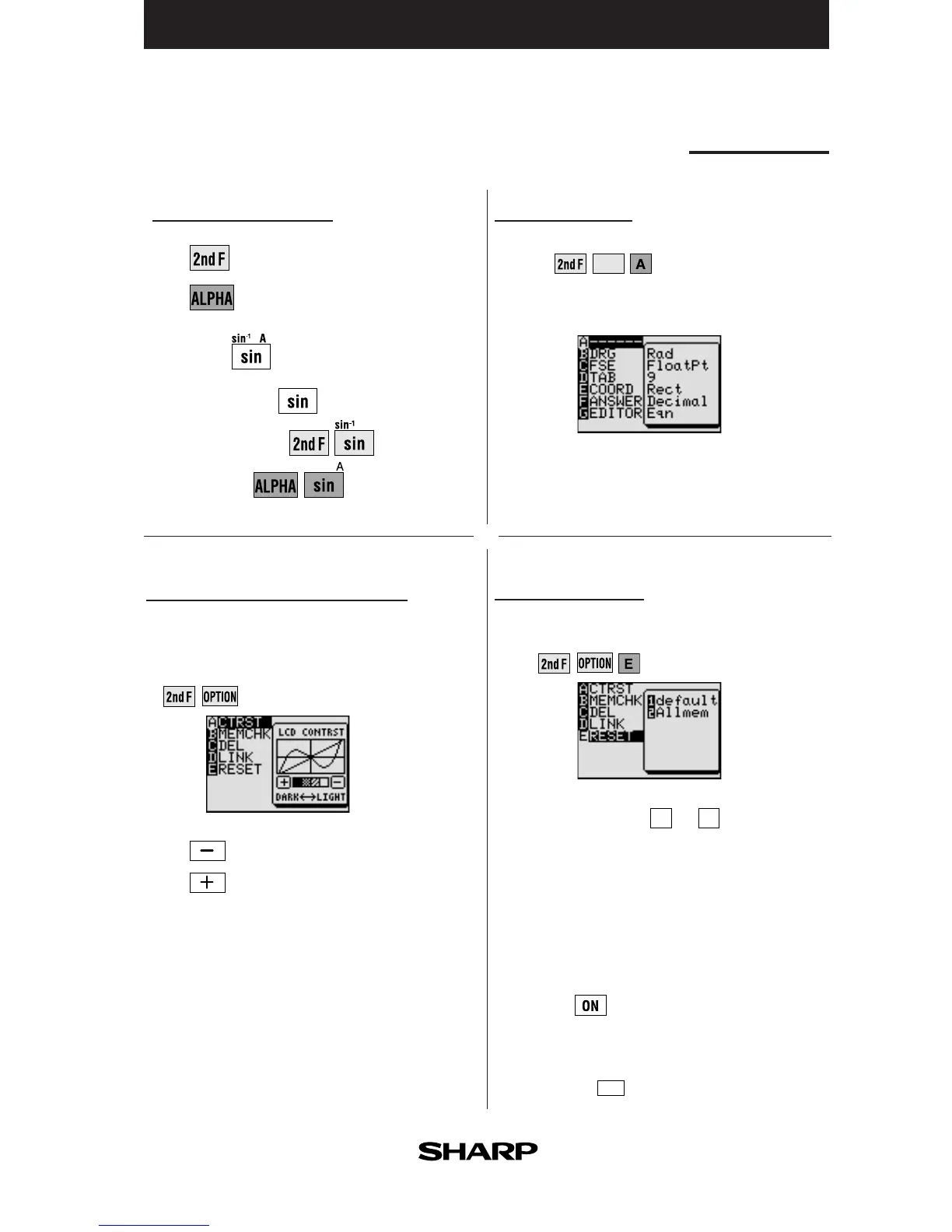
Adjusting screen contrast
• The contrast adjust screen will appear
when pressing
.
Press to lighten contrast.
Press to darken contrast.
Basic operation
Guide to key use
Press to use secondary functions (in yellow).
Press to use the alphabet keys (in blue).
Example:
To select “sin”:
To select “sin
-1
”:
To select A:
There may be differences in the results
of calculations and graph plotting
depending on the SET UP settings.
]
]



 To Next Page