Given that A = 3 and C = 6, find B and θ using the SOLVER. To access the
SOLVER, press 2ndF SOLVER , and press CL to delete any equation that may
appear on the screen.
Type in the equation sin θ = with the keystrokes sin ALPHA θ ALPHA
= a/b ALPHA A ALPHA C . Press 2ndF SOLVER , touch
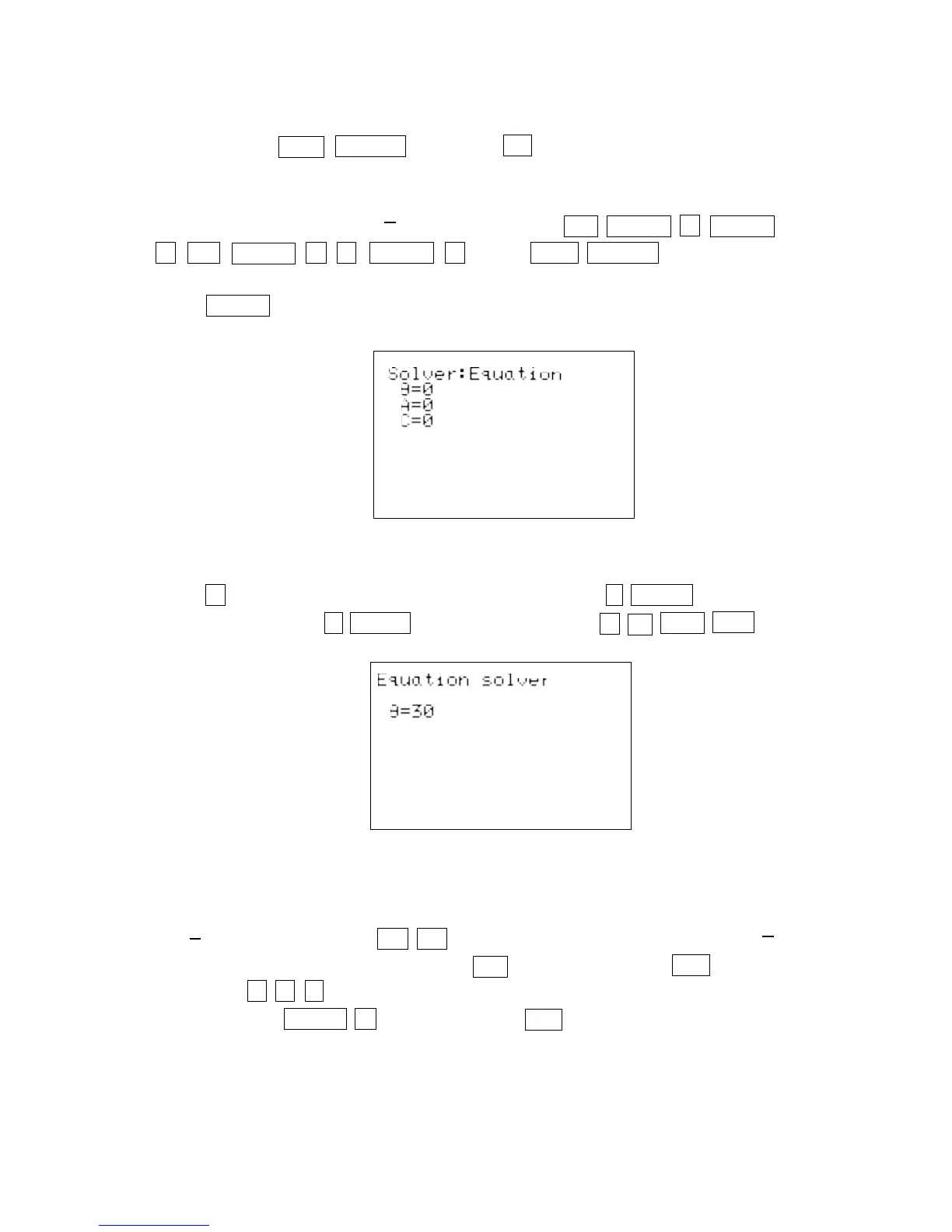
A METHOD, and double touch 1 Equation to choose the Equation solver.
Press ENTER and see the list of variables:
Press ▼ to move the blinking cursor over the A and press 3 ENTER . Type in the
value of C by pressing 6 ENTER . Solve for θ by pressing ▲▲2ndF EXE .
To use the SOLVER to find B, edit the current equation to the new equation cos
θ = . Do this by pressing CL CL to display the current equation sin θ = .
With the cursor over the s in sin, press cos to insert cos. Press DEL to delete
sin. Press to move the cursor over the A in the numerator of the
fraction. Press ALPHA B to insert B. Press DEL to delete A.
30 Applications with Right Triangles/TRIGONOMETRY USING THE SHARP EL-9600
A
C
B
C
A
C
▼
▼
▼
▼



 To Next Page