16
*
mark desired data to be
sent.
]
]
S
et to set communication
System options
7
8
9
Sender
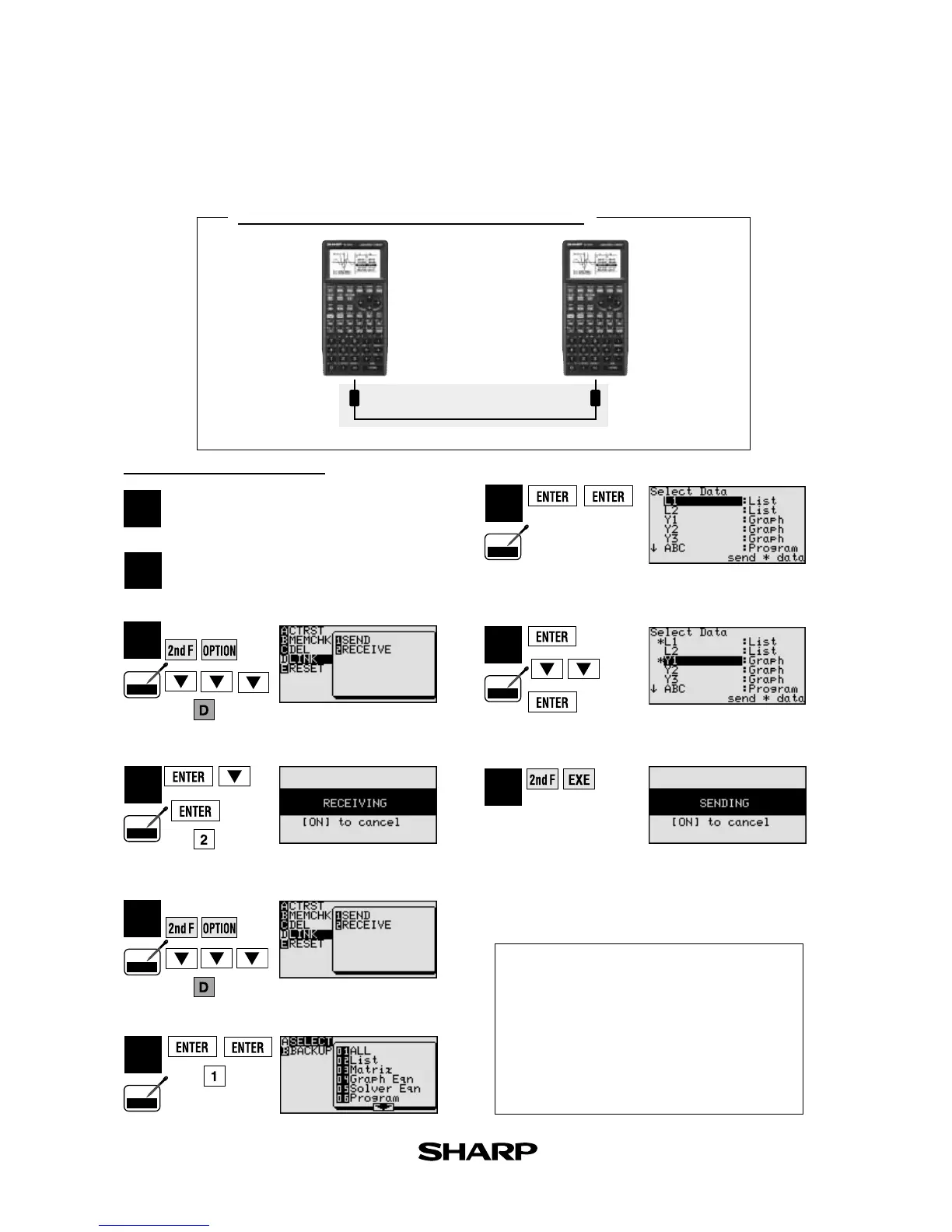
Communication Procedure
CE-450L
Communication cable
EL-9650/9600c EL-9650/9600c
List of the SEND menu
Receiver
3
4
( or )
6
2
1
Plug the cable into both calculators.
Turn power on.
Specified LINK.
Pen
Touch
Pen
Touch
Pen
Touch
Pen
Touch
Pen
Touch
CE-450L
(Communication cable)
Select LINK/SEND.
Select SEND/ALL.
( or )
( or )
Select ‘LI’, ‘YI’
Execute Sending function.
Select LINK/RECEIVE.
Specified LINK.
List of sendable data will
appear on screen.
]
]
5
( or )
Pen
Touch
Transfer data between two EL-9650/9600c calculators using the communication cable (CE-450L).
A SELECT ....................... Sends files individually as described below.
01 ALL ............................ Selects and displays all files.
02 List............................. Selects and displays all list files.
03 Matrix ........................ Selects and displays all matrix files.
04 Graph Eqn.................. Selects and displays all graph equations.
05 Solver Eqn ................. Selects and displays all solver equations.
06 Program ..................... Selects and displays all program files.
07 G_Data....................... Selects and displays all graph data files.
08 L_Data ....................... Selects and displays all list data files.
09 Picture ....................... Selects and displays all picture data files.
10 Slide .......................... Selects and displays all self-made slide shows.
11 A~Z, Ø........................ Selects and displays all fixed memory of A to Z, and Ø
B BACKUP ...................... Menu to send all file data. Use this
feature to send the entire content.



 To Next Page