EasyManua.ls Logo

Sharp FDD-412A - Page 55

Sharp FDD-412A
119 pages
Print Icon
To Next Page IconTo Next Page
To Previous Page IconTo Previous Page
Loading...
(2)
(3)
FDD412A/B
Do
not
turn
any
unspecified
screws.
Some
of
them
are
pre-
adjusted
in
the
factory.
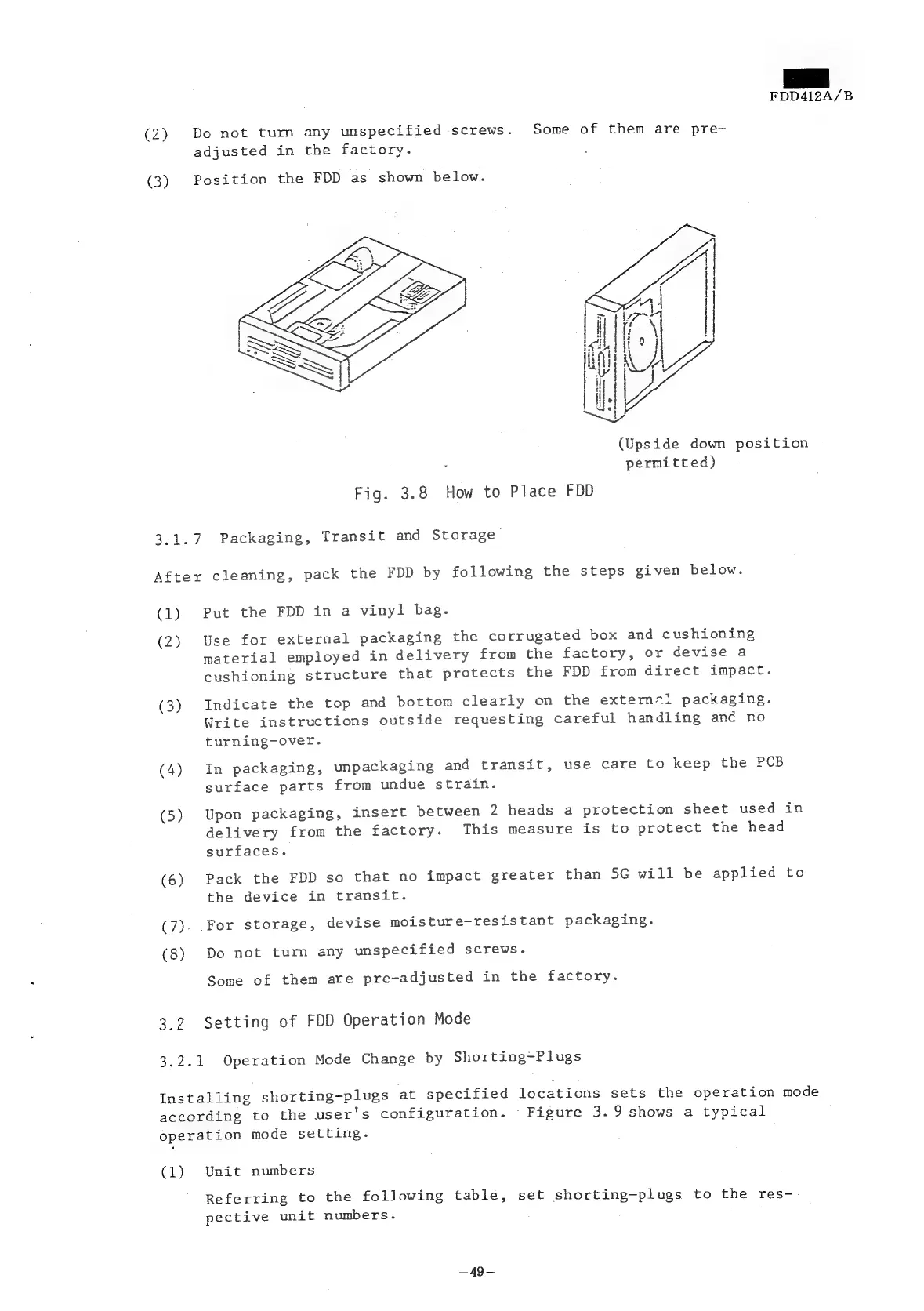
Position
the
FDD
as
shown
below.
(Upside
down
position
permitted)
Fig.
3.8
How
to
Place
FDD
3.1.7
Packaging,
Transit
and
Storage
After
cleaning,
pack
the
FDD
by
following
the
steps
given
below.
(1)
(2)
(3)
(4)
(5)
(6)
Cie
3
(8)
Bist
Put
the
FDD
in
a
vinyl
bag.
Use
for
external
packaging
the
corrugated
box
and
cushioning
material
employed
in
delivery
from
the
factory,
or
devise
a
cushioning
structure
that
protects
the
FDD
from
direct
impact.
Indicate
the
top
and
bottom
clearly
on
the
extermm=1
packaging.
Write
instructions
outside
requesting
careful
handling
and
no
turning-over.
In
packaging,
unpackaging
and
transit,
use
care
to
keep
the
PCB
surface
parts
from
undue
strain.
Upon
packaging,
insert
between
2
heads
a
protection
sheet
used
in
delivery
from
the
factory.
This
measure
is
to
protect
the
head
surfaces.
Pack
the
FDD
so
that
no
impact
greater
than
5G
will
be
applied
to
the
device
in
transit.
For
storage,
devise
moisture-resistant
packaging.
Do
not
tum
any
unspecified
screws.
Some
of
them
are
pre-adjusted
in
the
factory.
Setting
of
FDD
Operation
Mode
3.2.1
Operation
Mode
Change
by
Shorting-Plugs
Installing
shorting-plugs
at
specified
locations
sets
the
operation
mode
according
to
the
user's
configuration.
Figure
3.9
shows
a
typical
operation
mode
setting.
(1)
Unit
numbers
Referring
to
the
following
table,
set
shorting-plugs
to
the
res--
pective
unit
numbers.
—~49—