EasyManua.ls Logo

Sharp FDD-412A - Page 82

Sharp FDD-412A
119 pages
Print Icon
To Next Page IconTo Next Page
To Previous Page IconTo Previous Page
Loading...
FDD412A/B
(4)
(d)
Then
turn
the
bail
elevation
adjust
screw
slowly
counter-
clockwise,
and
set
it
where
the
read
output
voltage
dis-
appears
(5%
or
less
of
the
value
in
head
loading
state).
At
this
time,
use
care
not
to
press
the
wrench
onto
the
bail.
(e)
Give
another
1.5
counterclockwise
turns
to
the
bail
eleva-—
tion
adjust
screw
that
was
set
in
step
(d).
(£)
Seek
track
#76
and
check
that
no
output
waveshape
appears.
Should
an
output
waveshape
be
observed,
turn
the
bail
eleva-
tion
adjust
screw
bit
by
bit
counterclockwise,
and
set
it
where
the
waveshape
disappears.
(g)
Load
the
heads
on
and
check
that
80%
or
more
of
the
output
waveshape
appears
within
50
ms
after
the
head
loading
on.
Cautions
(a)
Never
touch
the
bail
elevation
adjust
screw
except
for
adjustment
purposes.
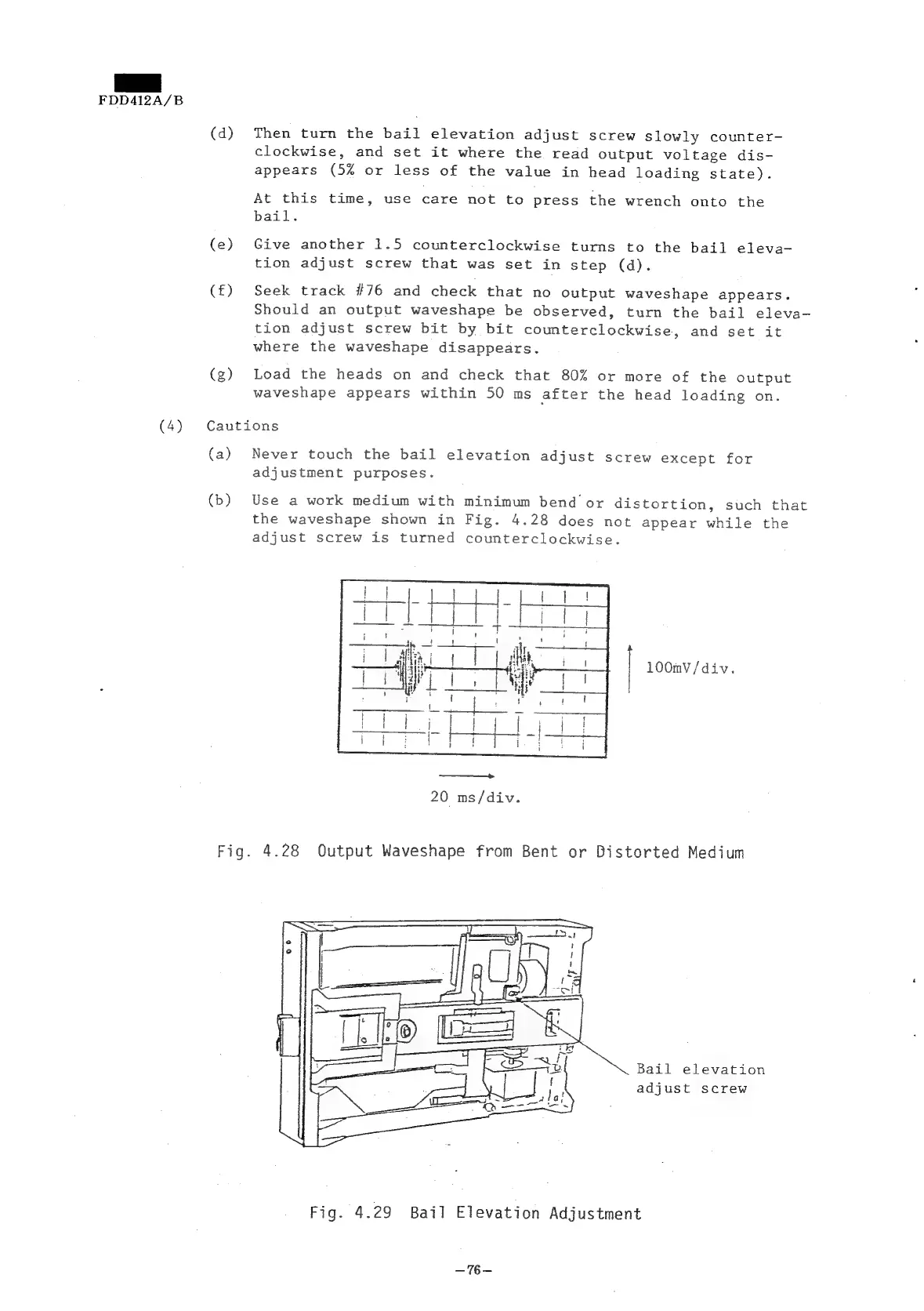
(b)
Use
a
work
medium
with
minimum
bend
or
distortion,
such
that
the
waveshape
shown
in
Fig.
4.28
does
not
appear
while
the
adjust
screw
is
turned
counterclockwise.
100mV/div.
20
ms/div.
Fig.
4.28
OQutput
Waveshape
from
Bent
or
Distorted
Medium
Bail
elevation
adjust
screw
Fig.
4.29
Bail
Elevation
Adjustment
~%—