81
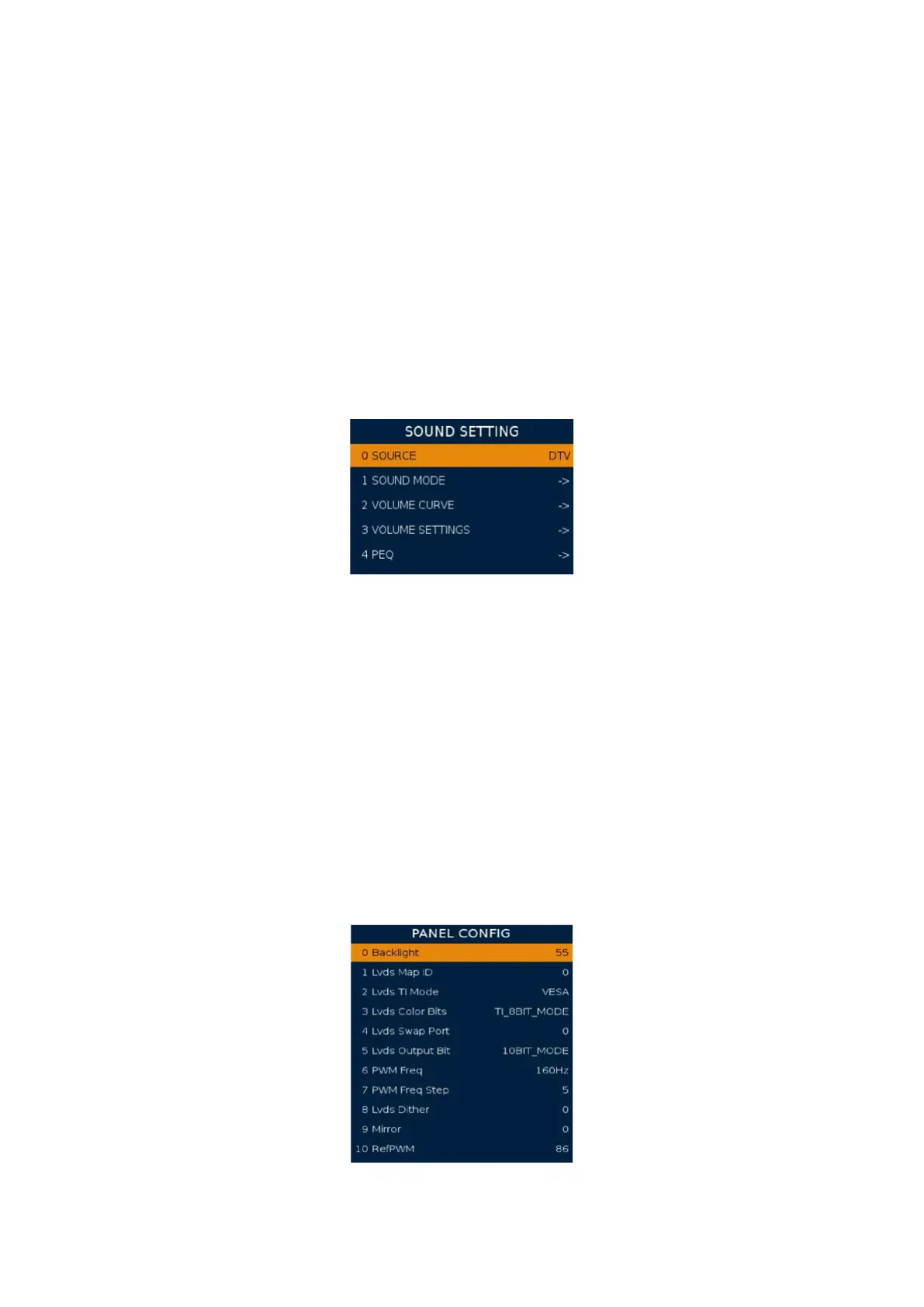
4 SOUND
SOURCE: Current input source. (use for change source)
SOUND MODE: Standard sound setting (Like EQ treble bass) for dierent Sound
mode .It will change Sound menu’s standard sound mode setting.
EQ: sound in dierent frequency range value.
VOLUME CURVE: Volume curve. At least ten steps is adjustable. To set sound
value from 1 to 100 corresponding actual nonline curve value. It will change
current sound actual value. For example, TAB_50 is 925, that’s on the sound
OSD page, use key vol+/- to adjust the value to 50, the volume is 925.
VOLUME SETTINGS: setting AVL mode and threshold ...etc. AVD: auto volume
control. Vol PreScale DTV... SCART: Set dierent source’s sound value.
PEQ: Adjust the audio eect by dierent frequency range. EQ: sound in dierent frequency
range value. PEQ: more frequency range than EQ;
5 PANEL
Backlight: It’s for adjusting the non-eco and eco backlight.
Depends on which mode is selected in OSD.
Lvds Map ID: Modify this according to your panel. It is the combination
of the TI Mode, Color Bits, Swap Port and Output Bit.
Lvds TI Mode: Have VESA/JEICA mode. It’s related to Lvds Map.
Lvds Color Bits: Set lvds data interface type. (6bit/8bit/10bit).
Lvds Swap Port: Lvds A/B Port data swap.
Lvds Output Bit: Set lvds data output type. (6bit/8bit/10bit).
PWM Freq: Modify PWM frequency
PWM Fraq Step: The speed when you modify PWM Freq value.
Mirror: mirror TV. Switch your screen upside down.
Picture 3 Sound Setting
Picture 4 Panel Cong




 To Next Page