82
6 DEBUG
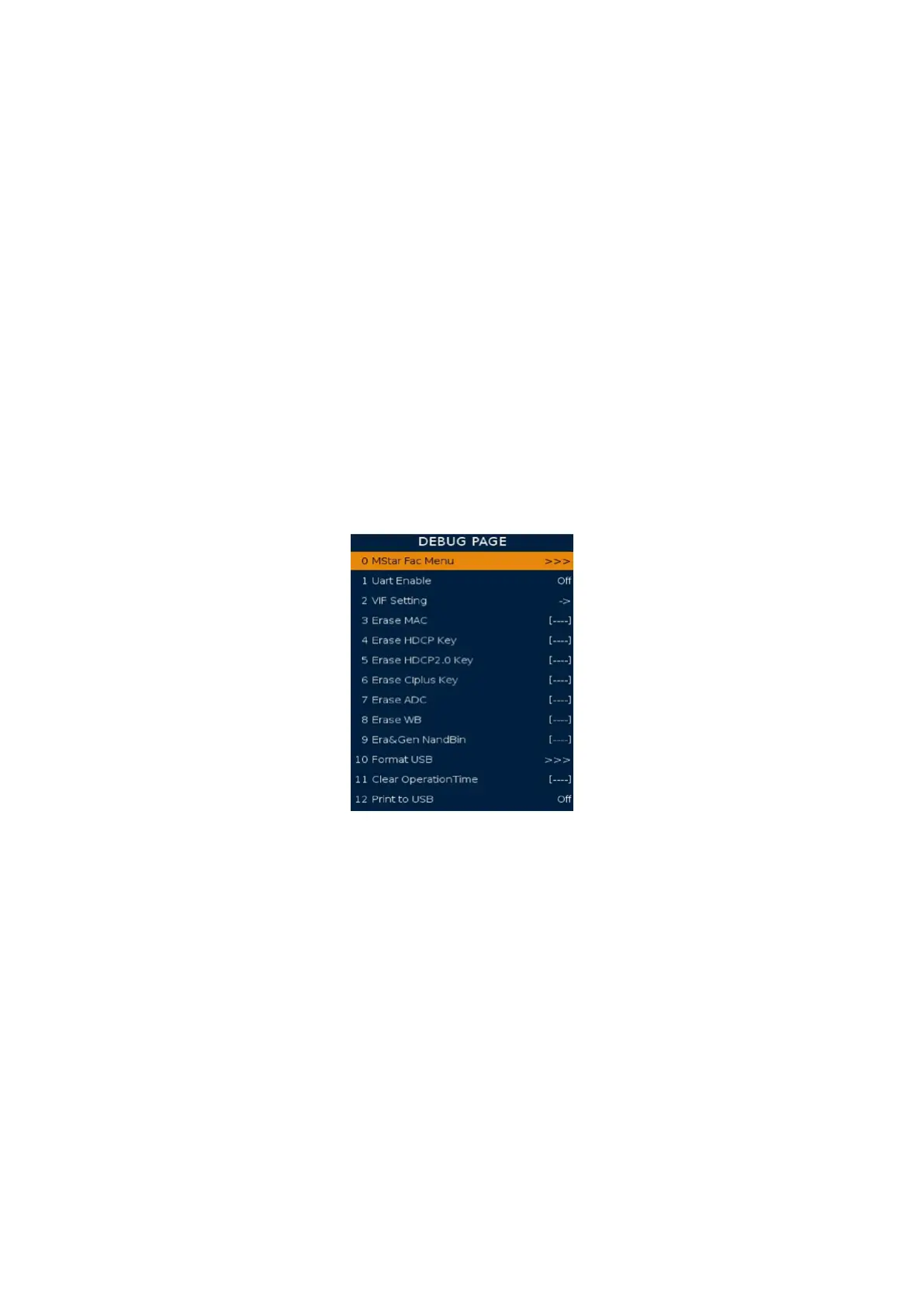
MStar Fac Menu: Show MStar Factory Menu.
Uart Enable: To enable serial port with print debug infomation. If you want
to got the debug info by the ISP tool, you can set this item to “on”.
VIF setting: RF non-standard signal test.
Erase MAC: erase Mac address. The password is “4711”.
Erase HDCP Key: erase HDCP key. Must erase key before upgrade key. The password is “4711”.
Erase HDCP2.0 Key: erase HDCP2.0 key. Must erase key
before upgrade key. The password is “4711”.
Erase CIplus Key: erase CIplus key. Must erase key before upgrade key. The password is “4711”.
Erase ADC: Erase ADC value. The password is “4711”.
Erase WB: Erase white balance. The password is “4711”.
Era&Gen NandBin: Erase All and generate Nandbin (Use for production). The password
is “4711”. It will erase ash. This function is for CVTE test, Suggest do not erase this.
RB-Time: Suggest do not do this. The password is “4711”.
Format USB device: Format USB, your USB device will be NULL.
Print to USB: debug print information output to USB device. Easy to get print out.
Logo On/O: have power on logo or not.
7 GENERAL SETTING
Test Pattern: Display test picture to check panel.
OVERSCAN: It’s for adjusting the over scan of picture.
Timer Test: To speed up the time. Only for QC test.
WDT: Watch dog on or o
Power On Mode: After power on state. It’s for setting power state when power
on. There are three option o/on/last. ‘o’ means it’ll enter standby state; ’on’
means it’ll power on directly without standby; ‘last’ means it’ll enter the last state
: standby or power on. It decided by the state when you turn o the power.
EN ADC Value: Use for keypad test. Get keypad ADC value.
ADC Value: The ADC value of current press key. Use this need EN ADC Value turn to on.
CI+ Version Switch: Switch CI+ Version both 1.2 and 1.3. It will lead TV restart.
Hotel Mode: Enter Hotel mode setting.
Capture Screen: If set to On, we can capture screen when press setup key.
Picture 5 Debug page




 To Next Page