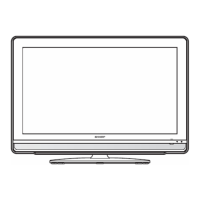
EasyManua.ls Logo

Sharp LC-32SV1E - User Manual

Sharp LC-32SV1E
28 pages
Print Icon
To Next Page IconTo Next Page
Loading...
LCD COLOUR TELEVISION
LCD-FARBFERNSEHGERÄT
TÉLÉVISION COULEUR À ÉCRAN
À CRISTAUX LIQUIDES (LCD)
TELEVISORE A COLORI LCD
LCD-KLEURENTELEVISIE
TELEVISIÓN EN COLOR LCD
OPERATION MANUAL
BEDIENUNGSANLEITUNG
MODE D’EMPLOI
MANUALE DI ISTRUZIONI
GEBRUIKSAANWIJZING
MANUAL DE MANEJO
LC-26SA1E LC-26SV1E LC-32SA1E LC-32SV1E
Printed in Hungary
Gedruckt in Ungarn
Imprimé en Hongrie
Stampato in Ungheria
Gedrukt in Hongarije
Impreso en Hungría
TINS-C612WJZZ
OPERATION MANUAL / BEDIENUNGSANLEITUNG / MODE D’EMPLOI / MANUALE DI ISTRUZIONI / GEBRUIKSAANWIJZING / MANUAL DE MANEJO
LC
-
26SA1E
LC
-
26SV1E
LC
-
32SA1E
LC
-
32SV1E
C612WJZZ
1
ENGLISH
FRANÇAIS
DEUTSCH
ITALIANO
NEDERLANDS
ESPAÑOL
06P08-HU-NG
PIN
Printed on environmentally friendly paper
Auf ökologischem Papier gedruckt
Imprimé sur papier écologique
Stampato su carta ecologica
Afgedrukt op ecologisch papier
Impreso en papel ecológico

Questions and Answers

  • T
    Tamara AlexanderAug 12, 2025
    How to turn on Sharp LCD TV if there is no power?
    • X
      xblackAug 12, 2025
      If your Sharp LCD TV has no power, first ensure that you have pressed the power button on the remote. If the indicator light on the TV is red, pressing the power button should resolve this. Also, check the AC cord to ensure it is properly connected. Finally, check the power button on the TV itself.
  • S
    samuel02Aug 16, 2025
    What to do if there is no sound on my Sharp LC-32SV1E?
    • M
      Melissa HenryAug 16, 2025
      If there is no sound on your Sharp LCD TV, first verify that the volume isn't set too low. Also, ensure that headphones are not connected to the TV. Finally, check that you haven't accidentally pressed the mute button on the remote.
  • D
    Darren CrossAug 20, 2025
    Why does my Sharp LC-32SV1E LCD TV power off suddenly?
    • K
      Kendra MorrisonAug 20, 2025
      If your Sharp LCD TV suddenly turns off, it could be due to a few reasons. First, the unit’s internal temperature may have increased, so remove any obstructions blocking the vents or clean them. Also, check the power control settings and ensure the sleep timer isn't set. If it is set, press the SLEEP button on the remote until it is off.
  • A
    Alisha ReynoldsAug 25, 2025
    Why Sharp LC-32SV1E LCD TV remote control unit does not operate?
    • T
      thomaschristopherAug 25, 2025
      If the remote control for your Sharp LCD TV isn't working, start by checking the batteries. Ensure they are inserted with the correct polarity and replace them if they are worn out. Strong or fluorescent lighting may also interfere with the remote's operation. Check to see if a fluorescent light is illuminated to the remote control sensor.
  • A
    angela06Aug 27, 2025
    What to do if there is no picture on my Sharp LCD TV?
    • M
      Madison GibsonAug 28, 2025
      If there is no picture on your Sharp LCD TV, first ensure that all connections to other components are correct. Then, verify that the input signal type is correctly selected. Make sure the correct input source is selected. Check that a non-compatible signal isn't being input. Ensure picture adjustments are correct, that the antenna is connected properly, and that 'On' is not selected in 'Audio Only'.
  • L
    Logan MorrisAug 31, 2025
    Why does my Sharp LC-32SV1E LCD TV have strange colors?
    • V
      Veronica YoungAug 31, 2025
      If you are experiencing strange, light, or dark colors, or color misalignment on your Sharp LCD TV, try adjusting the picture tone. Also, consider the room's brightness, as a bright room can make the picture appear dark. Check the color system and HDMI setup settings as well.
  • E
    Erica GentrySep 3, 2025
    What to do if Sharp LC-32SV1E unit cannot be operated?
    • T
      Timothy JosephSep 3, 2025
      If your Sharp LCD TV cannot be operated, it may be due to external influences such as lightning or static electricity. To resolve this, turn the power off, or unplug the AC cord and re-plug it in after 1 or 2 minutes, then try operating the unit again.
  • T
    taylormillerSep 7, 2025
    How to fix cut off picture on Sharp LC-32SV1E LCD TV?
    • G
      gcruzSep 7, 2025
      If the picture on your Sharp LCD TV is cut off, ensure that the image position is correct. Also, check the screen mode adjustments (4:3 Mode/WSS) to make sure the picture size is set correctly.

Sharp LC-32SV1E Specifications

General IconGeneral
Screen Size32 inches
Resolution1366 x 768
Display TechnologyLCD
HDMI Ports2
USB Ports1
Weight9.5 kg
Energy ClassA
Display TypeLCD
Aspect Ratio16:9
Brightness450 cd/m²
Response Time6 ms
HD FormatHD Ready
Viewing Angle176°
Input PortsComponent, SCART
Sound Output10W

Related product manuals