LC-60G9T / LC-70G9T
5 – 20
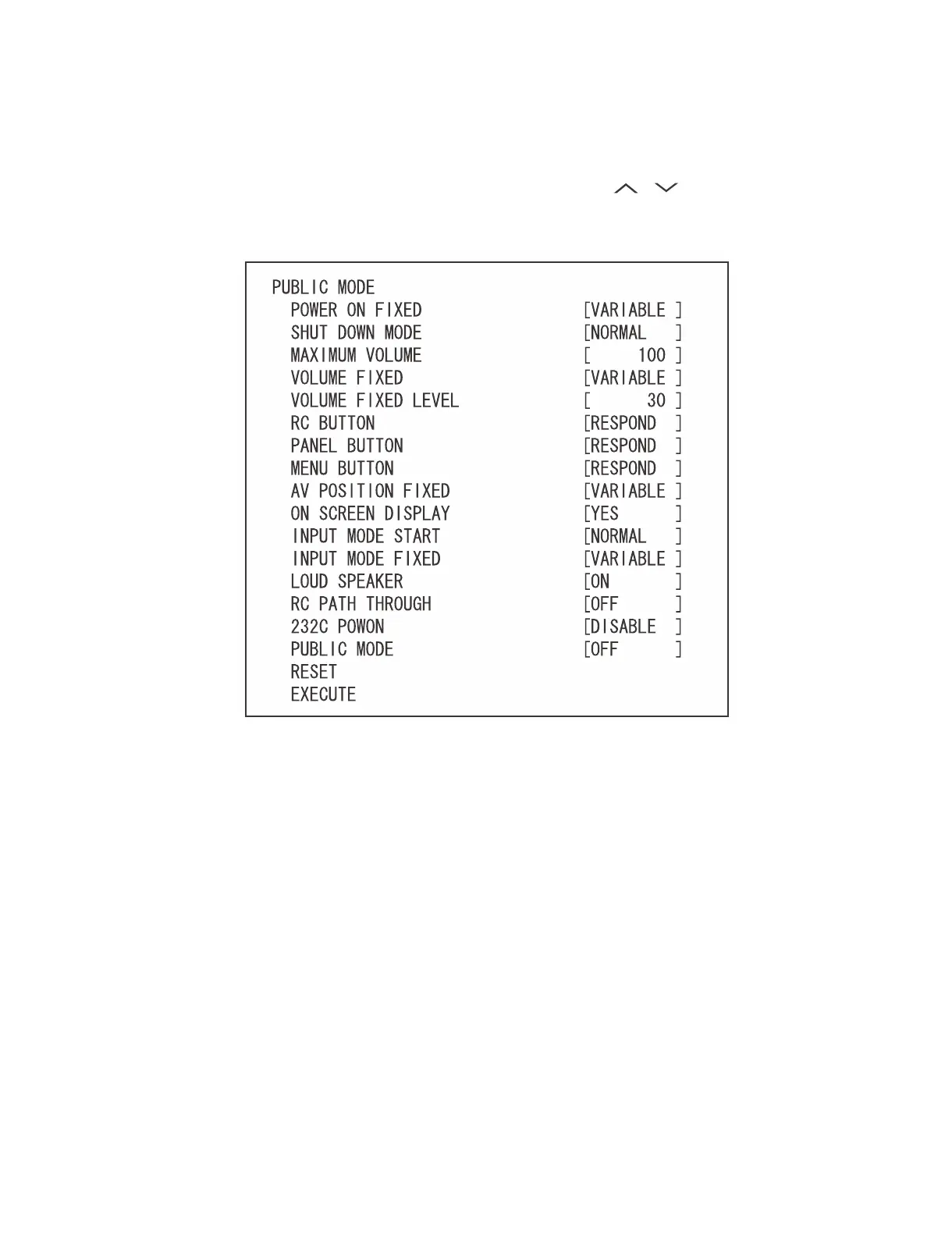
4. Public Mode Menu
The guidance is not displayed on screen.
Setup procedure
x To move the cursor up and down, use the “cursor UP/DOWN” key (remote controller) and “CH ( )/( )” key (remote controller and set).
x To change the settings, use the “cursor RIGHT/LEFT” key (remote controller) and “VOL (+)/(–)” key (remote controller and set).
x To save new settings, keep the cursor at “EXECUTE” and use “ENTER” key (remote controller and set).





 To Next Page