23
LC-43LBU591U / LC-50LBU591U / LC-55LBU591U / LC-65LBU591U
LC-43LBU591C / LC-50LBU591C / LC-55LBU591C / LC-65LBU591C
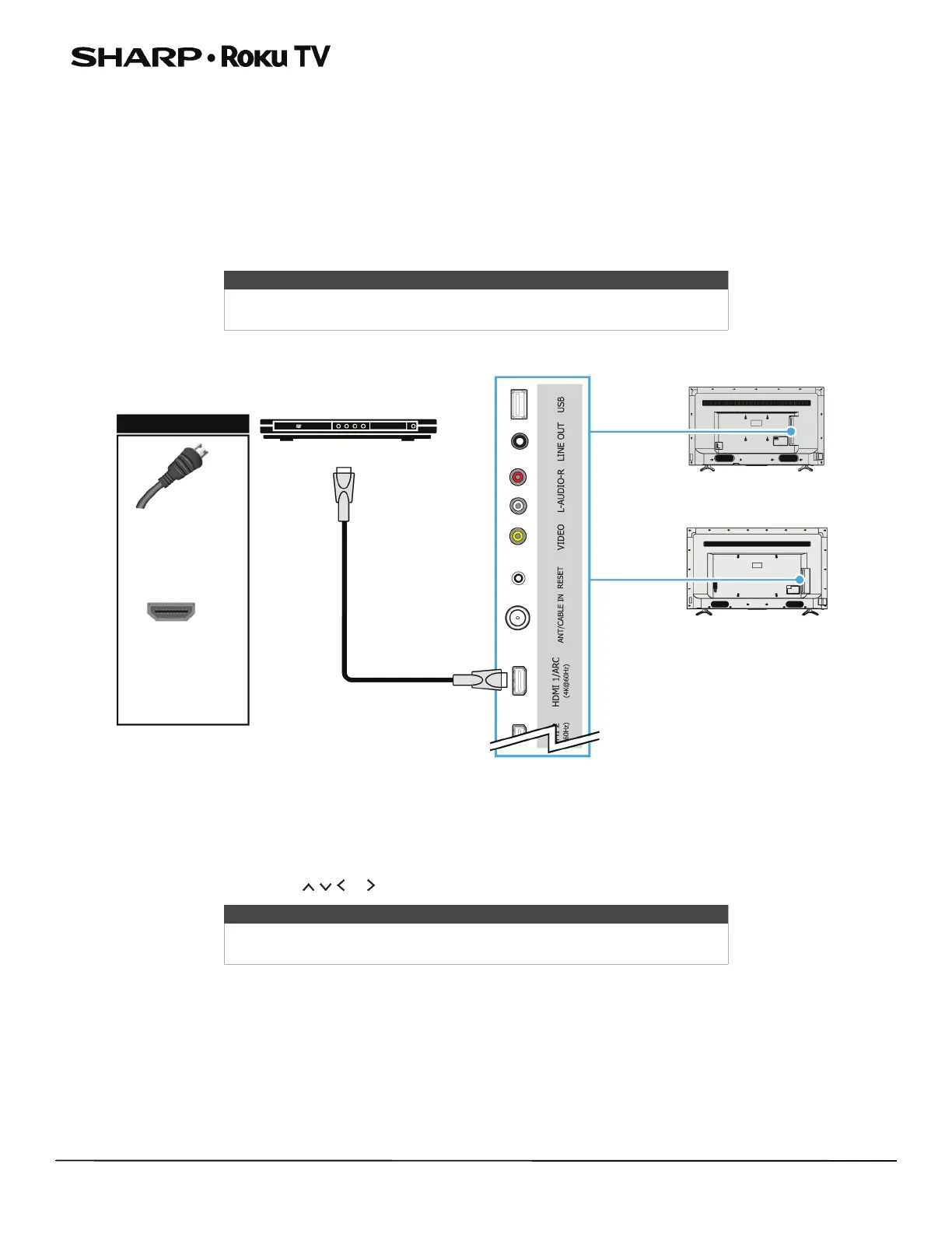
Connecting a DVD or Blu-ray player
Many DVD or Blu-ray players have more than one connection type. To get the best video, you should use the best
connection type available. For more information, see What connection should I use? on page 18.
You can connect a DVD or Blu-ray player using:
•HDMI® (best)
•AV (good)
HDMI
®
(best)
1 Make sure that your TV’s power cord is unplugged and the DVD or Blu-ray player is turned off.
2 Connect an HDMI® cable (not provided) to an HDMI jack on your TV and to the HDMI OUT jack on the DVD or Blu-ray
player.
3 Plug your TV’s power cord into a power outlet, then turn on your TV and DVD or Blu-ray player.
4 On the Home screen, press or to highlight the HDMI 1, HDMI 2, or HDMI 3 tile, then press OK.
Note
For better picture quality, we recommend that you use cables designated as
High Speed HDMI® cables.
Note
An HDMI® cable carries both audio and video. You do not need to use any
audio cables.
HDMI® cable
DVD or Blu-ray player
HDMI® cable
connector
HDMI® jack
On your TV
43"/50"/55" models
55" model shown
65" model



 To Next Page