Page - 6 -
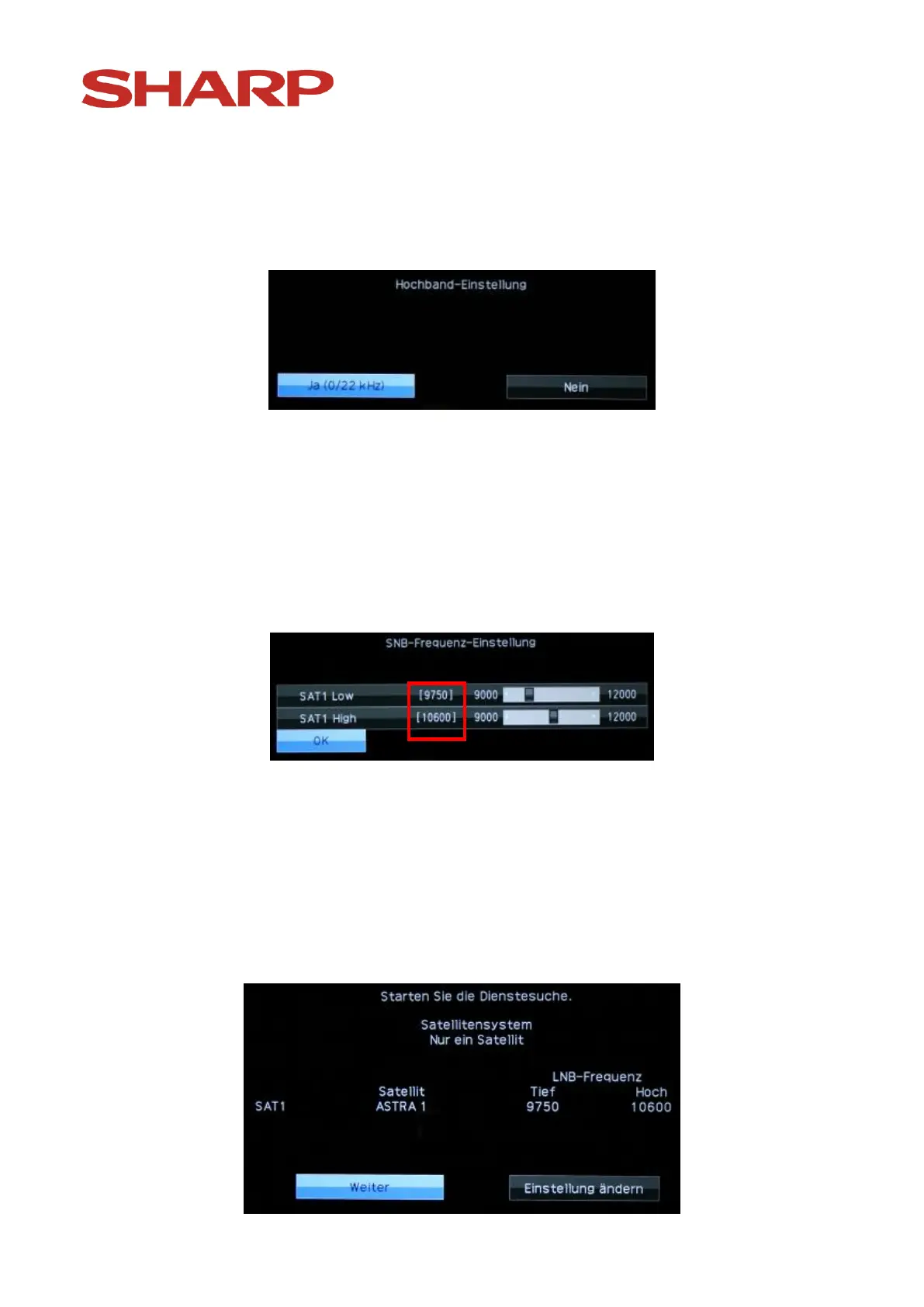
Choose „Yes“ and confirm your choice with the „OK “ button on the remote
control.
Now you will see the following:
Confirm the displayed setting by pressing the „OK “-button on the remote
control. (An explanation of this setting can be found in the chapter
„Frequently asked questions" in the appendix). The example shows the
installation for a satellite device with an individual connection (only Astra).
After confirmation you will see the following image:
If you use a satellite device with an "exotic" LNB, here you can set the
oscillator frequencies of upper and lower sidebands. For a normal, standard
LNB confirm the displayed settings by pressing the „OK “-button on the
remote control.
The following happens then:


 To Next Page