Page - 7 -
If the settings are correct, don't change anything and confirm the choice of
„Continue“ option with the „OK “ button on the remote control.
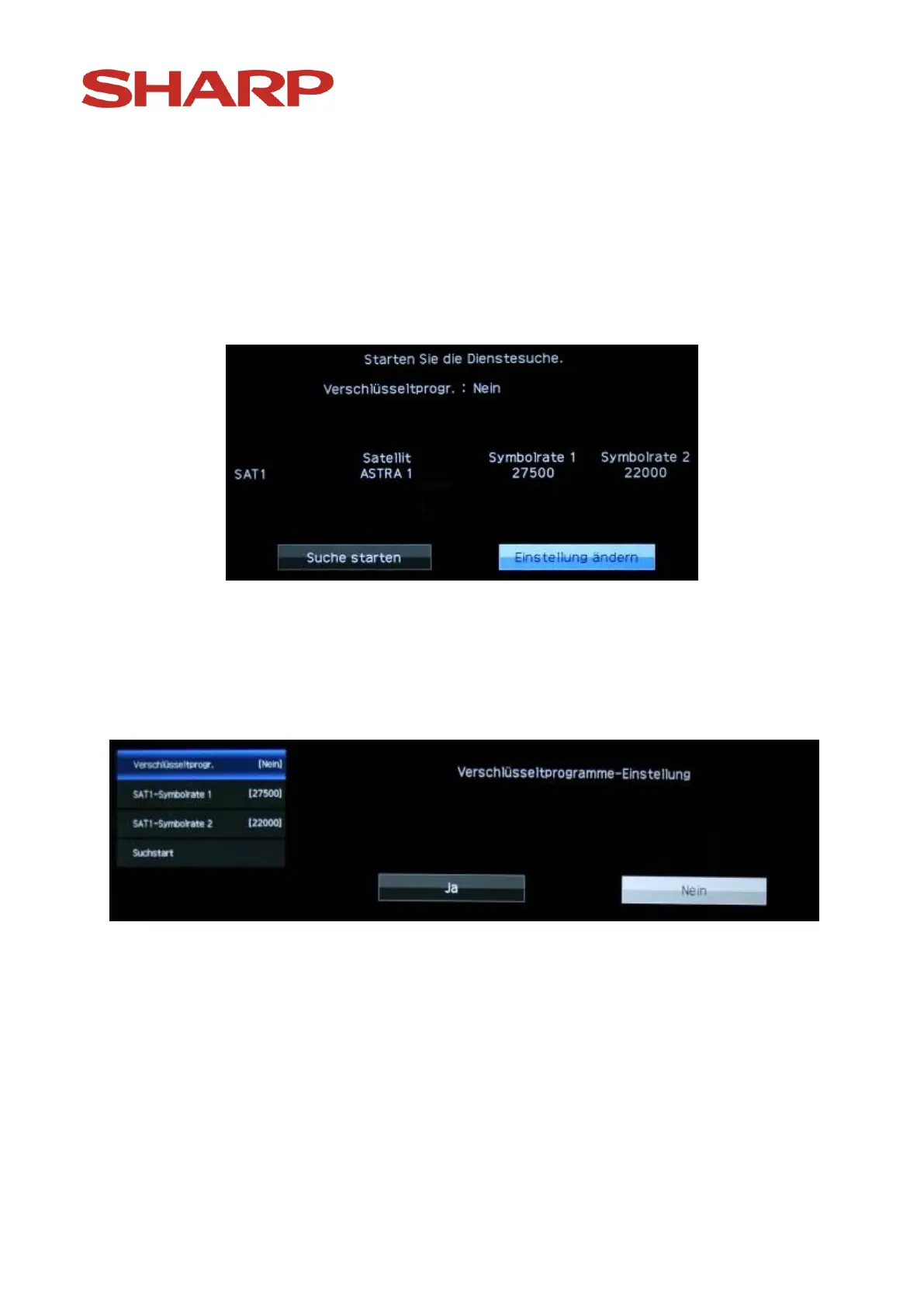
Now you will see the following:
Please don't start the search yet! Please highlight „Change settings“ and
confirm your choice with the „OK “-button on the remote control.
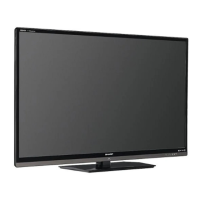
The following image will appear:
Don't change anything and confirm the point „Coded channels“ and confirm
your choice with the „OK “ button on the remote control.
Now you will see the following:


 To Next Page